Let's break down what a work stream actually is. It’s a high-level way of grouping related tasks that can run alongside other groups, all pushing towards a bigger project goal.
Don't think of it as just one long to-do list. Instead, picture it as a dedicated lane on a motorway for a specific part of your project—like visual effects or sound design. This approach brings order to the chaos of a complex project, organising all the moving parts into manageable, strategic chunks.
Decoding the Work Stream
Imagine you're building a house. You wouldn’t just have one massive list of every single task, from pouring the foundation to painting the spare bedroom. That would be a nightmare to manage.
Instead, you’d split the project into major areas that can, for the most part, happen at the same time. You might have a "Structural" work stream for the foundation and framing, an "Electrical" work stream, and a "Plumbing" work stream. Sure, the foundation has to be laid first, but once the frame is up, the electricians and plumbers can get to work in different parts of the house without tripping over each other.
That's exactly what a work stream is in post-production: a container for a significant, cohesive block of work. It gathers all the related tasks, resources, and team members under one clear, strategic objective. This moves you beyond simple task management and gives you a much clearer, more organised view of the entire project, letting you see the big picture without getting bogged down in the tiny details.
Core Characteristics
So, what makes a work stream different from a simple task list or a workflow? It comes down to a few key attributes. Getting these right is vital for planning a project that actually works.
A work stream isn't just about what needs to get done; it’s about organising how it gets done at a strategic level. It groups related activities to improve focus, accountability, and parallel execution, preventing project-wide traffic jams.
By organising work this way, different teams get the autonomy and clarity they need to just get on with it. They can focus on their specific deliverables while still knowing exactly how they contribute to the project's overall success.
This table gives you a quick-reference guide to the core characteristics that define a genuine work stream.
Key Characteristics of a Work Stream A summary of the core attributes that define a work stream, helping you quickly understand its purpose and structure.
| Characteristic | Description |
|---|---|
| Strategic Focus | Represents a major, distinct area of the project with a clear, high-level goal (e.g., "Deliver all visual effects shots"). |
| Parallel Execution | Designed to run concurrently with other work streams, allowing different project components to progress at the same time. |
| Dedicated Resources | Often has its own dedicated team, budget, and resources to ensure focus and prevent bottlenecks. |
| Clear Ownership | Typically has a designated leader or manager responsible for the stream's progress, budget, and final deliverables. |
Understanding these building blocks is the first step towards implementing a more efficient and less chaotic project management system.
Work Stream vs Workflow vs Task Demystified
In post-production, getting the language right isn't just about semantics—it's about survival. When you're juggling deadlines and budgets, mixing up terms like work stream, workflow, and task can lead to massive confusion, blown schedules, and costly rework. For any project to run smoothly, everyone on the team needs to be on the same page about how the work is actually structured.
Think of it like producing a feature film. The film itself is the entire project. The big, parallel pillars holding it all up—like Visual Effects, Sound Design, and Colour Grading—are your work streams. Each one is a major strategic container for a huge chunk of the project. A work stream basically answers the question, "What major area are we responsible for?"
This diagram shows how a single project breaks down into these high-level work streams, which can often run at the same time.
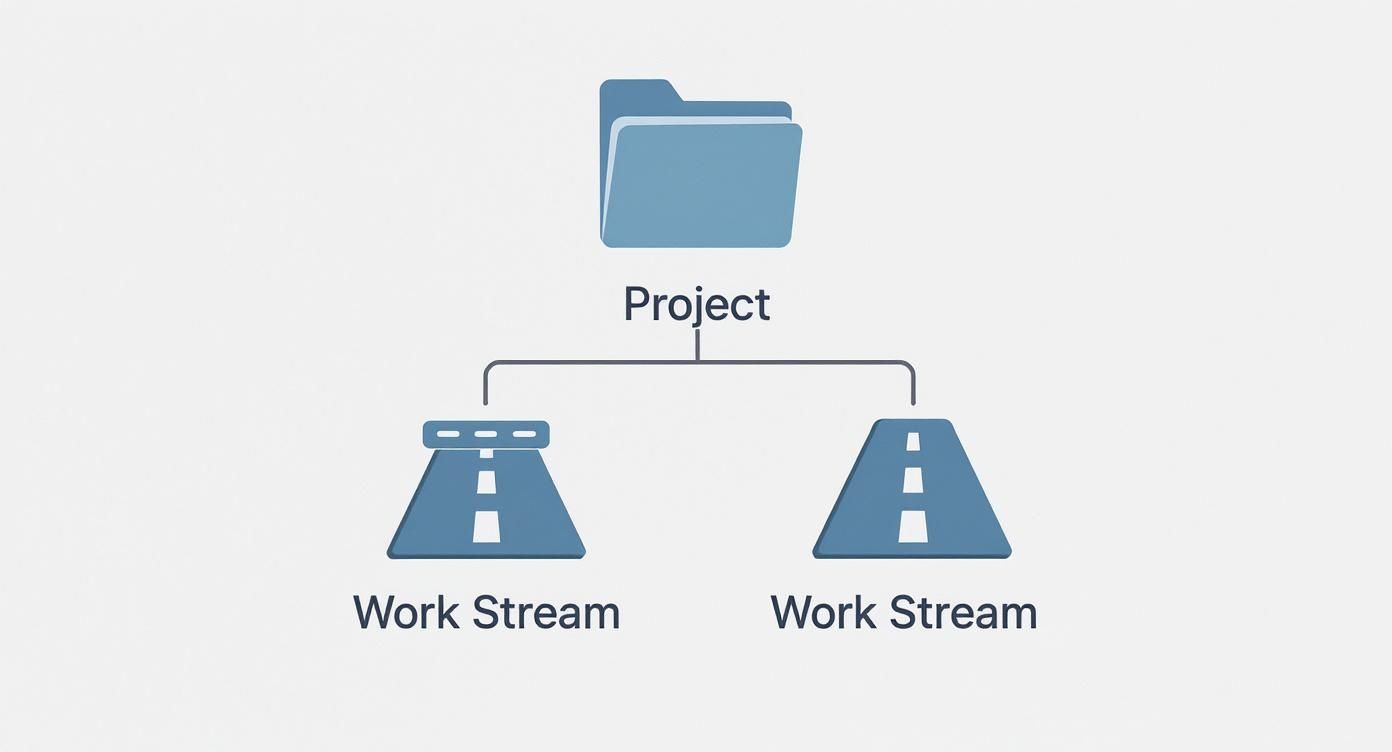
As you can see, work streams are the primary supports for the whole project, letting different teams make progress on their specific disciplines concurrently.
Unpacking the Differences
Now, let's zoom in. Inside each work stream, you'll find multiple workflows. A workflow is a specific, repeatable sequence of steps your team follows to get something done. Sticking with our "Visual Effects" work stream, a classic workflow would be the asset creation pipeline: Model → Rig → Animate → Render. A workflow answers the question, "How do we consistently produce this type of output?"
Finally, we get down to the nitty-gritty: the task. A task is the smallest, most concrete item on your to-do list. It’s a single, actionable step. In our VFX workflow, a task for the modelling stage might be, "Model the main character's helmet." A task answers the simple question, "What do I need to do right now?" Knowing how these individual tasks are connected is vital, which is where understanding a project dependency comes into play.
In short: a project contains multiple work streams, each work stream contains several workflows, and each workflow is made up of individual tasks. Getting this hierarchy right brings immense clarity to complex creative endeavours.
Let's lay it all out with some clear post-production examples to make sure it sticks.
Work Stream vs Workflow vs Task: A Clear Comparison
This table really nails down the differences between these key terms, using real-world examples from the studio floor to avoid any confusion.
| Term | Scope | Focus | Post-Production Example |
|---|---|---|---|
| Work Stream | High-level, strategic grouping of related work. | The "what" at a macro level (e.g., the entire functional area). | Delivering all sound for the film, from dialogue to final mix. |
| Workflow | A repeatable, multi-step process within a work stream. | The "how" (i.e., the specific sequence of actions). | The established process for cleaning, editing, and mixing dialogue. |
| Task | A single, actionable to-do item within a workflow. | The smallest unit of execution. | "Remove background noise from Scene 12, Take 3." |
By drawing these clear lines in the sand, you give your teams a sense of ownership and a much better grasp of how their day-to-day contributions fit into the bigger picture. Honestly, this simple distinction is one of the most fundamental parts of organising any large-scale creative project.
How Work Streams Actually Work in Post-Production
Theory is great, but things don’t really click until you see them in action. In the high-stakes world of post-production, a single project might involve hundreds of specialists juggling thousands of individual assets. Trying to manage that chaos isn’t just a challenge; it’s a recipe for disaster.
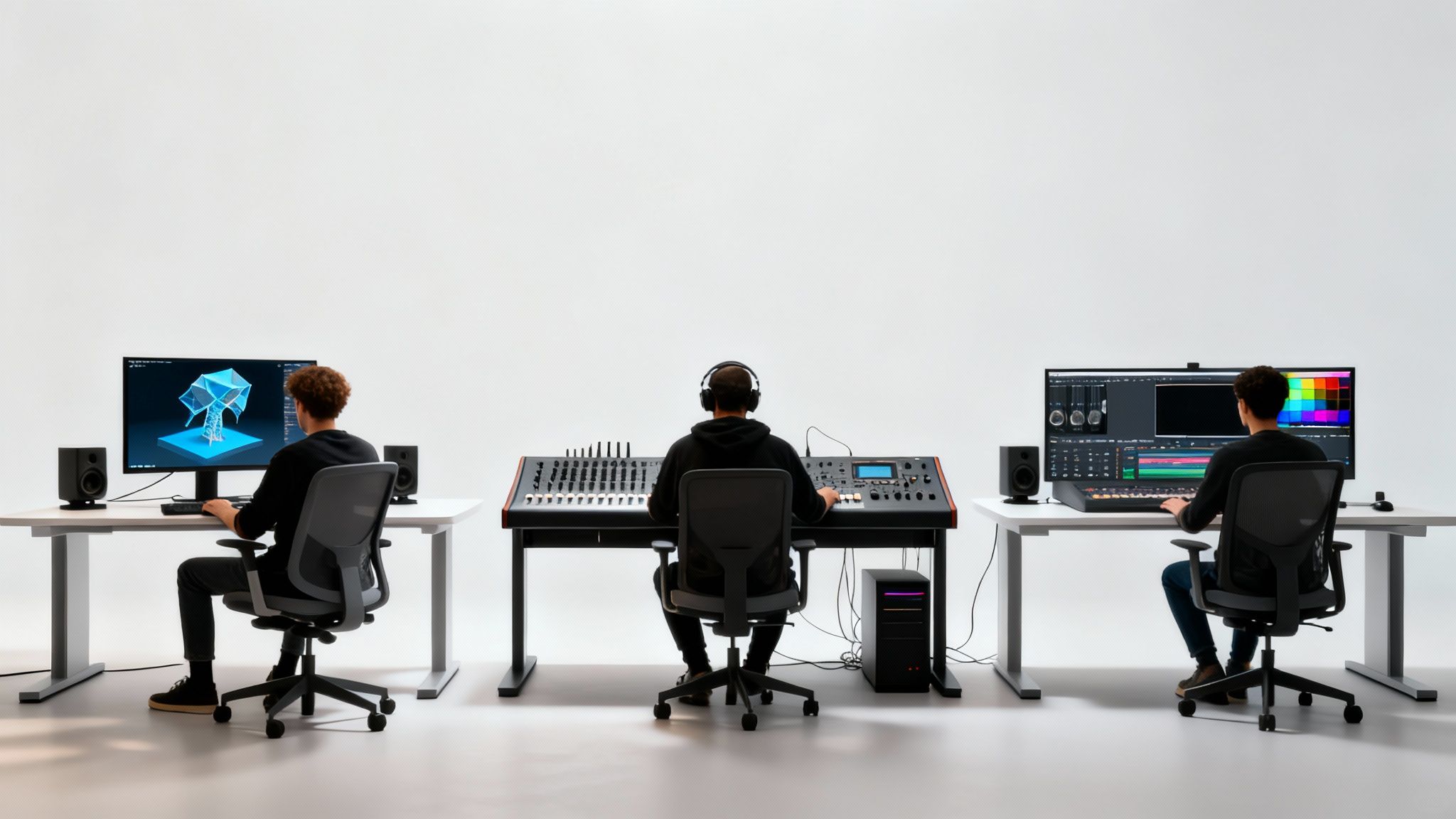
To make this real, let's break down three of the most common, high-level work streams that are the lifeblood of almost any major film or TV project. Each one is a distinct universe of creative and technical effort, with its own dedicated teams, resources, and goals. This is where the abstract idea of a "work stream" becomes a practical tool for keeping a studio running smoothly.
The Visual Effects (VFX) Work Stream
This is often the beast of the operation, easily one of the largest and most complex work streams in any modern production. Its core mission is simple to state but incredibly difficult to execute: deliver every single piece of computer-generated imagery and digital wizardry the final picture needs.
The VFX stream is home to multiple, highly specialised teams, each managing a sequence of dependent workflows.
- Key Teams Involved: 3D Modelling, Texturing, Rigging, Animation, Lighting, and Compositing artists.
- Contained Workflows: Character creation, environment building, simulating effects like fire or water, and finally, stitching all the digital elements into the live-action footage.
- Strategic Goal: To craft photorealistic or stylised visual effects that blend seamlessly with the director's vision—all while hitting deadlines and staying on budget.
By corralling all VFX-related activities into one work stream, a VFX Supervisor gets a bird's-eye view of the entire process. This setup makes it far easier to allocate resources, spot risks early, and keep the director and producers in the loop, avoiding the nightmare of managing hundreds of individual artists’ tasks in isolation.
The Sound Design and Mixing Work Stream
Running parallel to the visual efforts, the sound work stream is all about building the project's entire auditory world. The goal here is to create a rich, immersive soundscape that pulls the audience in and amplifies the story’s emotional punch.
This stream covers everything from cleaning up dialogue recorded on set to composing a sweeping orchestral score. It's a blend of deep technical skill and pure creativity, all funnelled toward a single, unified sonic experience.
- Key Teams Involved: Dialogue Editors, Sound Effects (SFX) Designers, Foley Artists, Composers, and Re-recording Mixers.
- Contained Workflows: Dialogue cleanup and ADR (automated dialogue replacement), Foley recording, creating custom sound effects from scratch, music composition, and the final surround-sound mix.
- Strategic Goal: To deliver a complete, balanced, and impactful soundtrack that meets the rigorous standards of a cinema or broadcast release.
The Colour Grading Work Stream
The final piece of the puzzle we’ll look at is colour grading. This work stream is laser-focused on shaping the project's visual tone and ensuring everything looks consistent. It might happen later in the post-production timeline, but it’s a distinct discipline with a crucial purpose: to lock in the final look and feel of the film.
- Key Teams Involved: Colourists, Assistant Colourists, and Technical Directors.
- Contained Workflows: Matching shots so they feel like they belong in the same scene, primary and secondary colour correction, developing the creative "look," and mastering for all the different delivery formats (cinema, TV, streaming services).
- Strategic Goal: To forge a cohesive visual aesthetic that elevates the story's mood and gives the audience a consistent, polished experience from start to finish.
The Strategic Benefits of Using Work Streams
Bringing a work stream model into your studio isn't just about shuffling tasks on a project board; it's a strategic move that delivers some seriously powerful advantages. The biggest immediate win? A huge jump in clarity. When you break a massive project down into distinct streams like VFX and Sound, you’re swapping a single, overwhelming to-do list for focused, manageable areas of responsibility.
This structure instantly sharpens accountability. Each work stream gets a clear owner—a single person who’s on the hook for its budget, schedule, and deliverables. That whole "who's in charge of this?" mess disappears, and teams can actually take ownership of their piece of the puzzle.
Enhanced Resource and Progress Tracking
With clear owners in place, managing your people and gear becomes so much easier. Studio managers can see exactly which specialists and which big-ticket resources—like render farms or mixing suites—are tied up in each stream. This bird's-eye view is a game-changer for effective resource management, letting you spot potential bottlenecks early and shift things around before they become a problem.
Tracking progress also gets way simpler and more meaningful. Instead of drowning in updates on hundreds of individual tasks, stakeholders get a clean, high-level status report on each major work stream.
By grouping related activities together, work streams give you a crystal-clear picture of your project's health. You can see at a glance that the "Colour Grading" stream is humming along, but "VFX" is starting to slip, which means you can make faster, smarter decisions.
This isn’t just a trick for creative industries. The UK public sector, for instance, leans on work streams to wrangle complex, cross-departmental government programmes. It’s a proven model for building up workforce capacity and making massive organisations more nimble.
Boosting Agility and Efficiency
Ultimately, defining work streams for your studio leads to a much more agile operation. It allows different parts of a project to move forward at the same time, often shaving significant time off your overall schedules. When you free up teams to zero in on their area of expertise without getting tangled in constant cross-functional friction, you’re just creating a more efficient and productive place to work.
Putting work streams into practice helps studios grow by forcing you to find and fix those hidden inefficiencies. It’s a focused way to streamline business processes. This cuts down on wasted effort, cleans up communication, and gets everyone pulling in the same direction—delivering better results, on time and on budget.
How to Build and Launch Your First Work Stream
Alright, so you get the theory behind work streams. But moving from understanding what one is to actually building one can feel like a huge leap. Let’s bridge that gap. This is your practical blueprint for getting your first work stream off the ground, turning abstract ideas into a solid project structure.
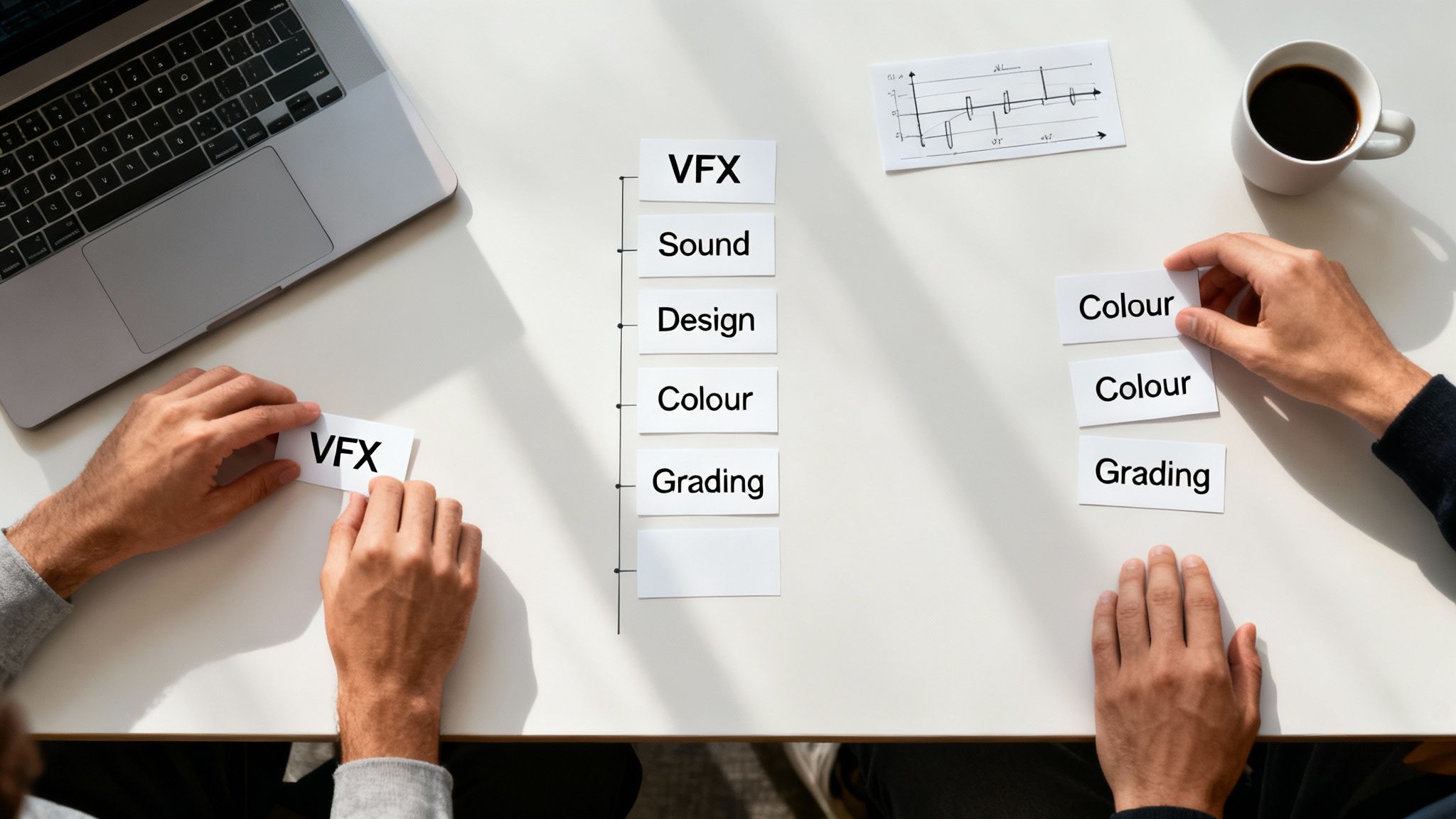
First things first, take a big step back and look at your entire project from a 30,000-foot view. What are the largest, most distinct phases? Think in terms of major disciplines—like VFX, sound, and editorial. Your initial job is to cluster all the related activities into these logical buckets. Nailing this first map is the foundation for everything that follows.
Define Goals and Assign Ownership
Once you have your clusters, each one needs a crystal-clear purpose. A work stream isn't just a to-do list; it needs a defined goal and specific, measurable deliverables. For instance, the VFX work stream’s goal might be: "Deliver all 50 final VFX shots for Act 3 by the deadline." Simple, clear, and impossible to misinterpret.
With goals in place, it's time to assign ownership. Every single work stream needs a leader—one person who is the single point of contact responsible for its budget, resources, and progress. This isn't optional. Accountability is what ensures someone is steering the ship and can make the tough calls when things get complicated.
A work stream without a clear owner is just a collection of tasks waiting for a leader. Assigning a responsible individual transforms a loose idea into a focused, accountable unit capable of driving real results.
Establish Communication and Map Workflows
Now, we connect the dots. You need to set up clear lines of communication, not just within each work stream but between them. This is how you kill the dreaded "silo effect," where teams get tunnel vision and lose sight of the bigger picture. Regular, cross-functional check-ins are absolutely essential to keep everyone aligned.
At the same time, you can start mapping out the key workflows that will operate inside each stream. This isn't about getting bogged down in every tiny task just yet. It's about outlining the main sequence of activities. Getting this right is a huge part of creating a robust schedule of production that the entire team can actually follow.
Here’s a simple, four-step process to get you launched:
- Identify and Group: Look at your project scope and bundle the major activities into high-level work streams (e.g., VFX, Sound, Colour).
- Define Deliverables: For each stream, write a clear objective and list the key deliverables that spell out what "done" looks like.
- Assign a Leader: Appoint one owner for each stream. They're on the hook for its budget, timeline, and results.
- Set Up Communication Rhythms: Schedule regular team meetings within each stream and establish cross-stream check-ins to keep everyone synchronised with the main project goals.
To make setting all this up a bit easier, it’s worth looking into modern AI content creation tools that automate workflows. They can help map out processes and handle task management much more efficiently. By following this structured approach, you’ll move beyond theory and build a more organised, successful project right from day one.
Common Pitfalls When Implementing Work Streams
Bringing a work stream model into your studio is a smart move, but even the best-laid plans can go sideways if you’re not looking out for a few common traps. Rolling out this kind of structure successfully means dodging some key mistakes that can easily halt your progress and end up creating more chaos than they solve.
One of the biggest risks is accidentally creating work stream silos. This is what happens when teams get so tunnel-visioned on their own stream—whether it’s VFX or Sound Design—that they lose sight of the project as a whole. They start optimising for their own little world, but communication with other teams breaks down. Before you know it, dependencies are missed, and you’re facing an integration nightmare down the line.
The fix? You have to build bridges between your streams. Simple things, like regular cross-functional check-ins, are non-negotiable. These aren’t just boring status updates; they’re vital for keeping everyone on the same page and making sure the entire project stays aligned.
Balancing Structure with Flexibility
Another classic blunder is making the structure too rigid. Work streams are supposed to bring order to the chaos, but if you make them too inflexible, you’ll suffocate the exact creativity and quick thinking that post-production demands. A plan that shatters the moment something unexpected happens isn't a plan at all.
A work stream should be a guiding framework, not a restrictive cage. The best setups have enough give in them to let teams pivot when a creative opportunity pops up or a technical problem throws a spanner in the works.
Your framework needs to be resilient. You can get there by:
- Empowering Stream Leads: Give them the autonomy to call the shots within their stream. They shouldn't have to run every little decision up the flagpole.
- Building in a Buffer: Don't schedule every single minute. Leave some breathing room in your timelines to absorb those inevitable delays or allow for creative detours.
- Encouraging Team Problem-Solving: Create a culture where a headache in one stream is seen as a project-wide problem for everyone to solve together.
By thinking ahead and steering clear of these issues, you can build a solid framework that not only organises your project but also bends without breaking, setting you up for real success.
Common Questions About Work Streams, Answered
As project managers start to wrap their heads around work streams, a few questions always pop up. Getting these fundamentals right from the start is what separates a clean, organised project from a chaotic one.
Let's clear up some of the most common queries.
How Many Work Streams Should a Project Have?
Honestly, there’s no magic number. The real goal is to add clarity, not complexity. A good starting point is to create a work stream for each major, distinct area of work that can mostly run on its own schedule.
For a smaller project, maybe 2-3 work streams is all you need. But for a massive feature film, you could easily have 5-7 or more—think separate streams for VFX, Sound, Editorial, Colour, and Marketing. Always start with the big, logical buckets that make sense for your specific production.
Can One Person Be in Multiple Work Streams?
Absolutely, and it happens all the time. It's pretty common for specialists or managers to lend their expertise across several different work streams. This kind of cross-pollination is often what keeps the entire project feeling cohesive.
For instance, a Production Manager will likely need to keep an eye on resource allocation across every stream. A key creative, like a supervising sound editor, might need to dip into both the Sound Design and Final Mix streams.
The only way this works without causing chaos is through crystal-clear resource planning. If you don't have a transparent system, you’ll inevitably overbook your most important people, creating bottlenecks that can grind multiple work streams to a halt.
What's the Difference Between a Work Stream and a Work Package?
Think of it like a set of nesting dolls. The work stream is the biggest doll—the high-level container for a major chunk of related work. The work packages are the smaller dolls that fit neatly inside.
A work stream represents a major strategic piece of the project. A work package breaks that big piece down into smaller, more manageable, and deliverable chunks of work that you can assign and track.
Let's put it in context:
- Work Stream: Visual Effects (VFX)
- Work Packages: Inside that stream, you’d have work packages like "Creature Modelling," "Matte Painting," and "Final Compositing."
This hierarchy lets you keep a bird's-eye view of the project's progress without losing control of the day-to-day details.
Ready to manage your studio's work streams with clarity and control? freispace provides AI-native tools for resource planning, project scheduling, and task management, all in one place. Discover how freispace can organise your post-production workflow.