A production schedule is the strategic blueprint for your creative project. Think of it as the master plan that details what needs to be done, who is responsible for doing it, when it needs to happen, and what resources are required to get it across the finish line.
Your Production Schedule Is a Blueprint, Not a Calendar
Ever tried to build a skyscraper without a blueprint? You could have the best materials—steel, concrete, glass—and a crew of top-tier builders, but without a master plan, you’d have pure chaos. Workers wouldn't know where to start, materials would show up at the wrong time, and the whole structure would be a mess.
That’s exactly what running a creative project without a proper production schedule feels like.
A lot of people mistake a production schedule for a simple calendar dotted with deadlines. While it certainly includes dates, its real power lies much deeper. It’s the single source of truth that orchestrates every moving piece of a project, from the earliest pre-production meetings all the way to the final delivery.
A production schedule is more than a list of dates; it's a dynamic map that guides every decision, aligns every team member, and turns creative ambition into a structured, manageable process.
This plan ensures that everyone, from the director to the VFX artist, understands their role within the bigger picture. It anticipates dependencies, allocates crucial resources like artists and equipment, and sets tangible milestones to measure progress against.
The Core Purpose of a Schedule
At its heart, a production schedule is built to answer the big questions and bring clarity to everyone involved. For post-production and production teams, it serves several critical functions:
- Defines the Scope: It clearly lays out every single task required to complete the project. No guesswork.
- Manages Resources: It allocates people, software licences, and hardware where and when they’re needed most.
- Tracks Progress: It provides measurable milestones to see if you’re on time and on budget.
- Aligns Stakeholders: It keeps clients, artists, and managers on the same page, working from the same playbook.
In short, the schedule transforms a project into a series of connected workstreams. Each department’s tasks are organised into a logical sequence, which is key to preventing bottlenecks and ensuring a smooth handover between creative phases. You can get a better handle on this by understanding the core definition of a workstream and how it fits into project management.
The Anatomy of an Effective Production Schedule
So, what actually goes into a production schedule? Strip away all the fancy software, and a truly solid schedule is built on four fundamental pillars. Think of them as the load-bearing walls of your project; if one is shaky, the whole thing risks coming down. Getting a grip on how these parts lock together is what turns a simple list of dates into a powerful, predictive tool for your entire creative workflow.
These four pillars are Milestones, Tasks, Resources, and Timelines. Together, they form a clear hierarchy, breaking a massive project down into pieces you can actually manage.
This diagram gives you a bird's-eye view of how a high-level production schedule typically branches out into its major phases.
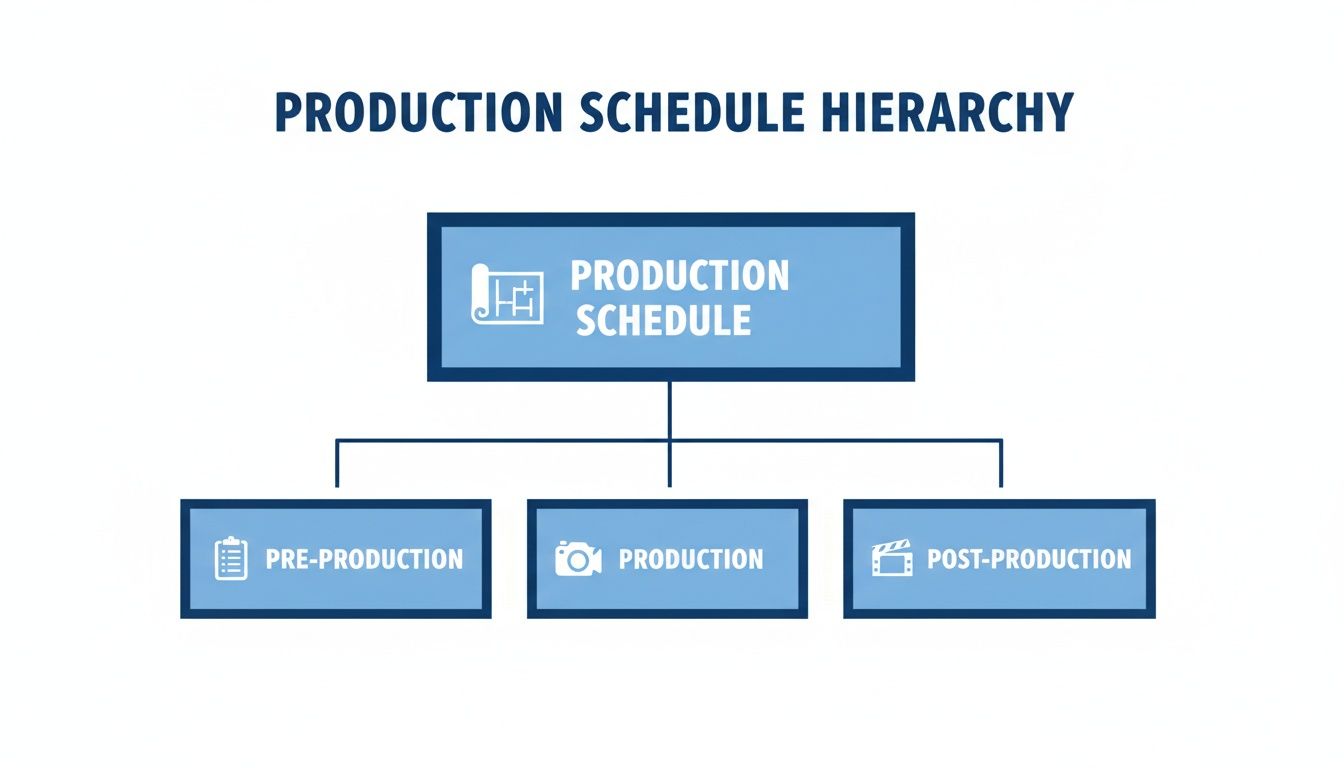
As you can see, the master schedule sits on top, governing everything from the first day of prep to the final delivery. Every component we’re about to break down slots neatly into one of these broader phases.
Milestones: The Major Signposts
First up, milestones. These are your big-picture checkpoints, the signposts that tell you a major phase of the project is complete. They aren't the tiny, day-to-day to-dos; they're the moments you pop the cork (or at least breathe a sigh of relief) because a huge chunk of work is signed off and in the bag. Hitting a milestone means the team is officially cleared to move on.
In a commercial post-production workflow, for example, your key milestones might look like this:
- Offline Edit Lock: The story is set in stone. No more shuffling scenes around.
- VFX Shots Approved: Every visual effect has the final nod from the director and client.
- Final Colour Grade Complete: The project's unique look and feel are locked.
- Final Sound Mix Approved: Dialogue, music, and sound effects are all perfectly balanced and good to go.
Tasks: The Granular Steps
Now, under each milestone, you have a whole series of smaller, actionable tasks. If a milestone is reaching the top of a hill, tasks are the individual steps you took to climb it. This is where the real work happens. Breaking the project down to this granular level is absolutely critical for estimating time and assigning the right people to the job.
Let’s stick with our "VFX Shots Approved" milestone. The tasks to get there would be far more detailed:
- Roto-scope the main characters for Shot A.
- Complete the 3D camera track for Shot B.
- Composite the green screen elements for Shot C.
- Render out all the final VFX passes.
- Submit everything for internal review.
Resources: The People and Tools
Resources are simply the "who" and the "what" you need to get each task done. This covers everyone from the senior VFX artist handling a complex shot to the specific software licence they need, or even the render farm capacity required to process everything overnight. Proper scheduling isn't just about listing what needs to be done; it’s about booking the specific resource needed to do it.
An effective schedule doesn't just ask "what needs to be done?" It also answers "who is available to do it, and do they have the right tools?" Mismanaging resource allocation is one of the quickest ways for a project to fall behind.
Timelines: The Interconnected Web
Finally, timelines pull it all together. This is where you map out the start and end dates for every task, defining how long each one should take and—crucially—how they all connect to one another. You’re building an interconnected web that shows how one action triggers the next.
Many tasks can't even begin until another one is finished. For instance, the colourist is just sitting on their hands until the final VFX shots are delivered. Understanding what is a project dependency is fundamental to building a timeline that’s realistic and won’t immediately fall apart. This web of tasks, resources, and milestones is the true anatomy of your production schedule.
Production Schedule vs Shooting Schedule
In any creative project, especially film or video, getting the production schedule and the shooting schedule mixed up is a common but seriously expensive mistake. Think of it like confusing the architectural blueprint for an entire house with the detailed, day-by-day work order for just the electricians. Both are critical, but they operate on completely different scales and have very different jobs.
Let's put it another way: the production schedule is the entire novel. It tells the complete story from the first wobbly draft to the final book hitting the shelves, covering every single chapter of the project's life.
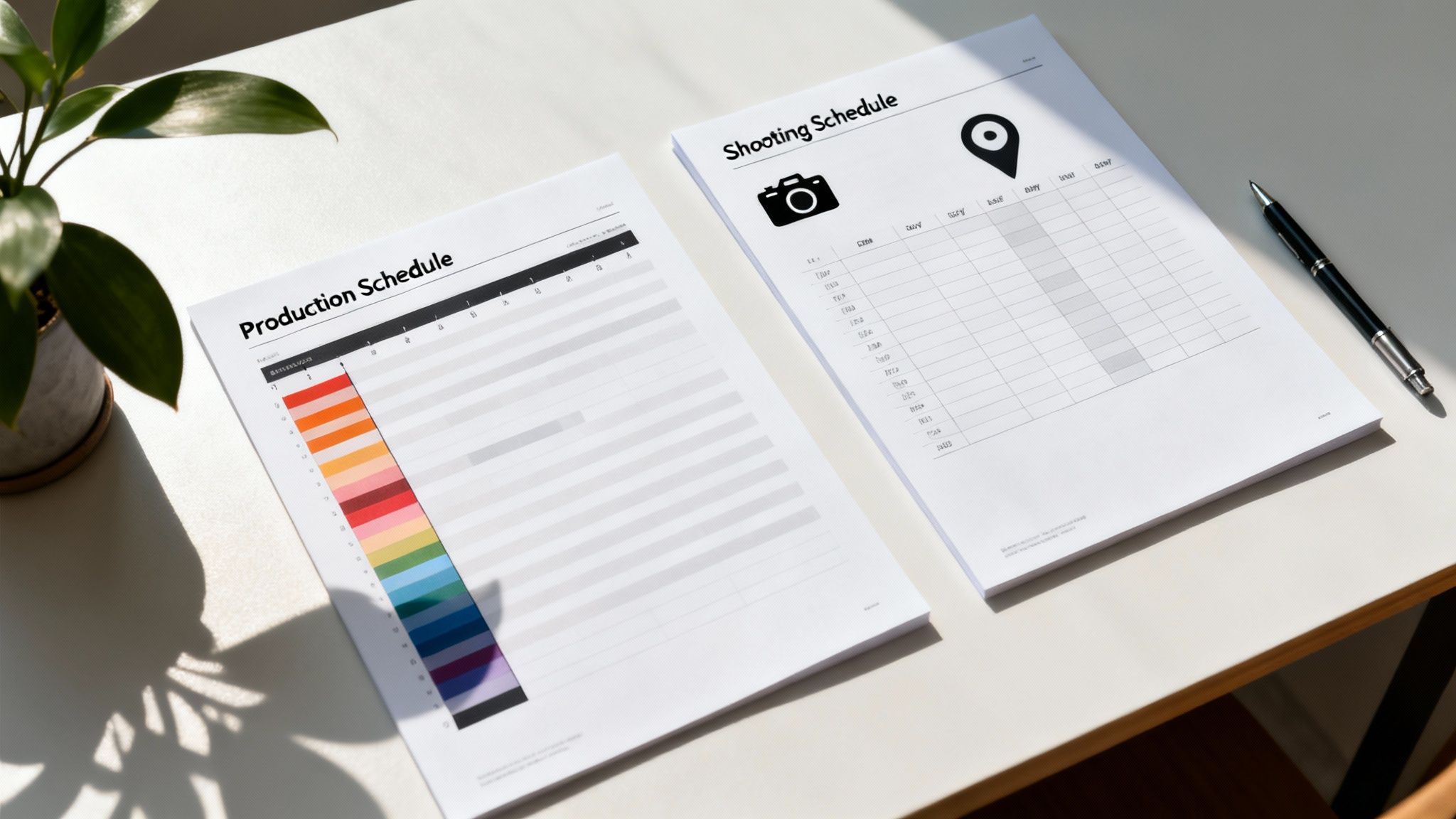
The shooting schedule? That's just one, intensely detailed chapter within that novel—specifically, the part covering the actual filming days. It zooms in with a microscopic focus on a very specific, high-stakes phase of the overall plan.
Understanding the Different Scopes
The master production schedule is the high-level command centre for the entire project lifecycle. It kicks off long before a camera even starts rolling, detailing essential pre-production milestones like finalising the script, casting, scouting locations, and getting concept art signed off. It doesn't stop when filming wraps, either; it continues right through post-production, mapping out every single step from the first rough edit to sound design, colour grading, VFX, and final delivery.
The shooting schedule, on the other hand, is laser-focused purely on the production phase. Its world is entirely logistical and tactical, built to squeeze the absolute most out of every single minute on set.
A production schedule manages the entire war, from the initial strategy to the final victory. A shooting schedule manages a single, critical battle, detailing troop movements, timing, and on-the-ground logistics for that specific fight.
A Look at the Details and Audience
The level of detail is another huge point of difference. A shooting schedule gets incredibly granular. It breaks down each filming day scene by scene, spelling out actor call times, camera setups, location permits, and even when everyone gets to eat. The people who live by this document are the on-set crew: the director, cinematographer, and assistant directors who need a minute-by-minute playbook to execute the shoot efficiently. A badly organised shooting schedule can easily blow the budget by 10-20% or more from overtime costs alone.
The production schedule, while detailed in its own way, stays at a much higher altitude. It’s for a broader audience, including studio executives, producers, and department heads. They need a strategic overview to check the project's overall health, track major deadlines, and see how resources are allocated across every phase.
To make it crystal clear, this table lays out the core differences side-by-side.
Production Schedule vs. Shooting Schedule Key Differences
| Attribute | Production Schedule (Master Plan) | Shooting Schedule (Daily Plan) |
|---|---|---|
| Scope | Covers the entire project, from pre-production all the way to final delivery. | Focuses only on the principal photography or filming phase. |
| Audience | Producers, department heads, studio executives, and clients. | The director, on-set crew, assistant directors, and cast members. |
| Detail Level | High-level milestones and timelines for each major phase. | Extremely granular, often broken down by the hour or even by the minute. |
| Primary Goal | To steer the project strategically from start to finish and keep everything on track. | To execute the filming days as efficiently and smoothly as possible. |
So, while they are deeply connected, one is the macro view, and the other is the micro. Both have to work in perfect harmony for a project to succeed.
Actionable Templates for Production Scheduling
Knowing the theory behind a production schedule is one thing. Putting it into practice? That's a whole different game. To bridge that gap, let's look at the actual, actionable templates modern studios use to bring some order to the creative chaos.
Think of these less as rigid formulas and more as flexible frameworks. You can and should adapt them to fit what your project needs, whether you're wrangling a feature film or a quick-turnaround commercial.
One of the most common and powerful tools in the arsenal is the Gantt chart. Picture it as a visual timeline where every single task is a horizontal bar. The bar's length tells you its duration, and its position on the calendar shows you its start and end dates. Its real magic, though, is in showing how tasks connect to each other. You can see, at a glance, that Task B can't possibly start until Task A is done. This makes it perfect for complex post-production workflows where the sequence of events is everything.
Visualising Dependencies with Gantt Charts
For a visual effects sequence, a Gantt chart makes the entire workflow crystal clear. The "3D Tracking" task has to be signed off before "Element Integration" can kick off, which in turn needs to be finished before "Final Compositing" can even begin.
This visual map stops teams from jumping the gun and working out of sequence, which can save an incredible amount of time on rework. It’s the go-to for projects with lots of interconnected pieces, giving you a solid overview of the project's health in a single glance. It blows a simple to-do list out of the water, which just can't show these critical relationships.
Phase-Based Schedules for Animation
Animation studios, on the other hand, often lean towards a phase-based schedule. This approach breaks the entire project down into big, distinct stages, with each phase acting as a major milestone.
Instead of tracking hundreds of tiny tasks, you're tracking the completion of these larger chunks of work. It’s an ideal way to manage long-form projects where the creative process flows through clear, well-defined steps.
For a short animated film, a typical phase-based schedule might look something like this:
- Phase 1: Story & Animatic (Script Finalised, Storyboards Approved, Animatic Locked)
- Phase 2: Asset Creation (Character Models, Environments, Props Built)
- Phase 3: Animation (Layout, Blocking, Final Animation Polish)
- Phase 4: Lighting & Rendering (Shot Lighting, Render Farm Management)
- Phase 5: Composite & Final Output (Final Compositing, Colour Grade, Sound Mix)
Each phase gets its own timeline and set of resources, giving production managers a clean and logical framework for keeping things on track.
The right template isn't about complexity; it's about clarity. A simple task list might be perfect for a small, agile team on a short project, while a Gantt chart is essential for managing the intricate web of dependencies in a feature-length VFX pipeline.
Ultimately, the goal is to pick a template that mirrors how your project actually works. By starting with a proven structure like a Gantt chart or a phase-based plan, you're not reinventing the wheel. You're giving your team a practical, battle-tested map to follow, ensuring everyone is moving in the same direction and on the same timeline.
How to Keep Your Production Schedule on Track
Nailing down a detailed production schedule is a great first step, but honestly, it’s only half the battle. The real test is managing that schedule day in and day out. A plan is pretty useless if it shatters at the first contact with reality. The secret is to treat your schedule not as some static file you set and forget, but as a living document that guides your project through all the inevitable chaos.
When you get this right, the schedule stops being a source of stress and becomes your most powerful tool for getting things done.
Build in a Contingency Buffer
Let's be real: no project ever goes exactly to plan. Technical gremlins pop up, client feedback takes an unexpected turn, or an artist gets sick. Any of these can throw a perfectly good timeline completely off course. This is exactly why building in a contingency buffer isn't just a good idea—it's non-negotiable.
Most studios bake in a buffer of 15-20% of the total project time. This gives you the breathing room you need to absorb delays without blowing past your final delivery date. Think of it as the shock absorbers on a car. You hope for a smooth road, but you build them in for the potholes you know are coming. Skipping this step is just asking for missed deadlines and a burnt-out team.
Run Effective and Consistent Meetings
Clear communication is the absolute lifeblood of a healthy production schedule. When updates are vague and teams are working in silos, you get bottlenecks that can quietly fester for days before anyone even notices. The solution is to get into a rhythm of brief, focused review meetings.
A schedule's accuracy is directly proportional to the quality of communication. Regular check-ins ensure that small deviations are corrected immediately, preventing them from snowballing into project-threatening delays.
These meetings don’t need to be long, but they do need to be consistent. Focus on three key things:
- Progress Against Milestones: What did we finish yesterday, and what’s on the slate for today?
- Identifying Blockers: Is anyone stuck? Is anyone waiting on an asset from another department?
- Adjusting Priorities: Based on our progress and any new blockers, do we need to shift the plan for the rest of the week?
For keeping an eye on all the moving parts, you can learn how to create a task tracker in Google Docs, which is a simple but surprisingly powerful way to maintain visibility.
This constant feedback loop is what keeps your schedule accurate and relevant. Unexpected problems are always around the corner, and if you can't adapt, the consequences can be huge. Just look at the UK's manufacturing sector, where production output fell by 1.7% in a single month—the steepest drop since April 2024—simply because external pressures forced massive rescheduling. It's a stark reminder of why your schedule has to be your single, constantly updated source of truth.
Streamlining Workflows with AI Scheduling Tools
Let's be honest, static spreadsheets are starting to look like a relic from another era. Manually wrestling with every task, resource, and dependency in a complex production schedule isn't just a massive time sink—it’s a minefield of human error that creates expensive bottlenecks down the line. Today, AI-native tools are flipping this script, turning a manual chore into a smart, automated workflow.
Instead of a producer spending hours trying to figure out who’s the best fit for a task, an AI-powered system nails it in seconds. These platforms look at artist skill sets, current workloads, and availability to automatically assign tasks to the right person. It's about getting resource allocation right from the very beginning.
This modern approach transforms a production schedule from a reactive document into a predictive one.
Predictive Planning and Proactive Adjustments
The real magic of AI in scheduling is its ability to look around the corner. By learning from the data of your past projects, these tools can forecast timelines with incredible accuracy and, crucially, flag potential bottlenecks before they even have a chance to mess things up. Imagine getting an alert that a specific VFX sequence has a 30% chance of running late, based on similar jobs you’ve done before.
This dashboard from freispace gives you a sense of how you can visualise tasks and resources in real-time.

This kind of oversight means producers can instantly see the ripple effect of a single delay across the entire project. You can get a deeper understanding of how AI integration in post-production makes this level of dynamic control possible.
With AI, a production schedule is no longer just a plan; it's a dynamic simulation of your project's future, constantly updating to provide the clearest path forward.
This fundamental shift allows for proactive adjustments rather than panicked, last-minute fixes. To push efficiency even further, studios are exploring advanced concepts like smart routing AI models to optimise workflows. This is the future of keeping complex creative projects on time, on budget, and one step ahead.
Your Top Production Scheduling Questions, Answered
Jumping into the world of production scheduling for the first time can feel like you've been asked to solve a Rubik's Cube in the dark. To shed some light on it all, here are some straightforward answers to the questions we hear most from producers and studio managers.
How Do You Create a Production Schedule for the First Time?
The best way to start is to think of your project in three big chunks: pre-production, production, and post-production. For each of these phases, jot down the major sign-off points—think ‘script lock’, ‘principal photography complete’, or ‘final sound mix approved’. These are your milestones.
With those in place, you can start breaking each one down into smaller, bite-sized tasks. You’ll need to estimate how long each task will take and figure out who (or what) you need to get it done, whether that’s an animator, a colourist, or a specific software licence.
Finally, pull it all together in a simple spreadsheet or a Gantt chart. This helps you see the whole timeline at a glance and spot where one task can't start until another is finished. And one last pro tip: always build in a contingency buffer of 15-20% of the total project time. Trust us, you’ll thank yourself later.
The best first schedule is one that's realistic and has room to breathe. It’s always better to overestimate the time and finish early than to underestimate and be constantly playing catch-up.
What Is the Most Important Part of a Production Schedule?
Every single piece of the puzzle matters, but if you had to pick the most critical elements, it would be clearly defined milestones and accurate time estimates for your tasks. Milestones act as signposts for the team, giving everyone clear, tangible goals to hit. They create momentum and a real sense of progress.
Accurate time estimates are the bedrock of the entire plan. If those numbers are off, your schedule becomes a work of fiction, leading straight to blown deadlines, budget overruns, and a burned-out team. This is where you absolutely must talk to your department heads and experienced artists to get realistic timeframes before anything is set in stone.
How Often Should a Production Schedule Be Updated?
Think of your production schedule as a living, breathing document. For it to be useful, it needs to reflect what's happening on the ground in near real-time. On a busy, active production, that often means checking in and making small tweaks every single day.
Typically, one person, like a production manager, will be in charge of tracking progress at the end of each day. For projects with longer timelines, like in post-production, a detailed update during a weekly review meeting might be enough. The secret ingredient is constant communication, making sure everyone is always working from the latest version of the plan.
Ready to swap static spreadsheets for smart, automated schedules? See how freispace can help your studio get ahead of bottlenecks, nail deadlines, and keep projects on time and on budget. Learn more at freispace.com.