So, what exactly is a ‘workstream’ in the context of a busy post-production studio? Let's ditch the textbook definitions for a moment. Think of it less like a list of tasks and more like a dedicated, specialised assembly line running inside your project's main factory.
Understanding the Modern Post-Production Workstream
If the entire project is building a car, a workstream is the team and process responsible for just one major component—like building the engine. It's a strategic way of bundling related activities together to achieve a specific, significant outcome. This approach brings much-needed order to the chaos of parallel tasks in film, TV, and gaming, creating a clear blueprint for getting things done efficiently.
Core Components of a Workstream
At its heart, a workstream is much more than a simple to-do list. It’s a structured sequence of activities, all pulling in the same direction to produce a substantial piece of the final product. Understanding these building blocks is the first step to seeing how they can organise the beautiful madness of post-production.
Here’s what typically makes up a workstream:
- A Specific Goal: Every workstream has a clear, high-level objective, like "Deliver Final Colour Grade" or "Complete All Sound Design Elements."
- Dedicated Resources: It’s often assigned to a specific team or lead who owns the outcome, which builds in accountability and lets experts do what they do best.
- Defined Deliverables: The workstream has a tangible output you can point to—final VFX plates, a mixed audio track, or a conformed edit.
- A Clear Timeline: It has its own start and end dates, often running at the same time as other workstreams but on its own distinct schedule.
To give you a better feel for it, here’s a quick breakdown of what makes a workstream tick.
Workstream at a Glance
| Component | Description in Post-Production |
|---|---|
| High-Level Goal | The primary objective, like finalising all motion graphics. |
| Key Activities | The major steps involved, such as concepting, animating, and rendering. |
| Team/Resources | The specific artists, supervisors, and suites assigned to the task. |
| Main Deliverable | The tangible outcome, such as the final M&E (Music & Effects) track. |
| Timeline | Its own independent schedule with a clear start and finish. |
In short, a workstream gives you a powerful lens through which to view and manage a complex process.
By organising efforts into distinct workstreams, a studio can manage multiple complex processes simultaneously without losing track of progress. This structure is essential for scaling operations and handling the intricate dependencies inherent in modern post-production.
Take visual effects (VFX), for example. The VFX workstream might involve dozens of artists across multiple departments—from rotoscoping to compositing—all working towards one unified goal: delivering the final shots. Managing this entire sequence as a single, cohesive unit is what makes the concept so powerful.
Workstreams vs Workflows vs Pipelines: What’s the Difference?
In the world of post-production, it's easy to get tangled up in jargon. Terms like workstream, workflow, and pipeline are often tossed around as if they mean the same thing, but they really don’t. Getting this straight isn't just about semantics; it's fundamental to running a studio efficiently.
Let’s break it down with an analogy everyone can understand: making a movie is like preparing a gourmet meal.
The pipeline is the entire kitchen. It’s the whole setup—the ovens, the mixing stations, the plumbing, the pantry. It's the high-level infrastructure that every single part of the meal depends on. In post-production, this is your studio's end-to-end structure, from ingest all the way to final delivery.
A workflow, on the other hand, is a specific recipe. It’s the detailed, step-by-step guide to making one element, like baking the sourdough bread. It’s granular, prescriptive, and focuses on how to do a specific sequence of tasks. For a closer look, we have a whole guide on what is workflow automation.
So, Where Do Workstreams Fit In?
The workstream is the entire bread-making operation. It’s not just the recipe (the workflow); it's the baker (your team), the oven (your resources), and the schedule, all running in parallel with someone else preparing the main course. It's a self-contained, strategic chunk of the project that produces a major component.
Think of it as a dedicated "stream" of work for a specific discipline like VFX, sound design, or colour grading.
This diagram helps to visualise the hierarchy. You can see how a big project is broken down into major workstreams, and each of those workstreams contains its own set of activities or tasks.

As the infographic shows, a workstream sits right under the main project, governing all the smaller activities needed to deliver its part of the whole.
Workstreams are the strategic pillars of your project. Workflows are the tactical steps inside those pillars. And the pipeline is the building that holds it all up. Getting this right is the key to unlocking real efficiency.
To put these ideas side-by-side and make the distinctions crystal clear, here’s a quick comparison.
Workstream vs Workflow vs Pipeline Comparison
| Term | Scope | Focus | Post-Production Example |
|---|---|---|---|
| Workstream | Strategic | What gets done | The entire Visual Effects (VFX) department's contribution to a film, from shot assignment to final composite. |
| Workflow | Tactical | How it gets done | The specific, sequential process for a single VFX shot: rotoscoping, tracking, rendering, and compositing. |
| Pipeline | Operational | Where it gets done | The studio's entire infrastructure: servers, software licences (like Nuke or After Effects), review suites, and delivery systems. |
Understanding this separation is more important than ever, especially as studios integrate more technology into their management. For instance, recent studies on AI adoption in the UK highlight this. While only 44% of UK professionals use AI at work compared to 67% globally, the tasks they do use it for—like content writing (19%) and output review (14%)—naturally fall into distinct workstreams like 'Content Creation' and 'Quality Control'.
Ultimately, pipelines provide the structure and workflows map out the steps, but it's the workstreams that organise the parallel, large-scale efforts required to get a complex project over the finish line.
Seeing Workstreams in Action
To really get a handle on workstreams, let's step away from the abstract and onto the studio floor. Picture a typical feature film project. You'll likely have three massive, parallel efforts firing on all cylinders at once: Visual Effects (VFX), Sound Design, and Editorial. Each of these is its own distinct workstream—a self-contained unit with its own crew, timeline, and deliverables.
This setup lets specialised teams get laser-focused on what they do best. The VFX artists aren't getting bogged down by discussions about the audio mix, and the sound designers aren't stuck waiting for a final decision on the colour grade. Each group has a clear, high-level goal and owns the internal processes to get there.
The VFX Workstream
The VFX workstream is the perfect example of a beast of a process neatly bundled into one manageable unit. The end goal? Deliver every single approved visual effects shot for the film. Simple enough, but this involves hundreds, sometimes thousands, of smaller tasks, all living under one strategic roof.
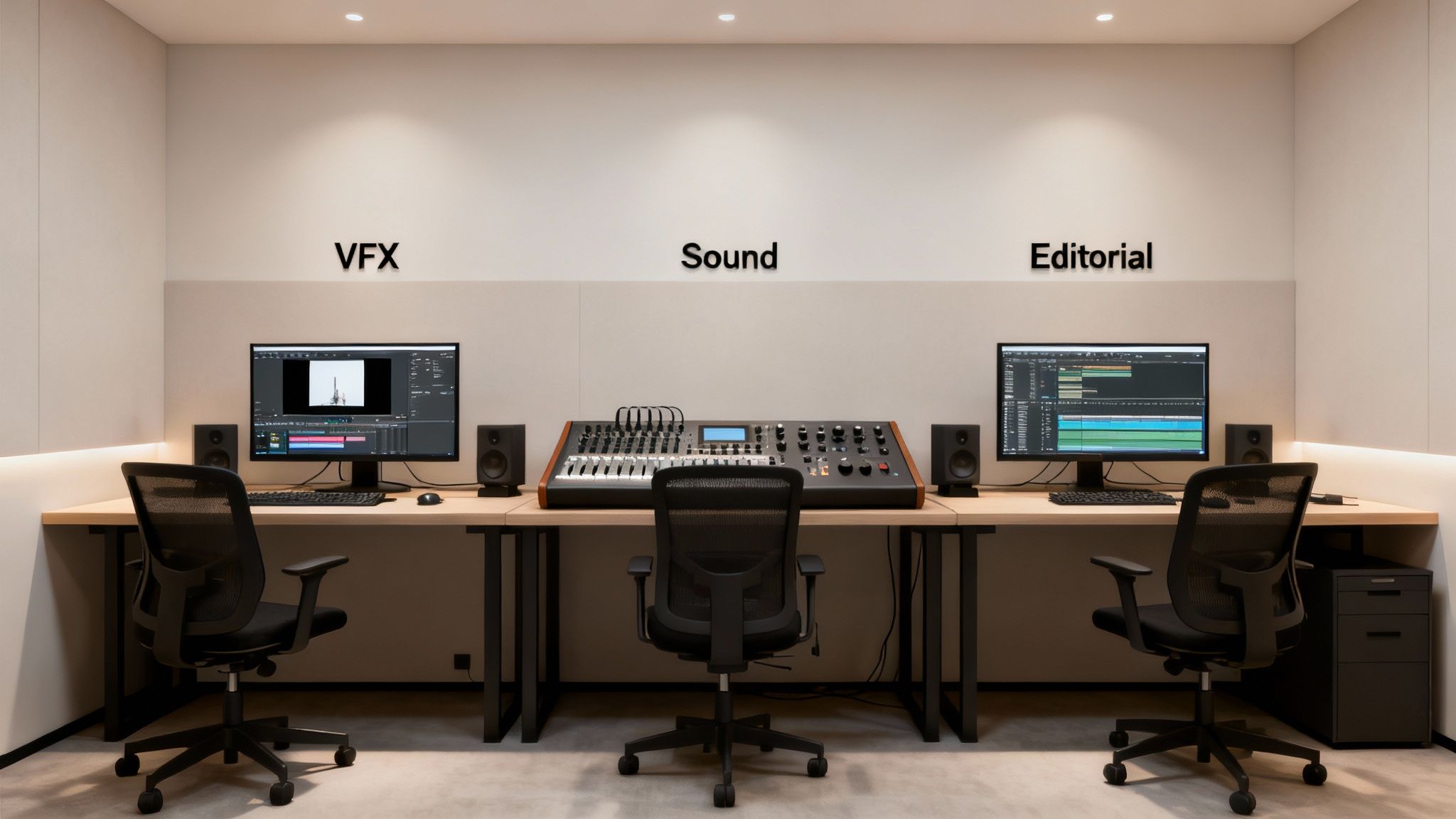
A typical journey inside this workstream might look a little something like this:
- Shot Ingest and Prep: The raw plates arrive from the editorial team.
- Rotoscoping and Tracking: Artists start isolating elements and matching camera movements.
- Animation and Simulation: This is where CGI characters or massive environmental effects come to life.
- Compositing: All the separate visual layers are expertly blended into a seamless, believable final shot.
- Final Review and Delivery: Shots are sent up the chain for director approval before being sent out the door.
Every one of these steps is a detailed workflow in itself, but string them all together, and you have the complete VFX workstream.
The Sound Design Workstream
At the same time, the Sound Design workstream is humming along on its own parallel track. Its mission is to craft the entire auditory world of the film. This team operates with a good deal of independence, but their contribution is just as vital to the finished product.
A project’s success often hinges on how well its parallel workstreams are coordinated. While each stream flows independently, they must converge at critical points to create a cohesive final product. Strong production scheduling of resources and dependencies is the bedrock of this coordination.
This workstream is likely to include key stages such as:
- Dialogue Editing: Cleaning up and synchronising every piece of audio recorded on set.
- Foley and Sound Effects: Creating all those custom sounds that match the action you see on screen.
- Music Scoring and Editing: Weaving the composer's score into the fabric of the film.
- Final Mix: Balancing every single audio element—dialogue, effects, music—into the final surround sound track that will fill the cinema.
Managing Dependencies Between Workstreams
Now, while these workstreams run in parallel, they're not living in total isolation. The real art of post-production management is handling the handoffs between them. For example, the Editorial workstream often acts as the central hub.
It's Editorial's job to deliver the "picture-locked" cuts to both the VFX and Sound Design teams. This single deliverable is the starting pistol for huge phases of work in the other two workstreams. So, a delay in the Editorial workstream doesn't just stay in Editorial—it creates a domino effect, knocking over the schedules of everyone downstream.
Effective management means meticulously mapping these dependencies and making sure the lines of communication between workstream leads are wide open and crystal clear. It's a complex dance, and we dive much deeper into mastering it in our guide to the scheduling of production.
Right then, let's talk about the real-world perks of using a workstream model. This isn't just about making your project plan look tidier; it's about getting tangible results that genuinely strengthen your studio. When you structure a project around clear, distinct workstreams, you’re building a more predictable, organised, and—let's be honest—more profitable production environment.
One of the first things you'll notice is much smarter resource allocation. Instead of a chaotic free-for-all where artists are pulled from pillar to post, you can assign specialised teams to their own dedicated streams. Your sound designers can get their heads down and focus purely on the audio mix, while the VFX team can dedicate all their energy to finishing shots, without being distracted by what’s happening in the edit. This focus doesn't just make things faster; the quality of the work gets a serious boost too.
This structured approach also does wonders for project visibility, both for your producers and your clients. When all the work is broken down into parallel streams, tracking progress is no longer a dark art. The days of vague updates and nasty surprises are over.
A Clearer View of Progress
Think of it like having a high-level dashboard for the entire project. At a glance, you can see exactly how the VFX, sound, and editorial workstreams are tracking against their own timelines. This clarity is a lifesaver for preventing bottlenecks. You can spot a potential delay in one stream and instantly see what the ripple effect will be on the others, long before it escalates into a full-blown crisis.
This level of organisation isn't just about managing people, either. It opens up massive opportunities for automation. As soon as you group tasks into logical, repeatable sequences within a workstream, you can start automating handoffs, notifications, and even rendering processes. All that adds up to more time for your artists to do what they do best: be creative.
In simple terms, a workstream is just a dedicated sequence of tasks, all grouped together to hit a specific goal. It’s a framework that lets different teams get on with their part of the job, side by side, without tripping over each other.
And this isn't just theory; it has a real impact on the bottom line. In fact, UK firms that brought in technology to support digital workstreams reported a 19% higher turnover per worker compared to those that didn't. It’s a clear sign that a well-managed workstream model directly contributes to a healthier business. If you fancy a bit of bedtime reading, you can explore the full study on the economic impact of digital workstreams in the UK.
Ultimately, organising your post-production around distinct workstreams creates more predictable timelines, keeps budgets in check, and makes the entire process a lot less chaotic for everyone involved.
How to Design Effective Studio Workstreams
Alright, let's get practical. Moving from theory to action, designing a workstream isn't some abstract exercise; it’s about bringing immediate clarity to a complex project. It’s the process of breaking a massive undertaking down into manageable, parallel streams of activity.
This isn’t about creating more red tape. It’s about establishing clear lanes for your specialist teams so they can move faster and more efficiently.
First things first: you need to identify the project's major independent components. For a feature film, this usually means the big three: visuals, audio, and colour. Each one is a significant, self-contained body of work that can largely run at the same time as the others, forming the very foundation of your workstream structure.
Defining Boundaries and Deliverables
Once you’ve identified these streams, the next crucial phase is to map out their precise boundaries. This means setting clear start points, end points, and defining the specific deliverables each workstream is responsible for creating. Think of it as drawing a detailed map for each team, so they know exactly where their part of the journey begins and ends.
For example, the audio workstream's journey might look something like this:
- Start Point: The moment they receive the locked picture from the editorial team.
- Key Milestones: Completing the dialogue edit, recording foley, and getting the final mix approved.
- End Point/Deliverable: Handing over the final 5.1 surround sound mix and the M&E tracks.
By defining these elements right from the start, you get rid of ambiguity. Everyone knows exactly what their role is and what "done" looks like for their piece of the puzzle.
Establishing clear communication channels between workstream leads is non-negotiable. It's the connective tissue that prevents parallel streams from diverging into chaos, ensuring handoffs are smooth and dependencies are managed proactively.
Next up, you have to assign dedicated teams and leads to each workstream. This step is huge because it creates a powerful sense of ownership. A designated VFX supervisor, for example, becomes the single point of contact and responsibility for everything related to visual effects, which makes decision-making so much simpler.
This kind of focused leadership is also vital for effective resource management, as it allows for much smarter allocation of artists and gear.
As you're mapping all this out, picking the right software becomes a critical decision. A solid video production software comparison can show you which tools are best suited for managing distinct production stages, directly supporting the workstream approach you're building.
Tracking Performance with KPIs
Finally, to manage your workstreams well, you need to measure what matters. This is where Key Performance Indicators (KPIs) come in. Forget vague progress updates; KPIs give you hard data on performance, letting you spot issues before they blow up into serious problems.
Consider putting a few key metrics in place, such as:
- Shot Completion Rate: For a VFX workstream, this is a simple but powerful way to track how many shots are completed against the weekly target.
- Audio Mix Approval Time: This measures how long it takes to get a client sign-off after a mix is submitted. A long delay here can flag a bottleneck in the feedback loop.
- Renders per Day: A brilliant metric for animation or CG-heavy workstreams to get a real sense of technical output and capacity.
By keeping an eye on these KPIs, you can maintain a clear view of each workstream's health, making sure the entire project stays on the right track.
Optimising Your Workstreams with Freispace
Let’s be honest, trying to manage complex, parallel projects with a mess of spreadsheets and never-ending email chains is a recipe for chaos. A modern platform like Freispace pulls your studio out of that fragmented world and into a central hub where every single workstream is visible, manageable, and connected. It’s about turning those theoretical plans into practical, day-to-day reality.
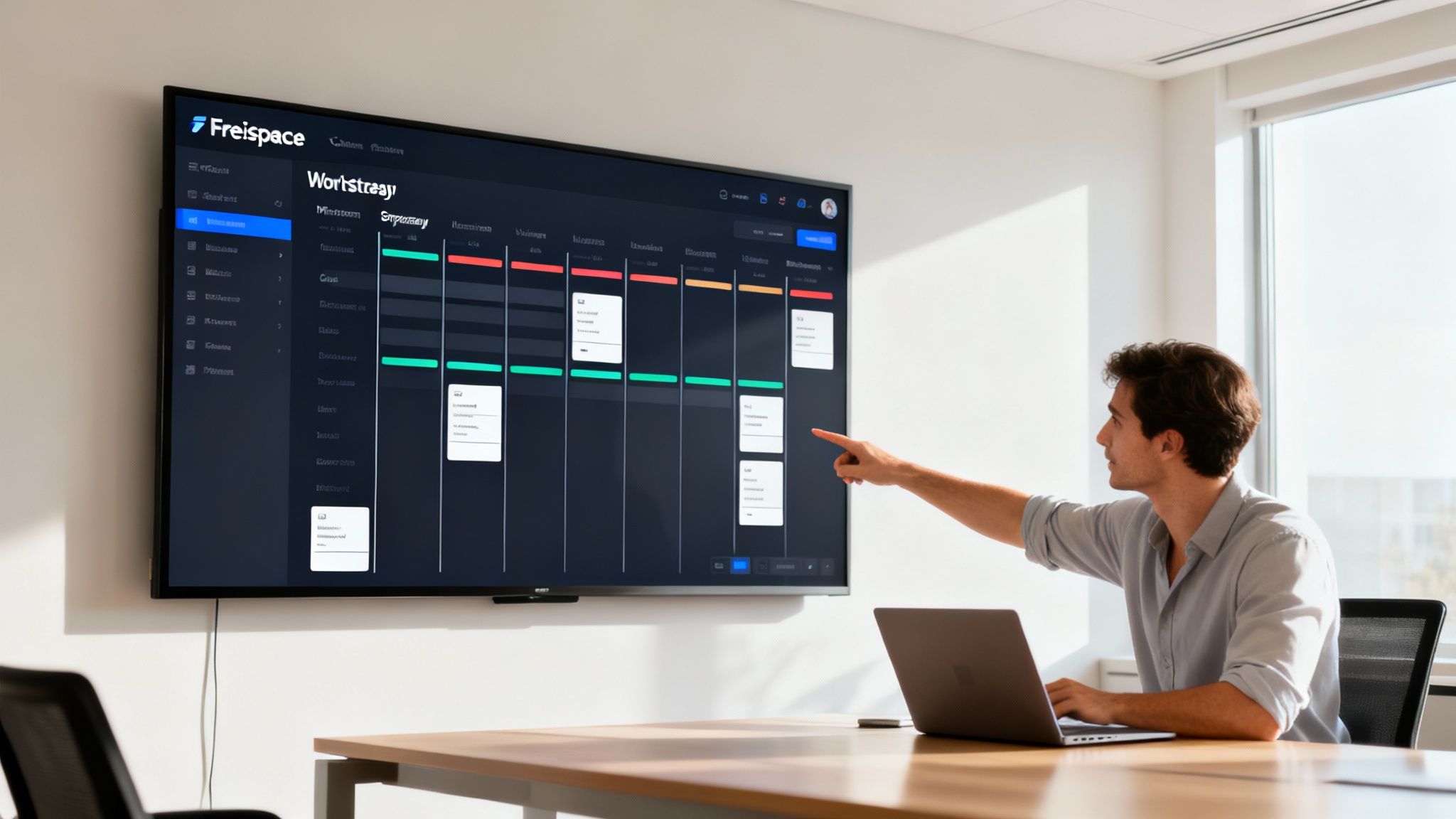
This shift is about more than just getting organised; it's about actively optimising how you work. Freispace doesn't just list what your teams are doing—it helps you do it better. By automating task assignments and giving you real-time progress updates across all departments, it kills the manual busywork and gives producers an accurate snapshot of project health at a glance.
Because it integrates smoothly with creative tools, artists can stay in their flow while the system updates project statuses in the background. This is the kind of data-driven approach that moves the idea of what is a workstream from a simple definition to a powerful management strategy.
From Tracking to True Optimisation
The real magic happens when you start using data to see what’s coming. Freispace helps you spot potential bottlenecks long before they threaten a deadline, so you can reallocate resources proactively instead of reactively. This is especially vital as studios bring in more advanced tools to get work done faster.
Freispace turns your workstreams into intelligent, self-correcting systems. It provides the clarity needed to not only manage complexity but also to continuously improve efficiency, ensuring projects are delivered on time and within budget.
This move towards smarter operations is part of a bigger picture. The rapid adoption of AI in the UK is changing how work gets done. With an estimated 20.2 million people expected to be using AI tools by July 2025—a massive 112% yearly growth—studios are designing workstreams to offload routine tasks. This frees up creative talent to focus on what they do best.
And when you're focused on efficiency, it pays to audit your workflow to reduce software development costs, as the core principles of optimisation are universal. By using a dedicated platform, you stop just managing workstreams and start actively making them smarter, faster, and more cost-effective.
A Few Common Questions About Workstreams
As studios start thinking about bringing a workstream model into the fold, a few practical questions always pop up. Let's tackle them head-on to help you see how these ideas play out on the studio floor.
How Do You Manage Handoffs Between Workstreams?
This is the big one. Managing how different workstreams connect is the key to making the whole thing work. It all comes down to setting up designated integration points and having crystal-clear communication protocols between the workstream leads.
Think about the "Picture Lock" from the Editorial workstream. That single deliverable is a massive trigger for both the VFX and Sound Design teams, kicking off major phases of their work. To manage this smoothly, leads should have weekly sync-ups to track handoff dates, flag potential delays before they become problems, and make sure every asset meets the right technical specs.
A workstream model isn't about building silos. It's about creating specialised units that know exactly when and how to connect with each other. The handoff should be as buttoned-up as any internal workflow.
What's the Ideal Team Size for One Workstream?
There’s no magic number here; it really depends on what the workstream needs to accomplish. A Colour Grading workstream might only need a tight-knit team of three to five people. On the other hand, a huge VFX workstream for a blockbuster film could easily have over a hundred artists.
The goal is to keep the team as lean as possible while still hitting its targets. It needs to be big enough to handle the workload without getting bogged down, but small enough for the lead to manage effectively without creating a mountain of admin.
Does This Model Only Work for Large Feature Films?
Not at all. The beauty of the workstream concept is that it's incredibly scalable. You can adapt it for almost any project, whether it's a commercial, an episodic series, or a short film.
Take a 30-second commercial, for example. You could easily define just two parallel workstreams:
- Visual Production: This would cover everything from the shoot right through to the final colour and graphics.
- Audio Production: This would handle the voiceover recording, sound effects, and the final mix.
Even on a smaller scale, splitting things up this way brings a ton of clarity, improves focus, and helps make sure nothing slips through the cracks. It just goes to show how versatile the approach really is.
Ready to bring this level of clarity and control to your own studio? Discover how freispace can help you design, manage, and optimise your post-production workstreams. Visit https://freispace.com to see it in action.