At its core, a project dependency is simply a relationship where one task can't start or finish until another one does. Think of it like a series of dominoes; you have to knock over the first one to get the next one to fall. It’s the basic logic that makes sure work gets done in the right order.
What Is a Project Dependency in Simple Terms?

Let's imagine you're baking a cake. You already know, without even thinking about it, that there’s a specific sequence to follow. You can't put icing on the cake before it's been baked, and you definitely can't bake it until you've mixed the batter.
Each step is completely dependent on the one before it. That simple, intuitive flow is the essence of a project dependency.
In project management, this is the "if-then" logic that underpins your entire schedule. For instance, if the client approves the final edit, then the sound mix can begin. These links between tasks create a structured, realistic workflow.
Predecessors and Successors: The Core Relationship
To really get to grips with dependencies, you need to know two key terms: predecessor and successor.
- Predecessor Task: This is the "before" task. It's the job that has to be started or finished first. In our cake analogy, mixing the batter is the predecessor.
- Successor Task: This is the "after" task. It's the one that depends on the predecessor. Baking the cake is the successor to mixing the batter.
This simple predecessor-successor link is the fundamental building block of any project schedule. Nailing down these connections is your first step towards building a timeline that actually works. If you get this wrong, you're setting yourself up for chaos, with tasks scheduled in an impossible order.
A project without clearly defined dependencies is like a recipe with its steps randomly shuffled. You have all the right ingredients and instructions, but with no logical sequence, success is pretty much out of the question.
To help clarify these terms, here’s a quick reference table.
Core Dependency Concepts at a Glance
| Term | Simple Definition | Baking Analogy |
|---|---|---|
| Dependency | A logical link where one task relies on another. | You can't ice the cake until it's baked and cooled. |
| Predecessor | The task that must happen before the dependent task. | Mixing the batter. |
| Successor | The task that depends on the predecessor. | Baking the cake (it comes after mixing). |
Seeing these concepts in a simple context like baking makes it much easier to apply them to more complex professional projects.
Why Dependencies Matter in Daily Life
Believe it or not, you manage dependencies every single day without even calling them that. When you plan a holiday, you book your flights (predecessor) before you arrange an airport transfer (successor). When you get ready for work, you have a shower (predecessor) before you get dressed (successor).
This natural knack for sequencing shows that dependencies aren't just some abstract theory for project managers. They're an integral part of how we organise ourselves efficiently. Recognising these patterns in everyday life builds an intuitive understanding you can bring to bigger, more complex projects, like the post-production workflows we'll be diving into next.
Exploring the Four Types of Task Dependencies
Every project schedule is held together by logical links between tasks. You’ll often hear these called precedence relationships, a fancy term for figuring out which job has to happen before another can begin. Think of them as the grammar of your project plan – they create the flow and make sure everything happens in a sensible order.
Getting these four core dependency types right is crucial. Nail them, and you’ll build a realistic, logical timeline. Get them wrong, and you’re staring down the barrel of bottlenecks, confusion, and delays that were entirely preventable.
Let’s break each one down.
Finish-to-Start (FS): The Classic Domino Effect
The Finish-to-Start (FS) dependency is the one you’ll use most. It’s simple, linear, and probably how you already think about sequences of tasks.
In an FS relationship, one task must be completely finished before the next one can even think about starting. It’s like a line of dominoes; the first has to fall to trigger the next.
A classic UK example? Assembling that flat-pack wardrobe. You must finish building the frame (predecessor) before you can start hanging the doors (successor). There’s no overlap. The first job has to be 100% done. This is the absolute workhorse of project management.
Your whole project schedule hangs on these logical links. Without them, tasks just float around on their own, making it impossible to predict a realistic finish date or know what happens when something gets delayed.
Start-to-Start (SS): Running in Parallel
Next up is the Start-to-Start (SS) dependency. This one is all about efficiency, letting two tasks get going at the same time or in quick succession.
Here, the second task can't start until the first one has. They don’t have to kick off at the exact same second, but the start of task A is the trigger for the start of task B.
Picture yourself organising a community festival in Manchester. The tasks "Set up vendor stalls" (predecessor) and "Conduct sound checks" (successor) can happen in parallel. You can’t start testing the mics until the general festival setup has begun, but you definitely don't need to wait for every single stall to be perfect. As soon as the setup crew gets moving, the audio team can get to work.
Finish-to-Finish (FF): Crossing the Line Together
A Finish-to-Finish (FF) dependency links the completion of two different tasks. It’s about making sure two activities wrap up around the same time, or that one doesn’t finish before the other.
With an FF link, the successor task cannot be marked as finished until the predecessor is also complete. They might run side-by-side for a while, but their endpoints are tied together.
A great example is writing and proofreading a long report. The "Proofreading" (successor) can't be completed until the "Writing" (predecessor) is totally done. You can start proofing sections as they’re written, sure, but that final sign-off can only happen once the very last word of the report is on the page.
Start-to-Finish (SF): The Rare Reversal
Finally, we have the odd one out: Start-to-Finish (SF). This is by far the least common and often the trickiest to get your head around because it works in reverse.
An SF dependency means the successor task can't finish until the predecessor task has started. This might sound completely backwards, but it has some very specific, important uses. The cost of failing to manage project dependencies correctly isn't just about timelines; it has real-world financial implications that ripple outwards. For instance, the potential lifetime cost of a severe, untreated addiction exceeds £4.3 million per person, a figure that includes lost income and healthcare costs stemming from a cascade of dependent negative events. Find out more about how interconnected factors create long-term costs.
Think of a 24/7 security patrol changing shifts. The outgoing guard's shift (successor) cannot finish until the incoming guard's shift (predecessor) has started. This guarantees there’s always someone on duty and no gap in security. The end of one thing is triggered by the beginning of the next. You won't use it often, but knowing it's in your toolkit is key for complex schedules.
To help you keep these straight, here’s a quick comparison of the four main dependency types. It's a handy cheat sheet for differentiating them at a glance.
Comparing the Four Logical Dependency Types
| Dependency Type | How It Works | Common UK Example |
|---|---|---|
| Finish-to-Start (FS) | Task B can't start until Task A is finished. | You must finish plastering the walls before you can start painting them. |
| Start-to-Start (SS) | Task B can't start until Task A has started. | Once digging the foundation for a house begins, the bricklayers can start laying out their materials. |
| Finish-to-Finish (FF) | Task B can't finish until Task A is finished. | The final system testing can't be completed until the user documentation is also complete. |
| Start-to-Finish (SF) | Task B can't finish until Task A has started. | A night shift security guard can't end their shift until the morning shift guard has arrived and started theirs. |
Getting comfortable with these four relationships is a massive step towards building schedules that are not just organised, but genuinely reflective of how work gets done in the real world.
Resource and External Dependencies: The Unseen Forces on Your Timeline
So far, we’ve focused on the logical flow of tasks—the neat, orderly sequence of what needs to happen next. But in the real world, a project's timeline is often thrown off course by constraints that have nothing to do with the workflow itself.
These are the dependencies tied to the availability of critical assets and your reliance on outside forces. It’s crucial to get your head around these because they introduce a huge amount of uncertainty. Even the most perfectly planned logical sequence can grind to a halt because of them.
The two big ones you’ll constantly run into are resource dependencies and external dependencies. While logical dependencies are about what comes after what, these are all about the who and what you need to get the job done—and what happens when they’re suddenly unavailable.
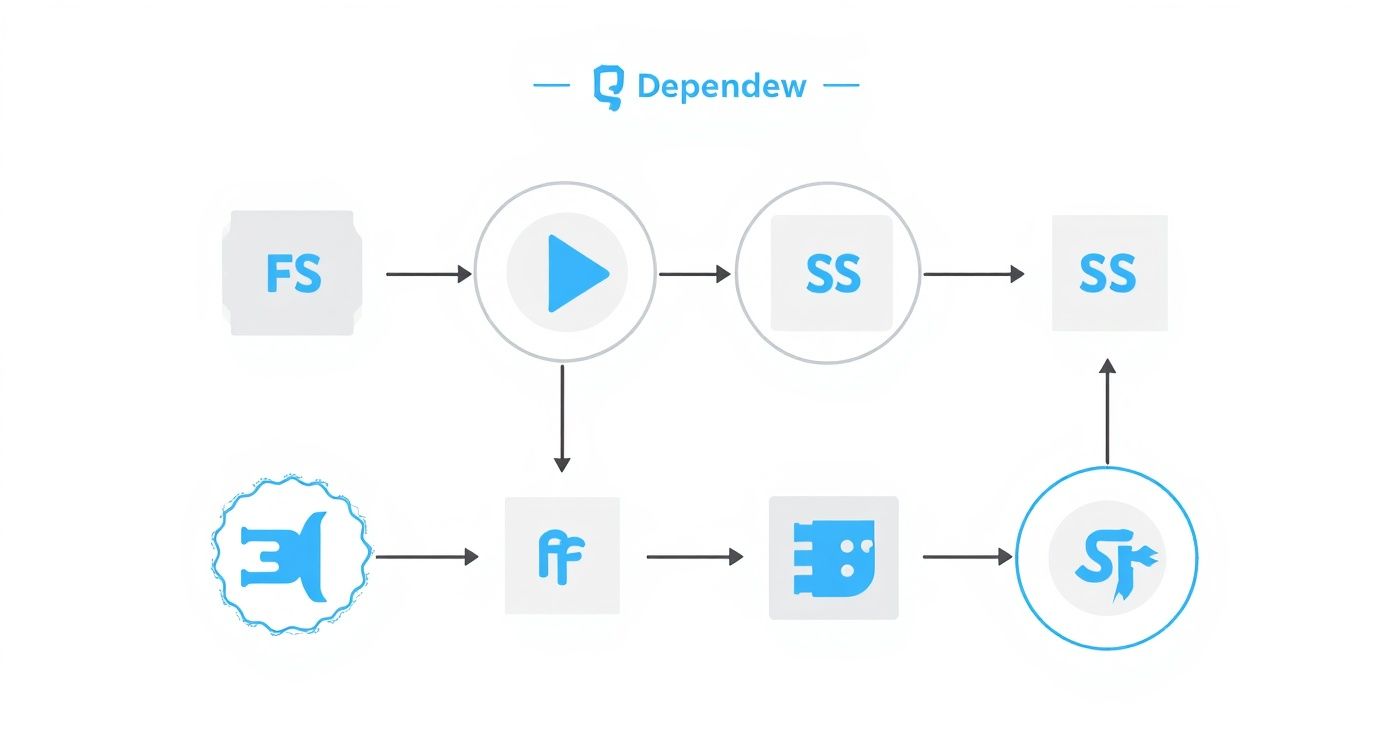
This diagram shows how those different task relationships we’ve discussed—linear, parallel, and even reverse—create the structural backbone of your project schedule. Now, let's add the messy, real-world constraints on top.
What Are Resource Dependencies?
A resource dependency crops up whenever two or more tasks need the same limited resource. That resource could be a specialist, a specific piece of kit, or even a physical space like a colour grading suite.
Think of it like trying to cook a massive Sunday roast in a tiny kitchen with only one oven. You might have the potatoes, the meat, and a crumble all prepped and ready to go, but they’re all dependent on that single oven. They have to form a queue, creating a delay that wasn’t written into any of the recipes.
This is a daily reality in post-production.
- People: A senior VFX artist is the only one who can handle complex compositing for one film, but she’s also booked to create digital matte paintings for another. She can’t be in two places at once, so one task is now completely dependent on her finishing the other.
- Equipment: The primary editing suite is needed for both the director’s cut and for assembling the trailer. Both teams are now competing for the same hardware, creating a classic resource bottleneck.
- Facilities: The sound design team and the dialogue editors both need to use the only Dolby-certified mixing theatre in the building. Suddenly, the theatre's booking schedule dictates the workflow, not the creative process.
Juggling these overlaps is what project management is all about. Without proper software resource scheduling, you’ll constantly find yourself overbooking key people or equipment, which leads to frustrating delays and a burnt-out team.
Dealing with External Dependencies
An external dependency is when your project’s progress is tied to something—or someone—completely outside of your direct control. These are often the riskiest dependencies of all because you have very little influence over them. You're at the mercy of a third party, whether that's a supplier, a client, or a government body.
Imagine you're managing a major office refit in Central London. Your entire construction schedule is a work of art, but you can’t knock down a single wall until the local council approves your building permit.
The entire project timeline is held hostage by the council's processing speed. That's a classic external dependency. Your team's efficiency means absolutely nothing until that piece of paper comes through.
Other common external dependencies in our world include:
- Supplier Deliveries: A shoot is on hold, waiting for a shipment of specialised anamorphic lenses to arrive from Germany.
- Client Feedback: The whole post-production pipeline is stalled because the executive producer hasn’t signed off on the rough cut. Colour grading can't start, sound mixing is on pause—everything waits.
- Regulatory Approval: A finished film can't be released until it receives its age rating from the BBFC.
These kinds of dependencies aren’t just a project management headache; they pop up everywhere, even in public health. NHS data shows that prescriptions for dependency-forming medicines in England are disproportionately given to specific groups, with women aged 60-64 being the most affected. You can find more on these NHS statistics on dependency-forming medicines. It's a powerful reminder of how external factors and pre-existing conditions can create complex dependencies in completely different fields.
How Dependencies Define Your Project Timeline
Understanding the different types of project dependency is one thing, but the real magic happens when you see how they shape your project timeline. Dependencies aren't just abstract links; they are the architectural blueprint for your schedule, dictating exactly how long your project will take and where the biggest risks are hiding.
Picture your project as a long-distance train journey. Every task is a station, and the dependencies are the tracks connecting them. Some connections are tight, with only minutes to spare, while others have long, comfortable waits. The total length of your journey—your project's duration—is decided by the fastest possible route through this network of stations.
Introducing the Critical Path Method
This "fastest possible route" has a name in project management: the Critical Path. The Critical Path Method (CPM) is a simple but powerful technique for identifying the longest chain of dependent tasks in your project. It’s this specific sequence that determines the shortest possible time you can complete everything.
Here’s the catch: any delay to a task on the critical path will directly delay your final delivery date. There is absolutely no wiggle room. These are the tasks that demand your full attention because they have the power to derail the entire schedule. Getting your head around this is fundamental to building a solid schedule of production.
The diagram below lays this out visually, with the critical path highlighted in red.
It’s clear from this that the sequence A → C → D → E → G sets the project's minimum duration. If any one of those tasks slips, the whole project timeline slips with it.
Understanding Slack and Float
So, if tasks on the critical path have zero flexibility, what about all the other tasks? This is where we talk about slack or float.
Slack is simply the amount of time a task can be delayed without messing up the start date of the next task or, more importantly, hitting the project's final deadline.
Let’s go back to our train journey analogy:
- Critical Path Tasks: These are your tight connections. If the first train is five minutes late, you miss the next one, and your whole journey is pushed back. There is zero slack.
- Non-Critical Tasks: This is a connection where you have a two-hour layover. If your train is 30 minutes late, it’s annoying, but it has no impact on your final arrival time. You still have 90 minutes of slack to play with.
Knowing which tasks have slack is incredibly useful. It gives you breathing room and flexibility. If a critical task is falling behind, you might be able to pull someone from a non-critical task (one with plenty of slack) to get the critical work back on track.
Understanding your project's critical path is the difference between reacting to problems and proactively managing them. It tells you exactly where to focus your energy to prevent delays before they happen.
The Real-World Impact on Scheduling
Now, let's bring this into the real world. Failing to properly map out dependencies and find your critical path can have massive consequences that go way beyond just missing a deadline.
Think about a post-production workflow. A delay in VFX delivery (a predecessor task) creates an instant bottleneck. Suddenly, your colour grading and sound mixing teams (successor tasks) are stuck, unable to start. They're sitting idle, burning through the budget while they wait for work.
This is a familiar story, but it’s entirely avoidable. By mapping your dependencies from the start, you can see these potential bottlenecks coming a mile off. It allows you to build a schedule that isn’t just based on wishful thinking, but one that’s resilient, realistic, and ready for whatever the project throws at it.
Visualising Dependencies with Project Software

Trying to manage a complex web of tasks in your head or, even worse, a spreadsheet is a recipe for disaster. Once a project grows beyond a handful of steps, you absolutely need dedicated tools to turn that abstract plan into a clear, visual, and actionable roadmap. This is exactly where project management software becomes your best friend.
These platforms are built to translate the logic of task relationships into a dynamic, interactive schedule. They let you see, at a glance, how every single task connects to the others, revealing the true skeleton of your project and flagging potential risks long before they blow up into serious problems.
Gantt Charts: The Go-To Visualisation Tool
By far, the most common and powerful tool for visualising dependencies is the Gantt chart. It lays out your project timeline as a series of horizontal bars, where the length of each bar shows how long a task will take. The real magic, though, is in the lines and arrows that connect these bars.
These little connectors are what bring the dependencies to life. A line drawn from the end of "VFX Shot Approval" to the start of "Colour Grading" makes that Finish-to-Start relationship instantly obvious. It’s a simple visual cue that makes the entire project flow intuitive for everyone involved, from the project manager to the client. Modern tools have perfected this, and it's worth exploring how user experience is central to effective project management tools to see just how much good design helps.
Once you map out your tasks and their links on a Gantt chart, you can immediately spot your project's critical path. Most software will even highlight this sequence of tasks for you, showing you exactly where any delay will push back your final deadline. If you want to get into the weeds, we've written a detailed guide exploring the advantages and disadvantages of Gantt charts.
Creating and Managing Dependencies in Software
Modern project management software makes setting up these crucial links incredibly straightforward. The whole process usually involves just a few clicks, turning a basic to-do list into a fully dependent project schedule.
Here’s what that workflow typically looks like:
- Create Your Tasks: First, you just list out all the individual jobs needed to complete the project, like "Edit Scene 5," "Record Foley," and "Mix Final Audio."
- Define Predecessors: For each task, you then identify what needs to happen before it. In the software, you can usually just pick the preceding task from a dropdown menu or simply drag a connector from one task bar to another.
- Select Dependency Type: The software will likely default to a Finish-to-Start (FS) link, but you can easily change this to Start-to-Start (SS), Finish-to-Finish (FF), or Start-to-Finish (SF) to match the real-world logic of your workflow.
Following these steps builds the fundamental structure of your entire schedule.
Adding Nuance with Lead and Lag Times
Beyond simple links, good software gives you more detailed control over your timeline through lead and lag times.
Lead time is basically an overlap between dependent tasks. It lets a successor task kick off before its predecessor is 100% complete. For instance, you could set a two-day lead time to let colourists start working on approved scenes while the final few VFX shots are still rendering.
Lag time is a built-in delay between tasks. It forces a waiting period after one task finishes and before the next can begin. A classic example is waiting 24 hours for plaster to dry (the lag) after plastering a wall (the predecessor) and before you can start painting (the successor).
These features give you the power to build a schedule that truly reflects the practical realities of your work. By visualising dependencies, you move from a static list of jobs to a living, breathing model of your project. You can see the ripple effect of a single delay in real-time, test out different scenarios, and make smart decisions to keep everything on track.
Best Practices for Managing Dependencies
Getting a handle on the tangled web of project dependencies is what really separates a smooth, predictable project from a chaotic, reactive mess. Let's be clear: dependencies are inevitable. The goal isn't to wish them away, but to get out ahead of them. A few solid practices can completely change your ability to see trouble coming, sidestep risks, and deliver your projects with a sense of control.
The bedrock of good management is identifying dependencies early and thoroughly. This isn't a one-person job; it’s a team sport. Your artists, editors, and engineers all have a ground-level view of the real-world roadblocks that a high-level project plan might completely miss.
Conduct a Thorough Dependency Analysis
Before you even think about kicking off the project, you need to sit down for a dedicated dependency mapping session. This is more than just listing tasks in order. It’s about digging deep, asking tough questions, and sketching out the entire network of connections.
- Get the Whole Team Involved: Bring everyone to the table—representatives from every department. A VFX artist instinctively knows the render time a shot needs before it can go to colour grading, a detail a producer might not fully grasp.
- Identify Every Flavour of Dependency: Look beyond the simple Finish-to-Start logic. Actively hunt for those sneaky resource constraints (like having only one senior editor) and external hold-ups (like waiting on client feedback).
- Document Everything: Create a central dependency log. Think of it as a living document that tracks each dependency, the tasks it impacts, who's responsible, and what its current status is.
This initial deep dive is your best defence against nasty surprises later on. It makes all those hidden constraints visible from day one.
Maintain Clear and Constant Communication
Once you’ve mapped out your dependencies, communication becomes your most powerful tool. It’s absolutely vital that stakeholders for connected tasks are kept in the loop, especially when they’re in different teams or even outside your organisation.
A delay in one area can create a huge ripple effect, but only if people are left in the dark. A simple heads-up that a task is running 24 hours late gives the next team in line a chance to adjust their own schedule and minimise the disruption. This kind of transparency builds trust and creates a collaborative vibe where people solve problems together, instead of pointing fingers. If you're using more modern approaches, it's worth seeing how dependencies are handled within Agile project methodologies to get more ideas on continuous communication.
Develop Contingency Plans for High-Risk Dependencies
Let's be honest, not all dependencies are created equal. A delay from an internal team you can grab a coffee with is one thing. A delay from a third-party supplier on another continent is a whole different level of risk. Your job is to pinpoint these fragile links in the chain and plan for the worst.
Contingency planning isn't about being pessimistic; it's about being a realist. It’s about asking, "What’s our move if this external delivery is a week late?" and having a clear, actionable answer before it actually happens.
This might look like:
- Identifying Alternative Suppliers: Doing the research to have backup options ready for critical external resources.
- Building Buffers: Intentionally adding some lag time into the schedule right after high-risk tasks.
- Preparing Parallel Work: Having other, non-dependent tasks queued up so your team isn't left sitting around if their main job gets blocked.
By mapping dependencies early, communicating constantly, and planning for disruption, you stop being a victim of your project's timeline. You become the one in control.
Got Questions About Project Dependencies?
Even with a firm handle on the theory, a few questions always seem to come up when you’re in the thick of a project. Let’s clear up some of the most common ones that teams run into.
Think of this as a quick reference guide to help you sort out those real-world project puzzles.
What’s the Difference Between a Dependency and a Constraint?
It’s easy to mix these two up, but the distinction is crucial. Here’s a simple way to think about it: a dependency is a relationship between tasks, while a constraint is a hard limit placed on the project itself.
For example:
- Dependency: The sound mix can’t begin until the final picture lock is delivered from editorial. One task dictates the start of another.
- Constraint: The entire project absolutely must be delivered by 1st December (a deadline) or stay under a £100,000 budget (a financial limit).
Dependencies map out the logical flow of your work. Constraints are the fixed walls you have to work within.
How Do You Handle Dependencies on External Teams?
Relying on outside partners or suppliers can feel like a loss of control, but it doesn't have to be. The key is turning passive waiting into active management through clear communication and documentation.
As soon as you start planning, identify every single task that relies on an external team. Log them in a shared document, clearly stating who is responsible and when you need the delivery.
The most important thing here is to get into a regular rhythm of communication. Don’t just set a deadline and hope for the best. Schedule short, consistent check-ins to see how things are going. This way, you spot potential delays weeks in advance, not hours.
And always, always have a backup plan for your riskiest external dependencies. What’s Plan B if the VFX vendor is a week late? Figuring that out now saves you from a full-blown crisis later and keeps your project on track.
Managing these complex webs of tasks is exactly what freispace was built for. Our platform helps you see, track, and automate your entire project workflow, so handling dependencies becomes second nature. See how you can build more resilient schedules at https://freispace.com.