Ever tried to cook a massive banquet for a hundred people without a recipe? It would be chaos. That's exactly what running a project without a production schedule feels like. A good schedule is your master recipe, turning a potentially chaotic mess into a clear, step-by-step plan.
Think of it as the project’s central blueprint, detailing every single task, resource, and timeline needed to get from A to B successfully.
Your Guide to Production Scheduling
A production schedule is so much more than a simple calendar of events. It’s a strategic tool that acts as the project’s central nervous system, making sure every moving part is coordinated and everyone is working in sync. At its core, it answers the big questions: what needs to be done, who is doing it, when it needs to be finished, and what resources they need to make it happen.
Without a solid plan, projects just drift. Deadlines get missed, costs start to spiral, and the team ends up disorganised and frustrated. A well-thought-out schedule, on the other hand, brings clarity and direction, making it one of the most valuable assets in pretty much any industry you can think of.
The Foundation of Project Success
A production schedule is the bedrock of good project management. It’s not just about ticking boxes; it has a direct impact on your efficiency and, ultimately, your bottom line.
- Clarity and Alignment: It gets everyone on the same page. Each team member knows what they're responsible for and, just as importantly, how their work slots in with everyone else's.
- Resource Optimisation: It helps you manage your people, equipment, and materials smartly. You can see what you need and when, preventing bottlenecks before they even start.
- Proactive Problem-Solving: By mapping everything out, you can spot potential roadblocks a mile off and deal with them before they have a chance to derail the whole project.
- Budget Control: It makes it much easier to track your progress against key milestones, which is crucial for keeping costs in check and staying within budget.
A production schedule isn't just about managing time. It's about managing expectations, resources, and risk to deliver a successful outcome, on time and on budget.
Take the UK manufacturing sector, for example. Scheduling is critical for planning what to produce, how much, and when. With the sector accounting for roughly 80% of the total industrial production output, effective scheduling is key to navigating the kind of volatility we've seen in manufacturing recently.
The same principles apply to creative projects. A complete guide to creating video ads is a perfect real-world example of why you need a structured plan, from the first spark of an idea all the way through to the final promotion. Whether you're in software development or filmmaking, mastering production scheduling is non-negotiable in today's world.
The Core Components of a Production Schedule
Think back to our banquet analogy. A recipe isn’t just a list of ingredients; it’s a detailed guide on how to combine them, in what order, and for how long. In the same way, a production schedule is built from several core components that work together to create a solid, coherent plan.
Without these fundamental building blocks, your "recipe" is incomplete, and your project is far more likely to end in chaos than success. Understanding these elements is the first step toward mastering the art of scheduling. Let's break down the anatomy of a truly effective production schedule.
Tasks The Individual Steps
At its most basic level, a schedule is made up of tasks. These are the individual, actionable items that need to get done. In our banquet, a task might be "chop the onions," "sear the steaks," or "prepare the dessert garnish."
Each task should be clearly defined, assigned to a specific person or team, and given an estimated duration. Breaking a huge project into smaller, manageable tasks makes it far less overwhelming and gives everyone a clear checklist of what needs to happen. It's no surprise that vague task definitions are a leading cause of project delays.
A well-defined task list is the foundation of any production schedule. It transforms a massive goal into a series of achievable steps, giving the entire team a clear and actionable path forward.
Resources The Chefs and Ingredients
Next up, you need resources. This covers everything from the people and equipment to the materials and budget required to complete the tasks. For our banquet, resources would include the chefs (personnel), ovens (equipment), flour and sugar (materials), and the money to buy everything (budget).
Smart resource management is non-negotiable. You have to make sure the right resources are available at exactly the right time. Assigning a junior chef to a complex sauce or running out of a key ingredient mid-prep would bring the entire kitchen to a grinding halt. A good schedule allocates resources efficiently to prevent these kinds of bottlenecks. For a deeper dive, our guide on the schedule of production explores this in more detail.
This simple map shows how tasks, resources, and timelines are the three pillars holding up any schedule.
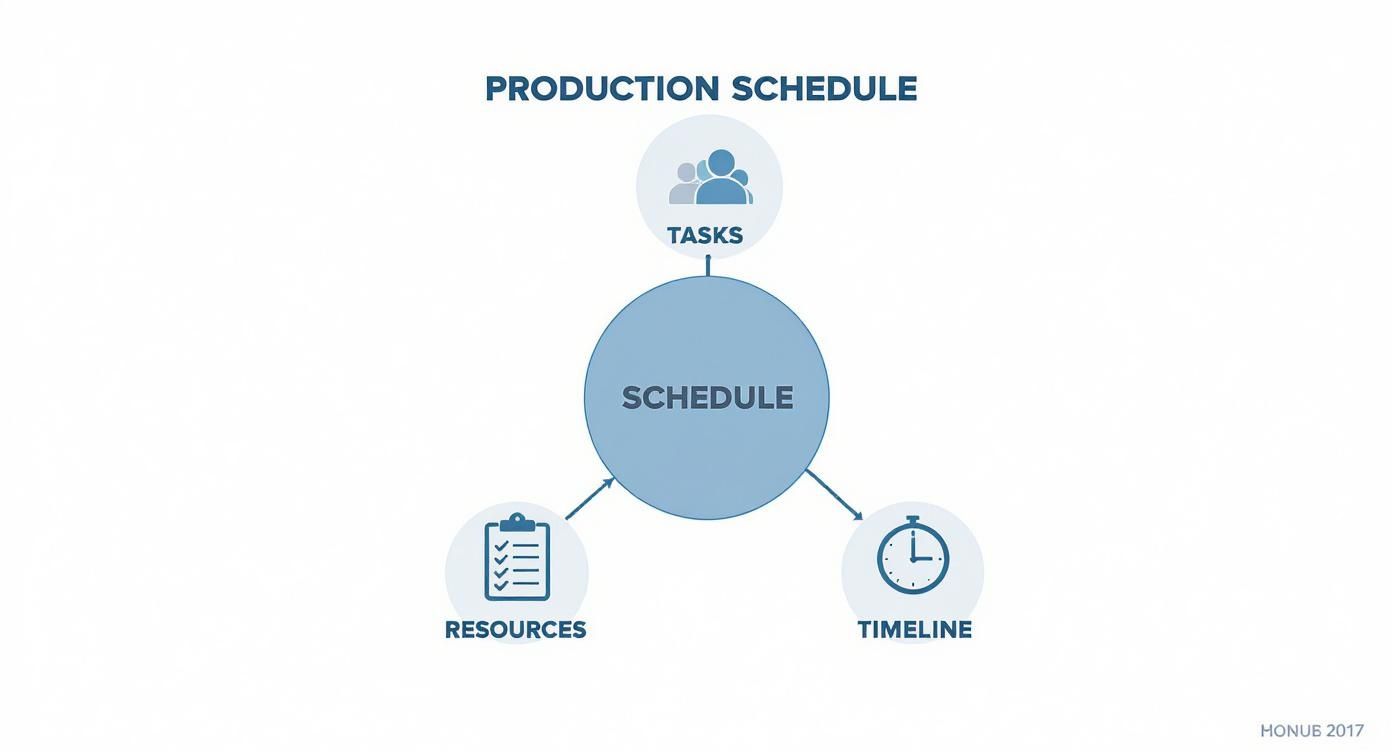
You can see how interconnected they are—a change in one directly impacts the others.
Dependencies and Timelines The Order of Operations
Finally, we have dependencies and timelines. Dependencies define the relationships between tasks. It’s simple logic: you can't ice a cake before you've baked it. This sequence is what turns a simple to-do list into a powerful planning tool.
The timeline then plots these dependent tasks out over a specific period, setting start dates, end dates, and major milestones. Milestones are key checkpoints, like "all appetisers served" or "main courses plated." They act as progress markers, helping you track whether you're on schedule or falling behind. Together, these pieces ensure everything happens in the right order and at the right time.
Comparing Production and Post-Production Schedules
In creative industries like filmmaking, when we talk about a "production schedule," we're usually picturing a very specific, action-packed phase. But a project’s life doesn’t end when the cameras stop rolling. This is where we need to draw a clear line between the production schedule and its equally vital counterpart: the post-production schedule.
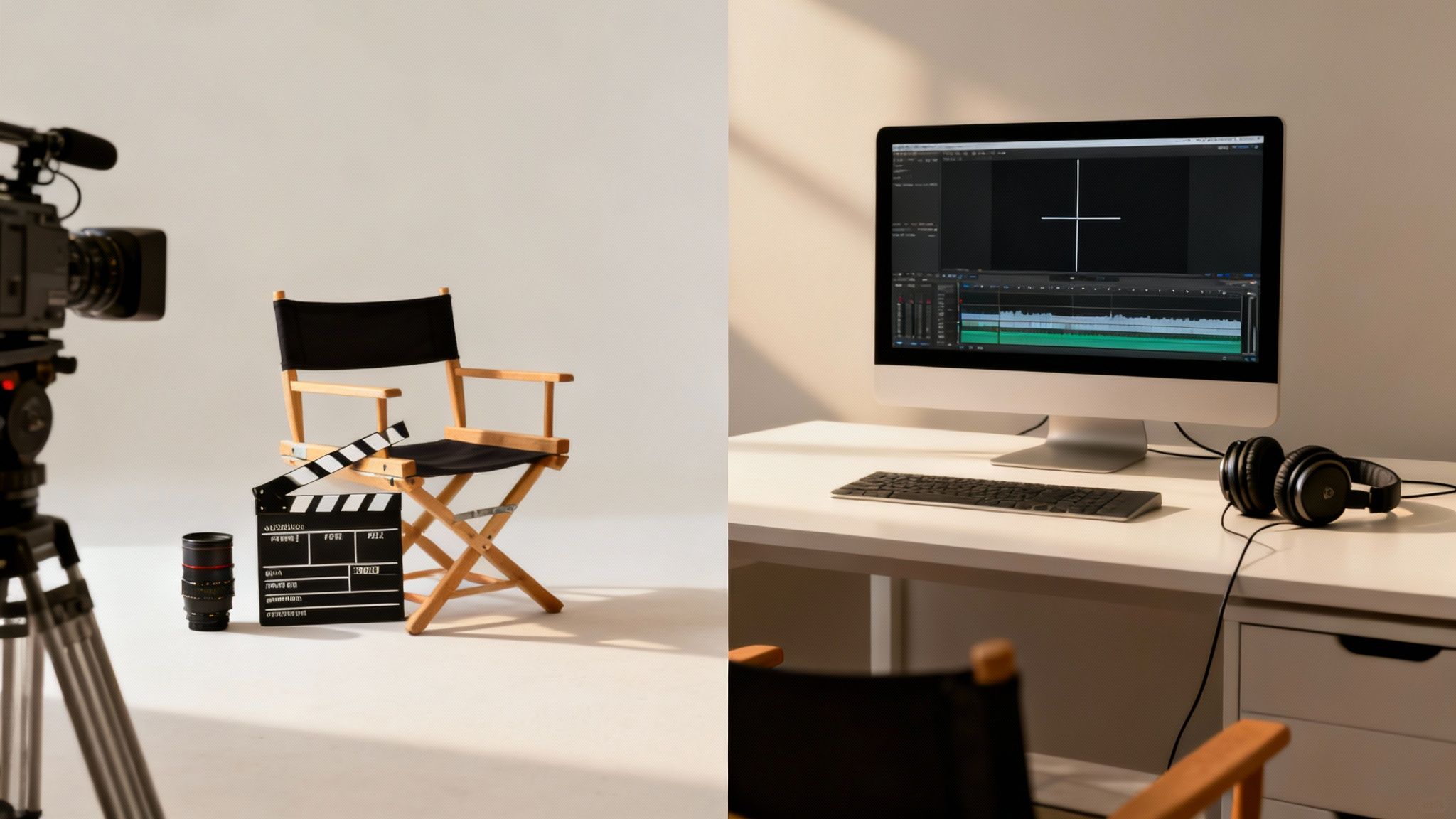
Getting this difference right is fundamental to steering a project successfully from start to finish. Think of them as two different blueprints for two entirely different stages of creation, each with its own goals, resources, and headaches. Mixing them up is a recipe for planning disasters and budget blowouts.
The Production Phase: The Action on Set
The production schedule is the master plan for the shoot itself. This is the "lights, camera, action!" part of any project. It's a beast of logistics, all focused on capturing the raw materials needed for the final piece.
Its main job is to coordinate a massive, mobile team of people and physical gear across real-world locations. The schedule dictates which scenes get shot on which days, which actors are needed on set, and where every single crew member needs to be. This phase is all about execution and capturing content according to a strict, often unforgiving, plan.
- Key Focus: Capturing raw footage and sound.
- Main Activities: Filming on location, directing actors, managing crew, and operating equipment.
- Environment: Dynamic and unpredictable. You're dealing with physical locations, weather, and big teams.
A production schedule is a logistical powerhouse built to bring order to the beautiful chaos of a shoot. Its success boils down to meticulous daily planning to make sure every shot gets in the can, efficiently.
The Post-Production Phase: Crafting the Final Story
Once filming wraps, the post-production schedule takes the baton. This plan maps out the refinement and assembly phase, where all that raw footage is shaped into a polished, final product. It’s a much more controlled, often office-based environment centred on technical skill and artistic craft.
This schedule organises tasks like video editing, colour grading, sound design, and adding visual effects (VFX). The resources are completely different—it’s all about specialised software, powerful workstations, and the expert hands of editors, artists, and sound mixers. If production is about gathering, post-production is all about shaping.
To make it crystal clear, here’s a breakdown of the fundamental differences.
Key Differences: Production vs Post-Production Schedules
| Aspect | Production Schedule | Post-Production Schedule |
|---|---|---|
| Primary Goal | Capture all necessary raw materials (footage, audio). | Assemble and refine raw materials into a final product. |
| Key Personnel | Directors, actors, camera crew, location managers. | Editors, colourists, sound designers, VFX artists. |
| Work Environment | On-set, in various physical locations. | Edit suites, sound studios, typically office-based. |
| Core Tasks | Filming scenes, recording dialogue, setting up lights. | Editing cuts, colour grading, mixing audio, compositing VFX. |
While both schedules are absolutely essential, they govern entirely different parts of the creative process. One is about creating the assets, and the other is about putting them all together. Recognising this split is the first step toward building a truly solid project plan that sees you through from day one to final delivery.
Common Scheduling Mistakes to Avoid
Even the most meticulously planned production schedule can fall apart if it’s built on shaky ground. A truly solid plan isn’t just about listing tasks and deadlines; it’s about anticipating the curveballs and sidestepping the common traps that have derailed countless projects before. Knowing what these pitfalls look like is the first step to building a schedule that can bend without breaking.
When schedules fail, it’s rarely a complete surprise. The culprits are usually the same: wildly optimistic timelines, zero room for the unexpected, and a breakdown in communication. By recognising these patterns, you can start building defences into your plan, turning potential disasters into manageable hiccups. Let’s break down the classic blunders and how to steer clear of them.
Overlooking Task Dependencies
One of the easiest ways to bring a project to a screeching halt is by missing how tasks connect. It sounds obvious—you can't edit footage that hasn't been shot, right? But on a complex project, there are hundreds of these little relationships. Ignore one, and you’ve created a bottleneck that stops everyone in their tracks.
Imagine a visual effects team is booked and ready to go, but the final camera tracking data they need is a day late. That single delay stalls the entire VFX pipeline. Suddenly, a domino effect ripples through the whole schedule, pushing back every subsequent task and putting your final deadline in serious jeopardy. You can get a deeper insight into managing these critical links in our guide to understanding project dependencies.
Underestimating How Long Things Actually Take
Optimism is a project manager’s greatest weakness. It’s tempting to assume every task will run like clockwork, which leads to timelines that are impossibly tight. This piles the pressure on your team, paving the way for burnout, sloppy work, and expensive fixes down the line. A schedule without any breathing room is a schedule that's destined to fail.
The most effective production schedules are grounded in reality, not wishful thinking. They use historical data to inform time estimates and always build in a buffer for the inevitable surprise.
This is especially crucial when outside forces are in play. For example, recent ONS data from the UK showed how quickly production output can shift. Manufacturing output fell by 0.8% in a single quarter, with sectors like transport equipment (-4.5%) and chemical products (-5.6%) seeing even sharper declines. It’s a stark reminder that real-world challenges have to be factored into any realistic schedule. You can dig into these trends in the full production output report.
Forgetting to Build in Buffers
Let's be honest: no project ever goes exactly to plan. Kit fails, people get sick, creative hurdles pop up out of nowhere. A classic mistake is to create a "perfect world" schedule with zero margin for error. The moment that first, inevitable delay hits, the whole timeline shatters.
The fix is simple: build buffers into your schedule. These are just intentional blocks of extra time slotted in after critical phases or particularly tricky tasks. Think of them as shock absorbers for your project. If a task overruns, it just eats into the buffer time, not into the start time of the next vital job. And if everything goes smoothly? You finish early. It's a win-win.
Modern Tools for Smarter Production Scheduling
Let's be honest, moving on from static spreadsheets is one of the biggest leaps a project can make. When you do, modern scheduling software transforms what was a simple document into a dynamic, collaborative command centre. It injects life, data, and intelligence right into the heart of your production schedule. These tools don't just digitise your plan; they supercharge it with automation and real-time insights.
This shift isn't just a "nice-to-have"; it's crucial for dealing with real-world chaos. For instance, the UK's industrial production index for manufacturing recently sat at 98.80, a noticeable dip from 101.10 a year earlier, reflecting widespread supply chain and energy price challenges. Agile scheduling systems are essential for navigating these kinds of bumps in the road, something you can read more about in recent economic analyses. You can find more insights on UK manufacturing trends on fred.stlouisfed.org.
Visualising Your Workflow with Gantt Charts
One of the most powerful features of modern tools is the Gantt chart. Instead of staring at a flat list of tasks, a Gantt chart gives you a crystal-clear, visual timeline of the entire project. In a single glance, you can see every task, how long it's supposed to take, and how it connects to everything else.
This visual clarity is an absolute game-changer. It instantly shines a light on dependencies and potential bottlenecks, letting project managers see the critical path and make proactive adjustments before things go off the rails.
Here's what a project timeline looks like inside a modern tool using a Gantt chart.
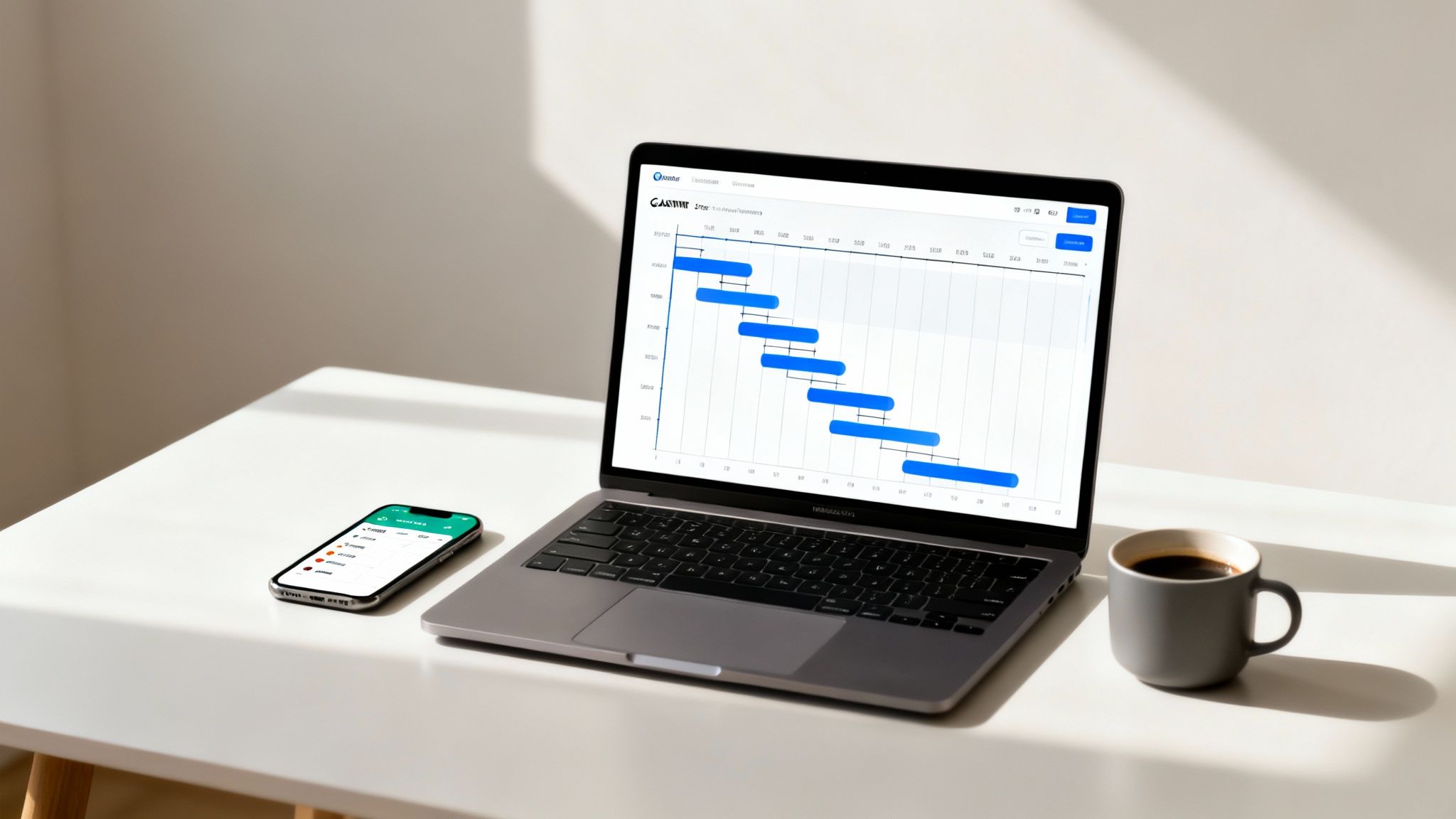
The chart makes it incredibly easy to spot task overlaps and dependencies, turning a complex schedule into a visual map that anyone can understand.
Supercharging Resource and Task Management
Beyond the pretty pictures, these platforms get deep into the nitty-gritty of managing the most critical parts of your project: your people and their workloads.
- Intelligent Resource Allocation: Good tools help prevent team burnout by giving you a clear view of everyone's capacity. You can assign tasks based on who's available and has the right skills, which means a much more balanced workload across the board. For a deeper look, check out our guide on software for resource scheduling.
- Integrated Time Tracking: Team members can track their time directly against the tasks they're working on. This real-time data feeds straight back into the system, making future estimates way more accurate and giving you clear insights into where the budget is actually going.
- Automated Notifications: The software can automatically ping team members when a task is assigned, a deadline is looming, or a task they were waiting on is finally complete. This cuts down on all the manual follow-ups and keeps the project humming along smoothly.
A modern production schedule isn't a static document you create once and file away. It's a living, breathing ecosystem that provides a single source of truth, automates communication, and delivers actionable data to drive better decisions and improve your ROI.
If you're looking to get your own production efforts in order, exploring some of the best social media scheduling tools can give you a good idea of what's possible. Ultimately, bringing these technologies on board moves your team from constantly putting out fires to proactive, strategic planning.
A Few Common Questions About Production Schedules
Even when you have a good handle on what a production schedule is, a few practical questions always seem to pop up when you start building one. These things are living documents, after all, and figuring out how to manage their quirks can be the difference between a smooth-sailing project and one that hits a new snag every week.
So, we’ve pulled together a few of the most common queries we hear from project managers and their teams. The answers should help clear things up, define some key differences, and make your whole scheduling process feel a lot more straightforward.
How Often Should a Production Schedule Be Updated?
A production schedule should never be a 'set it and forget it' document; think of it as a living, breathing tool for your project. How often you update it really just depends on how fast your project is moving and how complex it is. For projects with a lot of moving parts and uncertainty, like a software development sprint, daily check-ins are pretty much essential.
But for longer, more predictable projects—say, a large-scale manufacturing run—a weekly review might be all you need. The golden rule is this: update the schedule the second any important new information lands on your desk.
That could be anything, like:
- A critical delivery getting held up.
- A key team member being out sick.
- A task actually getting finished ahead of schedule (it happens!).
This is where modern scheduling tools really shine. They’re built for this kind of real-time adjustment, letting team members log updates that automatically ripple through the master schedule. It means everyone is always looking at the most current version of the truth, which cuts down on miscommunication and keeps the whole team aligned.
What Is the Difference Between a Production Schedule and a Project Plan?
This is a big one, and it’s easy to get them mixed up because they’re so closely related. The simplest way to think about it is this: the project plan is your high-level strategy document. It’s the 'what' and the 'why', outlining the project's entire scope, its main goals, the overall budget, and what you’ll have to show for it at the end.
The production schedule is a much more tactical piece of that bigger plan. It’s laser-focused on the 'how' and the 'when'. It breaks down the exact sequence of tasks, who (or what) is needed for each one, and the specific deadlines required to bring those big-picture deliverables to life.
A good analogy is planning a holiday. The project plan is your overall itinerary—where you're going, your budget, and the main sights you want to see. The production schedule is the nitty-gritty, day-by-day timetable of flights, hotel check-ins, and tour start times that makes the trip actually happen.
Can I Use a Spreadsheet for a Production Schedule?
For the absolute simplest projects, sure. If you’ve got a tiny team and only a handful of tasks that don’t depend on each other, a spreadsheet can get the job done. Plenty of teams start out this way. The trouble is, they get messy—and risky—the moment things get even a little bit complicated.
Spreadsheets just don’t have the dynamic features of proper scheduling software. They can't automatically reshuffle dependent tasks, for instance. If one job is delayed, you have to go in and manually push back every single task that follows. They also don't offer built-in Gantt charts, easy real-time collaboration, or clear ways to see who’s working on what.
For any project with more than a couple of people or a web of interconnected tasks, you’ll save yourself a world of pain by using dedicated scheduling software. It cuts down on endless admin and, more importantly, helps you sidestep the kind of costly mistakes and oversights that spreadsheets almost seem designed to create.
Ready to move beyond spreadsheets and build smarter, more dynamic schedules? freispace offers an AI-native post-production scheduling platform with intuitive resource management, real-time Gantt planning, and integrated time tracking to keep your projects on track and on budget. Discover how you can streamline your studio's workflow at https://freispace.com.