Think of software resource scheduling as the modern-day conductor of a creative orchestra. It’s the smart system that orchestrates your talent, technology, and time, making sure everything comes together perfectly to deliver incredible results, right on deadline. This isn't about static spreadsheets anymore; it's about a dynamic, real-time view of every single asset, ensuring the right people and equipment are ready to go precisely when they're needed.
Solving The Post-Production Scheduling Puzzle
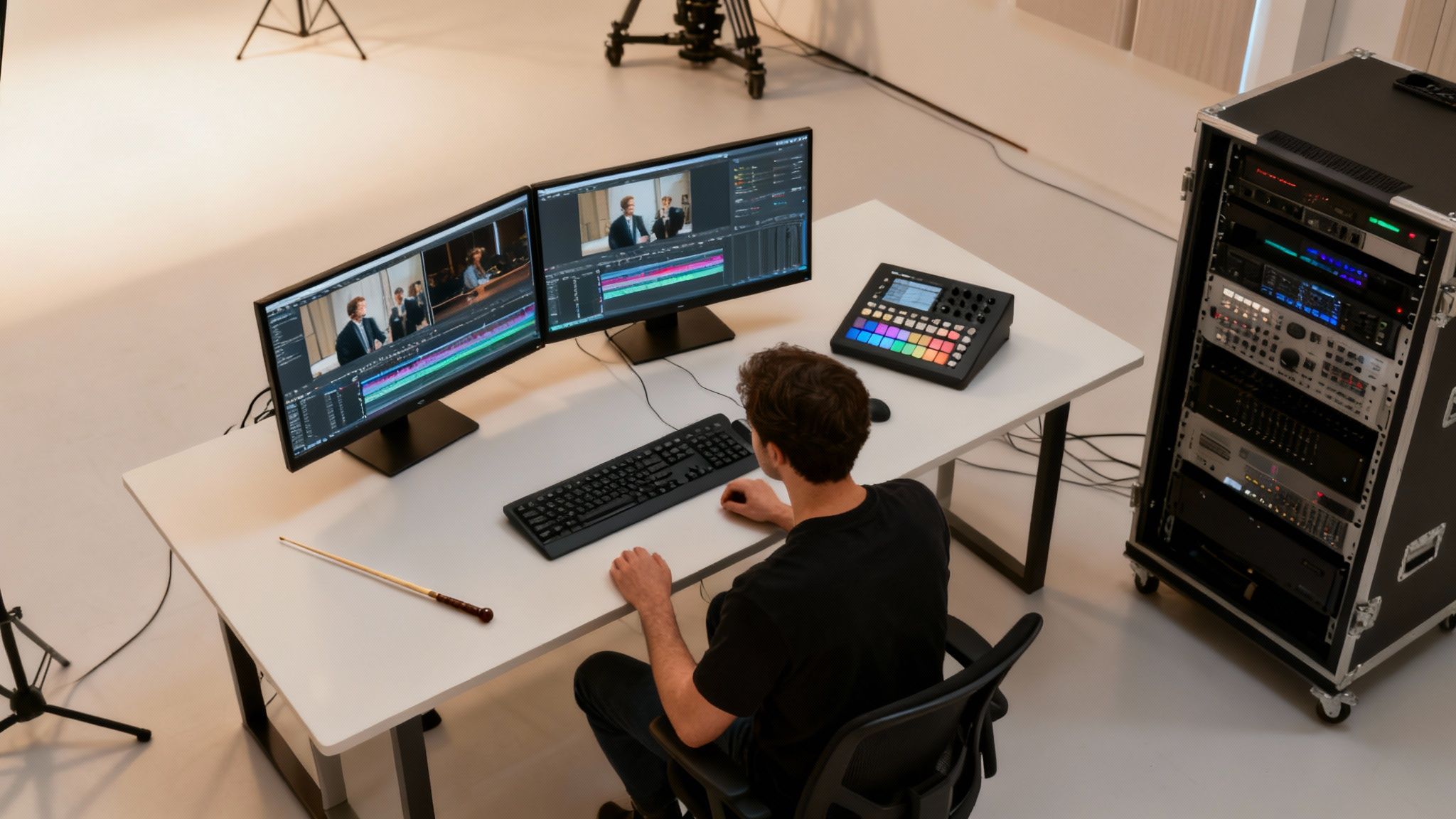
A post-production studio runs like a high-stakes performance, juggling a complex mix of specialist artists, expensive gear, and deadlines that simply won't budge. Every project demands flawless synchronisation between editors, colourists, sound designers, and VFX artists. Just one missed cue can trigger a domino effect of delays, blowing up timelines and putting immense pressure on the budget.
This intricate dance of resources is the daily grind. A colour grading suite sitting empty for an afternoon is money down the drain. A senior editor stuck on a simple task is a massive waste of their high-value skills. These small cracks in the system add up, leading to some pretty significant problems.
The True Cost Of Inefficient Scheduling
The financial fallout from poor resource management goes way beyond just a few project delays. When scheduling is a manual mess or handled with the wrong tools, studios face some very real, and very damaging, consequences.
- Budget Overruns: Projects that aren't mapped out properly almost always end up needing last-minute overtime or emergency freelance hires, sending labour costs skyrocketing.
- Missed Deadlines: A single bottleneck—like an unavailable VFX artist—can bring the entire pipeline to a screeching halt, threatening delivery dates and souring client relationships.
- Creative Compromises: When the clock is ticking because of bad planning, creative teams are forced to rush. That pressure can seriously compromise the quality of the final product.
- Team Burnout: Constantly overworking your best people because of chaotic scheduling is the fastest way to burnout, low morale, and a revolving door of staff.
In today's competitive world, studios simply can't afford to absorb these hidden costs. Smart software for resource scheduling isn't just an operational nice-to-have; it's a strategic weapon for protecting your bottom line and your creative integrity.
A New Approach With AI-Native Tools
For years, the industry has patched things together with a mix of shared calendars and spreadsheets. But let's be honest, these static tools just can't keep up with the fluid, ever-changing reality of creative work.
This is where AI-native platforms like freispace are completely changing the game. By automating the mind-bending puzzle of resource allocation, these systems make sure every artist and every high-value asset—from editing suites to render farms—is used to its absolute full potential.
This shift turns scheduling from a reactive, administrative headache into a proactive, data-driven advantage. To take things even further and untangle those really complex timeline knots, it's also worth looking into the workflow automation benefits for media production. By finally embracing these tools, studios can pave the way for more organised, profitable, and creative work.
What Is Software Resource Scheduling?
Let’s be honest, trying to run a modern creative studio on spreadsheets and shared calendars is a recipe for disaster. At its heart, software resource scheduling is the smart, central command centre that finally puts an end to that chaos. Think of it as the brain of your operation, instantly answering the big questions: who’s available, what gear is booked, where is that edit suite, and when does the next phase of the project kick-off?
It goes way beyond just making a to-do list. It’s a living, breathing map of your entire studio’s capacity. You get a real-time view of your people, your equipment, and how all your project timelines overlap and interact. This kind of clarity means you can spot a potential bottleneck days or weeks away, not when a deadline is already on fire.
Moving Beyond Manual Planning
Manually scheduling a complex media project is like trying to conduct an orchestra with just a piece of paper and a lot of shouting. It might work for a bit, but the moment something unexpected happens—an artist calls in sick, a client throws in a last-minute change—the whole thing falls apart. The old way is slow, riddled with human error, and completely blind to the ripple effects of even one tiny adjustment.
Dedicated scheduling software, on the other hand, is your projects' GPS. It doesn't just show you the route you planned; it constantly analyses live traffic and reroutes you around jams in real time.
Software resource scheduling isn't just an admin tool—it's a strategic weapon. It turns resource allocation from a frantic, reactive chore into a calm, proactive process that protects your budgets, your timelines, and your team's sanity.
This shift isn't just a nice-to-have; it's becoming essential. The UK's workforce management market, which includes these kinds of tools, was valued at roughly USD 429 million in 2024 and is expected to rocket to USD 1 billion by 2035. That growth isn't just numbers; it’s a clear signal that the industry is moving towards smarter ways of working. You can see the full breakdown in this detailed report.
The table below breaks down just how different the two approaches are.
Manual Spreadsheets vs Dedicated Scheduling Software
| Feature | Manual Scheduling (Spreadsheets) | Dedicated Scheduling Software |
|---|---|---|
| Real-Time Updates | No. Updates are manual and often out of date the moment they're made. | Yes. Provides instant, live visibility across all projects and resources. |
| Conflict Resolution | Manual and painful. Relies on someone spotting the double-booking. | Automated. Flags conflicts instantly and suggests solutions. |
| Forecasting | Impossible. You only see what's happening right now. | Built-in. Can predict future capacity issues and resource shortages. |
| Data Centralisation | Scattered. Information lives in multiple files and inboxes. | Centralised. A single source of truth for the entire team. |
| Scalability | Poor. Becomes unmanageable with more than a handful of projects or people. | High. Easily handles complex workflows with hundreds of resources. |
| Reporting & Analytics | Basic and time-consuming to create. | Advanced. Generates detailed reports on utilisation, costs, and performance. |
The difference is stark. While spreadsheets might feel familiar, they introduce hidden costs in the form of wasted time, constant fire-fighting, and missed opportunities.
The Strategic Difference
Ultimately, the real magic of purpose-built software is how it handles complexity. It actually understands the dependencies of a creative workflow—like ensuring the VFX shots are locked before they get sent to the colourist.
This kind of strategic oversight gives you a massive advantage that a spreadsheet could never offer. It's all about building a more resilient, agile, and frankly, less stressful operation. We go into much more detail on these ideas in our complete guide to effective resource management. When you can see the whole picture, you can finally stop reacting and start leading.
Essential Features for Modern Media Companies
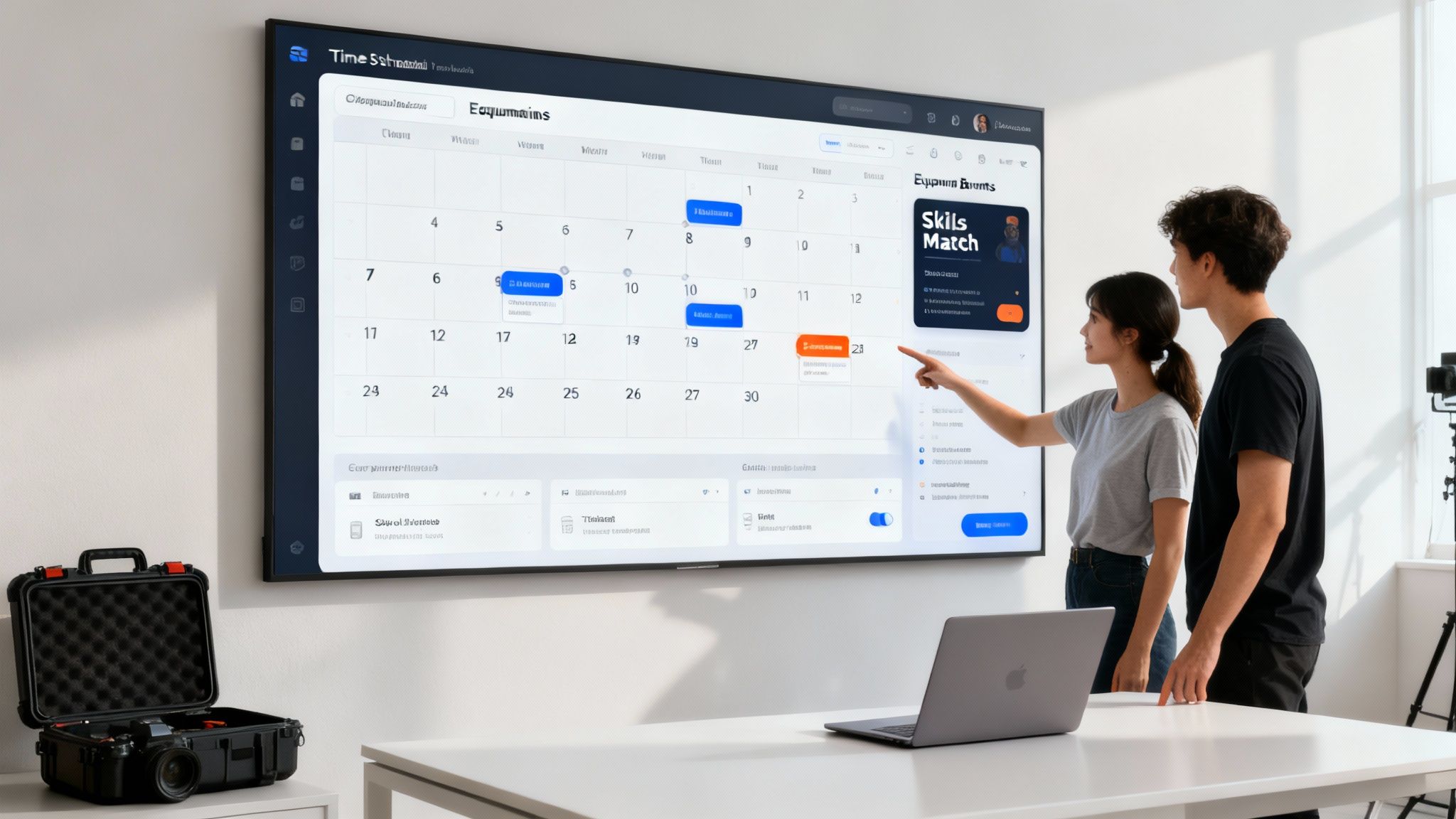
Picking the right software resource scheduling platform is about more than just getting a fancy new calendar. For any media company, it’s about arming your team with tools that actually understand and solve the unique chaos of post-production. The real difference between a generic scheduler and a media-focused one is in the features that speak your language.
These aren't just bells and whistles. They are the core functions that shift scheduling from a reactive headache into a genuine strategic advantage. They bring the clarity and control you need to keep complex projects on track, on time, and crucially, on budget. Let’s break down the essential features that truly make a difference for creative studios.
Real-Time Dashboards and Gantt Views
At the heart of it all is a centralised, real-time dashboard. Think of it as your mission control, a single source of truth showing who's on what, which edit suite is booked, and how every project timeline overlaps. Say goodbye to the version-control nightmares of shared spreadsheets.
A live, visual overview is your first line of defence against costly mistakes like double-booking a colourist or an expensive piece of kit. It gives producers instant clarity, letting them spot potential conflicts and bottlenecks long before they can derail a project. Gantt-style views are especially powerful here, mapping out project dependencies and critical paths with razor-sharp precision.
Skills-Based Talent Matching
In post-production, artists are not interchangeable cogs in a machine. You might need a VFX artist who's a wizard with fluid dynamics for one shot, and a compositor who lives and breathes green screen for another. Basic scheduling tools just see names on a list; smart software sees a team of unique talents.
Skills-based matching allows you to filter and assign people based on their specific abilities, certifications, or even software proficiency. This simple idea ensures the right person is always on the right task, which has a massive impact on both the quality of the work and the efficiency of your whole pipeline. It’s about playing to your team's strengths.
This isn't just about filling a slot in the schedule. It's about strategic allocation that matches the complexity of the task with the proven expertise of the artist, ensuring creative excellence and preventing rework.
This smart approach is becoming the standard for businesses across the UK, where complex operations demand better workforce management. To see how this trend is shaping the market, check out this guide on the best resource management software for UK businesses.
Integrated Equipment Booking
Your high-value equipment—from audio mixing desks to entire render farms—are resources, just like your people. Any effective scheduling system has to treat them that way. An integrated equipment booking feature connects your tech inventory directly to your project schedules.
This means when you book an editor for a project, the system can automatically prompt you to book the necessary editing suite and storage at the same time. You can wave goodbye to those frustrating moments when an artist is ready to work but the hardware they need is already in use, killing costly downtime before it happens.
Utilisation Tracking and Reporting
How do you know if you're getting the most out of your resources? Utilisation tracking is the feature that gives you the answer. It delivers detailed analytics on how effectively your talent and technology are being used over time.
This data is gold for making sharp business decisions. Key metrics to watch for include:
- Billable vs Non-Billable Hours: Get a clear picture of where your team's time is actually going to protect project profitability.
- Individual Workload Balancing: Easily spot who on your team is consistently overloaded or underused, helping you prevent burnout and boost morale.
- Equipment Uptime: See exactly how often your most expensive gear is earning its keep, helping you justify new investments or identify surplus kit.
By keeping an eye on these figures, you can fine-tune your operations, forecast hiring needs with real accuracy, and make sure you're getting the maximum return on your biggest investments: your people and your tech.
How AI Changes the Resource Scheduling Game
Traditional software resource scheduling has always been about following rules. You plug in a person's availability and their skills, and the system helps you slot them into a project timeline. Think of it as a digital version of shifting blocks around on a calendar—helpful, but fundamentally reactive. When the unexpected happens (which, in post-production, is practically a daily event), a human producer still has to jump in and solve the complex puzzle of reshuffling everything by hand.
Artificial intelligence flips this entire model on its head. Instead of just obeying the rules you've set, an AI-powered system actually learns from them. It dives into your historical project data, team performance metrics, and resource usage patterns to move beyond simple allocation and into intelligent optimisation. It’s the difference between a tool that just holds your project data and one that genuinely understands it.
From Reactive Reshuffling to Predictive Planning
The biggest shift AI brings to the table is the move from a reactive to a predictive stance. A standard scheduler might tell you that your senior colourist is booked solid for the next two weeks. An AI-native platform, on the other hand, can predict that—based on the current project pipeline and past timelines—you're heading for a colourist bottleneck in three weeks, giving you a crucial window to act now.
This forecasting isn't guesswork; it's driven by machine learning algorithms that get smarter with every project. They spot subtle patterns a human producer might miss, like which types of projects consistently overrun their schedule, or which specific artists are a powerhouse duo. This turns scheduling from a frantic, last-minute dash into a calm, strategic process of planning for what's just around the corner.
The real power of AI in scheduling isn't just to automate what humans already do. It's to perform complex, multi-variable analysis in seconds—a task that would be impossible for even the most experienced producer—to find the most optimal path forward.
Automated Conflict Resolution and Smart Recommendations
Picture this: a crucial, last-minute client request lands on your desk, demanding an extra day in the main editing suite. In a traditional workflow, that one change triggers a frantic chain reaction. You're making calls, checking calendars, and trying to figure out who can be moved where without causing total chaos.
An AI-powered system approaches this completely differently. It doesn’t just flag the conflict; it instantly runs thousands of possible scenarios to solve it. It might suggest:
- Shifting a less urgent project to a different suite that's currently free.
- Identifying an editor who can adjust their hours slightly to free up the room.
- Recommending a specific freelance editor who has the right skills and a proven track record of delivering on time.
This isn't about finding just any solution; it's about finding the best one—the one that causes the least disruption to other projects while staying on budget. This kind of automated problem-solving makes studios far more agile and responsive. To see how this works under the hood, you can get into the specifics of AI integration in post-production workflows.
Building the Smartest Team for Every Job
Perhaps one of the most powerful applications of AI is in building the perfect team for a job. Instead of just matching a task to a skill (e.g., "needs an editor"), the system can analyse the outcomes of past projects to recommend the ideal combination of people. It might learn, for instance, that one editor paired with a specific sound designer consistently delivers projects 15% faster than the studio average.
By digging into this performance data, the software can assemble a "dream team" based not on gut feelings, but on hard evidence of what actually works. This transforms scheduling from a purely administrative task into a powerful tool for strategic advantage, ensuring every project is staffed for maximum quality and efficiency. AI turns the complex art of resource management into a data-driven science, freeing up producers to focus on what they do best: creative leadership.
A Practical Guide to Implementing Scheduling Software
Bringing new software resource scheduling into your studio isn't just about installing an app. It's a fundamental change to your operational rhythm, and getting it right depends on a clear, well-managed plan. If you treat it as a phased journey, you’ll get a much smoother transition, cause less disruption to creative workflows, and see a faster return on your investment.
The first step is always the most important: a proper needs assessment. Before you even think about watching a demo, you need to be crystal clear on the specific scheduling headaches you're trying to cure. Are your edit suites constantly double-booked? Do you have no real way of knowing who has the capacity for an urgent new project? Is tracking freelance costs a manual, spreadsheet-fuelled nightmare?
The goal isn't just to buy software; it's to solve a core business problem. A clear problem statement will be your North Star, guiding every decision you make during the evaluation and rollout process.
This deep dive into your unique challenges is what separates a tool that actually gets used from one that just gathers digital dust.
Mapping Your Implementation Journey
Once you’ve got a handle on your needs, you can start looking at potential solutions. This isn’t just a feature-comparison exercise; it’s about finding a partner that actually fits your studio’s size, budget, and tech setup. A successful rollout usually follows a clear path.
- Define Your Non-Negotiables: Make a checklist of the absolute must-haves. This could be anything from integration with your current project management tools to scalability for future growth and solid reporting capabilities.
- Plan a Phased Rollout: Don't try to go live with every feature for every person on day one. That’s a recipe for chaos. Start with a single department or a pilot project to iron out any kinks and build some positive momentum.
- Prioritise Team Training: Set aside dedicated time for hands-on training sessions. You need to make sure your team understands not just how to use the tool, but why it makes their daily work better. This is a crucial step in managing work load effectively.
- Establish Clear Communication: Keep everyone in the loop. Regular updates on progress, timelines, and what to expect will help manage expectations and quiet any resistance.
The diagram below shows how modern scheduling software turns a manual, often chaotic task into a streamlined, AI-driven workflow.
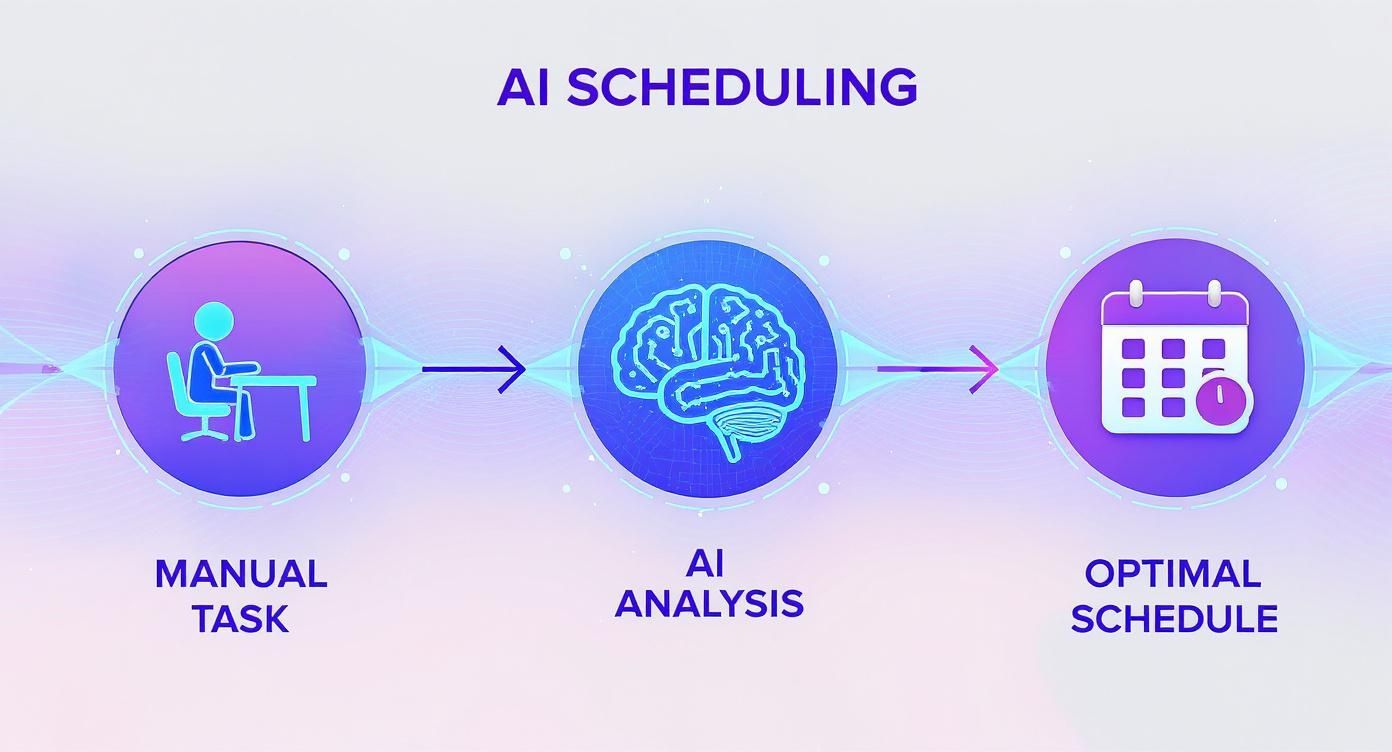
This process really highlights the shift from reactive, human-led scheduling to a proactive, intelligent system that finds the most efficient path forward.
Focusing on the Human Element
At the end of the day, technology is only as good as the people using it. The biggest hurdle in any software rollout is often human, not technical. Getting genuine buy-in from your producers, artists, and engineers is the real secret to success. This takes empathy and a focus on their day-to-day experience.
This is a big deal in the UK, where the software development market is booming. With around 715,000 businesses in the sector and an 8.3% compound annual growth rate from 2020-2025, the demand for smarter scheduling solutions is climbing fast. That makes getting the implementation right more critical than ever.
It’s always smart to anticipate potential hurdles. As you introduce new systems, it's a good idea to prepare your team by learning about overcoming AI implementation challenges. If you can frame the new software as a tool that cuts down on admin and frees up more time for actual creative work, you can turn your biggest sceptics into your strongest supporters.
Measuring Success with the Right KPIs
Putting new software resource scheduling in place is a big investment in your studio's future. But how do you actually know if it's working? The answer is simple: track the right Key Performance Indicators (KPIs). You need to move past fuzzy, feel-good metrics and zero in on the data that directly proves your efficiency and profitability are on the rise.
Think of these metrics as the vital signs of your studio's operational health. They tell a clear story about how your people, projects, and pricey equipment are really performing. This lets you make sharp, data-driven decisions instead of just going with your gut.
Core KPIs for Operational Efficiency
The most powerful KPIs are the ones that measure how well you're actually using what you've got. They give you an honest, unbiased look at where your time and money are going, flagging spots for improvement and highlighting what’s working well.
Resource Utilisation Rate: This is the big one. It measures the percentage of available time your team and equipment spend on actual, billable project work. A healthy utilisation rate means you’re maximising revenue and cutting down on expensive idle time.
On-Time Project Delivery: This KPI tracks the percentage of projects you finish by the original deadline. If this number is climbing, it’s a sure sign your scheduling is getting more accurate and your workflow is becoming more reliable—which is everything for keeping clients happy.
Here's a thought: without tracking KPIs, you're flying blind. You might feel busier, but you have no real way of knowing if that activity is translating into a healthier, more profitable business. These metrics are your cockpit instruments, giving you the clarity needed to navigate safely.
Watching these numbers helps you spot trends before they become full-blown problems. For example, a consistently low utilisation rate for a specific editing suite might tell you it's time to rethink your hardware investments. A dipping on-time delivery rate could signal a bottleneck in your VFX pipeline that needs sorting out, fast.
Financial and Administrative Metrics
Beyond the day-to-day operations, good resource scheduling should make a real difference to your bottom line and take some of the administrative load off your production team.
Budget Adherence: This one tracks how often your projects come in at or under budget. When your resource planning is solid, you drastically reduce the need for last-minute freelance hires or expensive overtime, which keeps costs in check and protects your profit margins.
Reduction in Time Spent on Manual Scheduling: This is a crucial metric for justifying the software's cost. Just by asking your producers, you can figure out how many hours they're saving each week that used to be lost in spreadsheet hell. That reclaimed time is now free for higher-value work, like managing clients or focusing on the creative.
Before you start tracking, it's a great idea to create a clear picture of what you want to achieve. The table below outlines some of the most critical KPIs for any media company looking to get serious about scheduling.
Essential KPIs for Resource Scheduling Success
| KPI | What It Measures | Why It Matters for Media Companies |
|---|---|---|
| Resource Utilisation Rate | The percentage of available time resources (staff, suites) are used for billable work. | Maximises ROI on expensive equipment and specialised talent. A low rate signals costly downtime. |
| Project Overrun Frequency | The percentage of projects that go over their scheduled timeline or budget. | Directly impacts client satisfaction and profitability. High overruns can damage your reputation. |
| Time to Staff a Project | The average time it takes to assemble and assign a full team to a new project. | A faster turnaround means you can start projects sooner and take on more work, boosting revenue. |
| Schedule Accuracy | The difference between planned schedules and the actual time spent on tasks. | Improves future forecasting, helps set realistic client deadlines, and builds trust. |
| Admin Time on Scheduling | The number of hours production coordinators spend creating and updating schedules each week. | Quantifies the direct time-saving benefit of the software, proving its value immediately. |
Ultimately, these KPIs give you the hard evidence you need to prove the return on your investment. They change the conversation from, "I think this is working better," to, "We've boosted our billable utilisation by 15% and cut our scheduling admin by eight hours a week." That’s the kind of powerful, data-backed statement that shows real progress.
Common Questions About Resource Scheduling Software
Taking the plunge on new software can feel like a big deal, especially in a creative environment where every minute of downtime literally costs you money. When we talk to studios about switching to a proper software resource scheduling tool, the same practical questions always pop up. It’s only natural.
These concerns usually circle back to how a new tool fits with existing ones, whether it's overkill for a smaller team, and—most importantly—how the creative team will actually feel about using it. Let's tackle these head-on.
How Does It Integrate with Tools Like ShotGrid or Ftrack?
This is almost always the first question, and for good reason. Your studio already has a production backbone, and any new piece of the puzzle has to slot in perfectly. The good news? Modern scheduling platforms are built from the ground up to play nice with others.
Most quality systems come with powerful APIs or ready-made integrations. This creates a seamless bridge, letting project data from ShotGrid or ftrack flow directly into your schedule. It means no more double-entry, far fewer human errors, and a resource plan that’s always in sync with the latest project updates. It connects your operational view directly to your creative pipeline.
Is This Only for Large Enterprises or Can Small Studios Benefit?
It's a common misconception that this kind of software is only for massive, multinational studios with artists numbering in the hundreds. But the truth is, the core ideas of smart resource management are just as critical for a ten-person boutique studio. You could even argue they're more critical.
On a smaller team, every artist and every editing suite makes up a much bigger slice of your total capacity. One key resource being mismanaged sends much bigger shockwaves through your entire operation.
Today’s software is almost always offered as a scalable, subscription-based service (SaaS). This model makes it incredibly affordable and accessible for studios of all sizes. You simply pay for what you use and can scale up as your team grows.
This flexibility means a small post-house gets the same powerful optimisation and forecasting benefits as a giant VFX vendor—it’s just tailored to their scale.
What Is the Learning Curve for Creative Teams?
Bringing in any new tool can trigger anxieties about a long, painful rollout. Producers and artists are already stretched thin; they don’t have time to spend weeks poring over a dense user manual. That's exactly why user experience has become such a huge focus for developers in this space.
The best platforms are designed to be visual and intuitive, feeling familiar right from the start. We're talking drag-and-drop scheduling, clear colour-coding, and straightforward dashboards that just make sense.
A typical rollout involves a few focused training sessions to get everyone comfortable. The real goal is for your team to see the software not as another chore, but as something that genuinely makes their lives easier by bringing clarity and killing off scheduling clashes. With a user-friendly design, most teams are up and running, feeling the positive effects within just a couple of weeks.
Ready to answer your own scheduling questions with a smarter tool? Discover how freispace provides the clarity and AI-powered optimisation your studio needs to thrive. Start your journey with us today.