
A schedule of production is the strategic roadmap that outlines every task, resource, and deadline required to complete a project. Think of it not as a rigid set of rules, but as your project’s GPS, guiding your team from an initial concept to the final, polished deliverable—on time and within budget.
What Is a Production Schedule and Why Does It Matter?

At its heart, a production schedule turns a creative vision into a concrete, time-bound plan. It’s the central nervous system of any project, especially in complex fields like post-production, VFX, or sound design where countless moving parts must synchronise perfectly.
Without this crucial document, projects can easily spiral into chaos, triggering missed deadlines, budget blowouts, and a burnt-out team. This foundational plan acts as a single source of truth, making sure every person—from artists and editors to producers and clients—is on the same page about their role, responsibilities, and the project's overall timeline. It’s about creating clarity and accountability, preventing the small misunderstandings that can derail even the most promising creative work.
The Strategic Value of a Well-Crafted Schedule
A solid production schedule is so much more than a to-do list. It’s a communication tool, a resource management system, and a financial controller all rolled into one, giving you a serious strategic advantage.
The main benefits really boil down to:
- Aligning Stakeholders: Gets everyone, including clients and department leads, to agree on what’s being delivered and when.
- Preventing Bottlenecks: By mapping out dependencies, you can spot potential roadblocks early and move resources around to keep things flowing smoothly.
- Managing Resources Effectively: Helps you put the right people on the right tasks at the right time, stopping artists from being overbooked and making sure talent is used efficiently.
- Controlling Budgets: A clear schedule makes for accurate budget forecasting and helps you track spending against project milestones, keeping scope creep in check.
A great production schedule is proactive, not reactive. It anticipates challenges, builds in contingencies for client feedback and technical hurdles, and empowers your team to navigate complexity with confidence.
Adapting to Real-World Volatility
The need for meticulous planning isn't just a studio problem. The wider UK industrial production schedule, for example, has seen massive swings that show just how much external factors can disrupt established workflows.
In April 2021, the UK's Industrial Production Index Growth shot up to an all-time high of 34.0%, a staggering recovery from a record low of -17.1% just a year earlier during the pandemic. This kind of volatility, detailed in data on UK industrial production growth from CEIC, is a stark reminder of why a flexible, well-managed schedule is vital for navigating supply chain disruptions and shifting demands.
Ultimately, mastering the art of the schedule of production is fundamental. Our complete guide on what production scheduling involves offers a deeper look into its principles and practices.
The Essential Building Blocks of a Production Schedule
A solid schedule of production isn't some rigid, single document you create once and forget about. It's more like a living blueprint, carefully assembled from several moving parts. Getting your head around these building blocks is the first real step in turning a brilliant creative idea into a plan you can actually manage.
Think of it like building with LEGOs. You can't just start snapping bricks together and hope for the best. You need to know what each piece does. A production schedule works the same way; it relies on specific components fitting together to create a plan that won’t collapse when things get intense.
Identifying Your Core Components
At its heart, every effective schedule is a mix of tasks, timelines, resources, and dependencies. These elements answer the who, what, when, and how of your project, making sure every piece of the puzzle knows where it belongs. Let's break down the most critical components you'll need to nail down.
Timeline and Milestones: This is the skeleton of your schedule. The timeline maps out the entire project from start to finish, while milestones are the big, unmissable checkpoints—like "Final Cut Locked" or "VFX Shots Approved." They give the team clear, tangible goals to aim for.
Tasks and Deliverables: Tasks are the granular actions needed to hit those milestones (e.g., "Colour Grade Scene 5," "Mix Dialogue Track 3"). Deliverables are the concrete outputs from those tasks, like a final render, an audio file, or a project file ready for the client's eyes.
Resources: This covers everything required to get the work done. Most importantly, it's your people—the artists, editors, and sound designers—and their available hours. But it also includes crucial tech like render farms, specific software licences, and that one specialised bit of studio gear you can't live without.
Dependencies: This is probably the most critical part, and the one most often overlooked. Dependencies are all about the relationship between tasks. For example, the sound mix can't possibly start until the picture edit is locked and signed off. Mapping these connections is the only way to create a logical flow and avoid those classic production bottlenecks.
Weaving the Components Together
Once you've got a handle on these individual pieces, the real work begins: weaving them into a coherent plan. This means sequencing tasks based on what needs to happen first, assigning the right people and gear to each job, and putting a realistic time estimate on everything. This is what turns a simple to-do list into a dynamic, functional schedule.
Take a single VFX shot. The 3D modelling has to be done before texturing can start. Texturing needs to be finished before the lighting team can work their magic. Each step is dependent on the last. A good schedule maps these relationships visually, often with a Gantt chart, so everyone on the team can see exactly how their work slots into the bigger picture.
A schedule isn't just about dates and deadlines. It’s a communication tool that visualises the project's journey, making complex workflows understandable and highlighting the critical path to success.
To keep everyone on the same page, especially when things are moving fast, it's vital to think about implementing robust document version control. This simple step ensures the whole team is working from the latest version of the schedule, which saves a world of confusion and rework down the line.
Let's look at how these components fit together in a real-world scenario.
Essential Components of a Production Schedule
This table breaks down the key elements of a comprehensive schedule, explaining what they do and showing how they apply in a typical post-production workflow.
| Component | Purpose | Post-Production Example |
|---|---|---|
| Timeline | Outlines the entire project's duration from start to finish. | A 6-week schedule for delivering a 30-second commercial spot. |
| Milestones | Marks the completion of a major phase or key decision point. | "Client Approves Offline Edit," "Final Colour Grade Complete." |
| Tasks | Details the specific actions needed to reach each milestone. | "Ingest Rushes," "Conform Edit," "Create Lower Thirds Graphics." |
| Deliverables | Defines the tangible outputs required at various stages. | A QuickTime file for review, final DCP for cinema, OMF for sound mix. |
| Resources | Lists the people, equipment, and software needed for each task. | Editor + Avid Suite, Colourist + DaVinci Resolve, Render Farm access. |
| Dependencies | Shows the relationship between tasks (what must come first). | Colour grading cannot begin until the VFX shots are delivered and approved. |
| Buffers | Adds contingency time to absorb unexpected delays. | Adding 2 extra days to the VFX composite stage for unexpected render issues. |
| Approvals | Allocates specific time slots for client or director feedback. | A 24-hour window for the director to provide notes on the first sound mix. |
By defining each of these elements, you build a schedule that's not just a timeline but a complete project roadmap.
Don't Forget Buffers and Approvals
Let's be honest: no production ever goes exactly to plan. Creative work is messy, tech gremlins pop up, and client feedback can send you back to the drawing board. This is where buffers and approval cycles become your best friends, turning a hopeful guess into a realistic schedule of production.
Buffers: These are simply pockets of time you build into the schedule to soak up unexpected delays without knocking the whole project off course. Experienced producers often add a buffer of 15-20% to task estimates, especially for anything complex or experimental.
Approval Cycles: Forgetting to schedule time for feedback is a rookie mistake. Every review stage—from initial storyboards to the final delivery—needs its own dedicated time slot. This must account for the time it takes for the client to review the work and the time it takes for your team to implement the changes.
By properly integrating all these building blocks—timelines, resources, dependencies, buffers, and approvals—you're doing much more than just listing tasks. You're creating a resilient and practical roadmap that will genuinely guide your team from start to finish. This is what separates the chaotic projects from the ones that run like clockwork.
How to Build Your Production Schedule Step-by-Step
Trying to create a production schedule from scratch can feel like you’re staring at a giant, tangled puzzle. But there’s a simple trick to it: work backwards from your final deadline. It might sound counterintuitive, but this reverse-engineered approach instantly brings clarity and helps you build a realistic framework from the very beginning.
Forget starting at the beginning and guessing your way forward. Your final delivery date is the anchor, the one non-negotiable point on the map. Once that’s locked in, you can chart your course backwards, carving out time for each major phase and making sure every step has a logical reason for being where it is.
Step 1: Start With the End and Work Backwards
First things first, what’s the final deliverable and when is it due? A final colour-graded master? The complete sound mix? A batch of VFX shots ready to drop into the edit? Whatever it is, that date is your ground zero.
From there, you start chipping away time by asking the right questions:
- How long do we need for final quality control (QC) and mastering? Okay, subtract that.
- Before QC, how much time do we need for the client to review and sign off? Subtract that, too.
- And before that, how long will the sound designer need for the final mix, or the colourist for the grade? You get the idea.
This forces you to account for all the little in-between steps we so often forget, like rendering, data transfers, and implementing feedback. Right away, you'll get a gut check on whether that deadline is even possible.
Step 2: Break Down the Project Into Granular Tasks
With the big phases blocked out, it’s time to get specific. A project isn't just "editing" or "VFX"—it's a collection of hundreds of smaller, individual jobs. You need to break each phase down into its smallest possible actions.
For instance, that big block labelled "VFX" might actually be:
- Rotoscoping plates for Scene 4.
- 3D tracking for shot 2A.
- Building out particle effects for the explosion sequence.
- Compositing green screen elements for Scene 7.
The more detail you add here, the more accurate your time estimates will be. This isn't a solo job; you have to talk to your department heads and the artists who are actually doing the work. They’re the only ones who can give you a real-world estimate of how long a particular task will take.
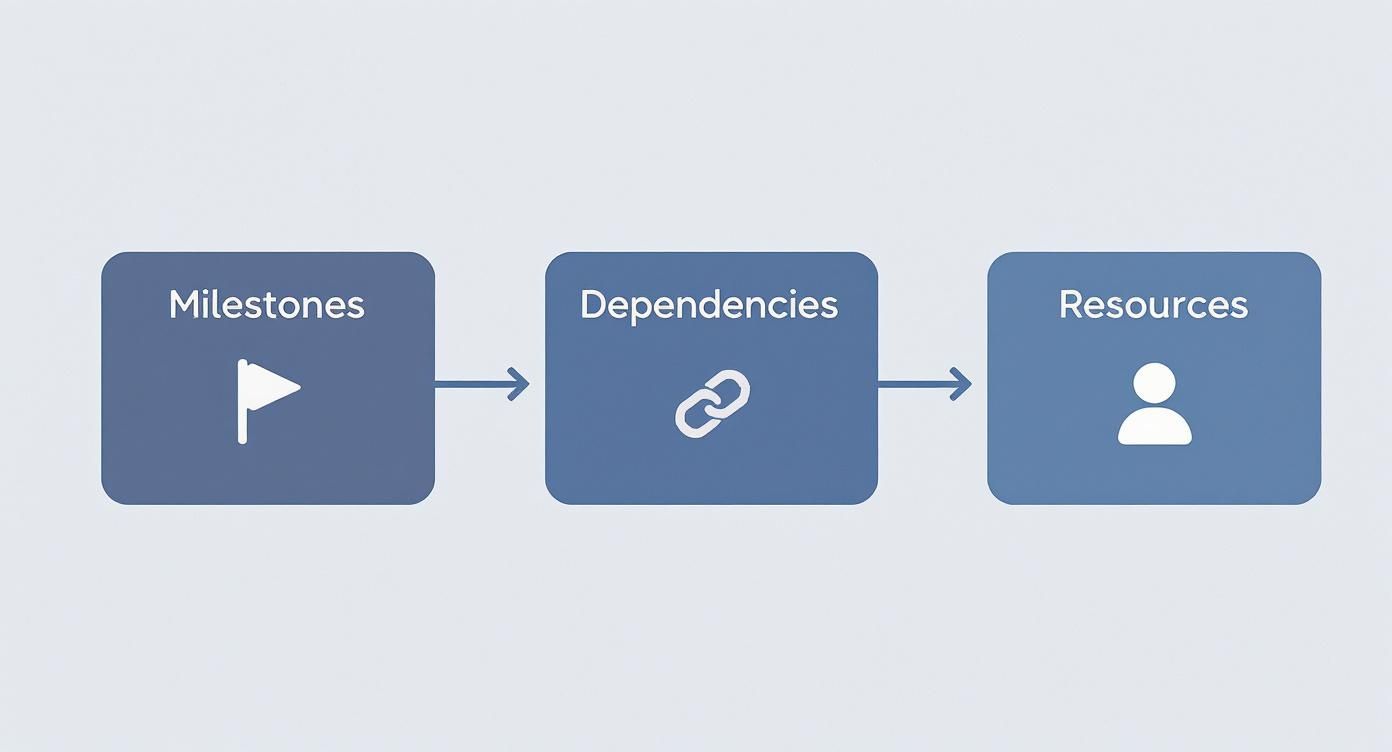
This just goes to show that a solid schedule isn't a simple list of dates. It's a living system where every piece—milestones, dependencies, and resources—is carefully connected and relies on the others to keep things moving.
Step 3: Identify Dependencies and Build Your Critical Path
No task lives on an island. You can't start the colour grade until the VFX shots are final and approved. The sound mix can’t truly begin until the picture is locked. These connections are called dependencies, and mapping them out is how you find your project's critical path.
The critical path is the longest chain of dependent tasks that dictates the absolute shortest time your project can be completed in. Any delay to a task on this path will push your final delivery date.
Knowing your critical path lets you focus your energy where it counts, making sure those priority tasks get the resources they need to stay on track. This is where tools like Gantt charts really shine, giving you a visual map of these links so everyone sees how their work affects the next person down the line. To see how these ideas play out in the real world, check out our deep dive into various shooting schedule examples.
A schedule without clearly defined dependencies is just a wish list. It’s the connections between tasks that transform a simple list into a powerful project management tool.
Step 4: Assign Resources and Finalise the Timeline
Okay, you've got your tasks and you know how they connect. Now you can start assigning people and gear. This is where you allocate specific artists, edit suites, or render farm capacity to each job. It's also when you have to get real and factor in weekends, public holidays, and team availability.
You’ll almost certainly run into resource conflicts, like needing your one senior compositor for two different critical shots at the same time. Don't panic; that's normal. Modern scheduling tools are built for this, helping you see these clashes and make smart decisions—whether that means shuffling tasks, bringing on a freelancer, or having a tough conversation with the client about priorities.
External pressures can always throw a wrench in the works, making flexible planning essential. For example, the growth rate for total manufacturing production in the UK was just 0.26255% in the second quarter of 2025, a steep drop from 1.12844% in the first quarter. While that’s a different industry, it shows how quickly things can change, underlining the need for accurate and adaptable resource planning.
Finally, with your tasks estimated, dependencies mapped, and resources assigned, you can assemble your first complete draft of the schedule of production. The last, most crucial step? Get it in front of all department heads for review. A schedule that everyone has agreed to is one they'll fight to stick to. A schedule forced on a team without their input is pretty much destined to fail.
Getting Ahead: Advanced Ways to Sharpen Your Workflow

So, you’ve got a solid schedule mapped out. That's a great start. But the real magic happens when you turn that static plan into a dynamic, high-performance engine for your studio. This is where the best production managers truly shine.
It's about moving beyond simply listing tasks in order. We're talking about actively spotting bottlenecks before they happen, finding clever ways to boost efficiency, and making sure your team stays energised and creative. Think of it as shaping the workflow, not just reacting to it. With a few smart principles, your schedule of production becomes a serious tool for getting the best out of your studio.
Balancing the Load with Resource Levelling
One of the quickest ways a project goes off the rails is by burning out your top talent. That’s where resource levelling comes in. It’s the art of tweaking the schedule to fix situations where a key person—like your lead colourist or a specific grading suite—is booked for 20 hours of work in a single day.
Instead of just pushing people harder, you strategically shuffle tasks to spread the load more evenly. This might mean bumping a less urgent job back a day to free up an artist for a critical deadline. The whole point is to set a sustainable pace that keeps people creative and productive. Good resource scheduling software can do the heavy lifting here, flagging overloads long before they become a real problem.
Finding the Fast Lane with Parallelization
Let’s be honest, not every task needs to happen one after the other. Parallelization is all about identifying jobs that can run at the same time. This is hands-down one of the best ways to shave time off your project’s critical path and hit your delivery date sooner.
For instance, while your editor is busy conforming the picture, the sound design team can be sourcing effects and building out the audio landscape. At the same time, the graphics department can get a head start on titles and lower thirds.
By running these different workstreams side-by-side, you shrink the overall timeline without cutting any corners or overwhelming a single department. It’s the definition of working smarter.
Getting this right depends on a well-oiled machine. Digging into what a modern video production workflow looks like can give you some brilliant ideas on how to structure these parallel processes.
Embracing Agility and Automation
The old-school, rigid project plan doesn’t always cut it in the creative world, where things can change in an instant. Borrowing a few ideas from agile methodology can bring some much-needed flexibility to the table. This often means breaking massive sequences into smaller, more manageable "sprints," which makes it easier to get feedback and make changes without throwing the entire schedule out the window.
Alongside this, keep an eye out for tasks you can automate. All those repetitive, soul-crushing jobs like file conversions, backups, or pulling daily reports are perfect candidates. Setting up automated scripts or using software to handle them frees up your team to do what they do best: the creative stuff that actually adds value to the project.
Making these kinds of efficiencies is more important than ever. The UK’s production industries have faced some ups and downs, including a recent monthly production dip of 0.9%. This kind of instability, noted in a report on the UK's index of production from the ONS, is a stark reminder of why studios need to constantly fine-tune their workflows to stay competitive, no matter what’s happening outside their doors.
Common Production Scheduling Mistakes to Avoid
Even the most seasoned production managers have a few scheduling horror stories. Trust me, we’ve all been there. Creating a solid schedule of production isn't just about building the plan; it's about knowing where the landmines are and sidestepping them before they go off. Learning from these common mistakes can be the difference between a project that glides smoothly and one that feels like you're constantly putting out fires.
The reality of creative production is messy. You have to anticipate where things are most likely to go wrong. From wildly optimistic timelines to that creeping sense of doom known as scope creep, these errors can quietly sabotage your project, blowing the budget and leaving you with a frustrated, burnt-out team.
Let's break down the most common traps and, more importantly, how to avoid them.
Overly Optimistic Timelines
This is probably the biggest and most frequent mistake: underestimating how long things actually take. It’s so easy to draft a "best-case scenario" schedule, but reality rarely cooperates. This usually happens when the people making the schedule don't talk to the people doing the work, leading to impossible deadlines that set the team up for failure from day one.
To dodge this, always build your timeline with direct input from your department leads and the artists themselves. They know their process best. Also, bake in a contingency buffer. A good rule of thumb is adding 15-20% to your total time to absorb those inevitable technical glitches or creative curveballs.
Forgetting Client Feedback Cycles
A schedule that doesn’t clearly block out time for client reviews is a schedule that's guaranteed to break. It's not just about the hours your team needs to implement the notes; it's the time it takes for a client to watch the cut, gather their thoughts, and send back clear, consolidated feedback.
It's a classic rookie error to assume feedback will be instant. Instead, build dedicated "review windows" into your schedule for every key deliverable. Treat them like non-negotiable milestones. This not only manages client expectations but also protects your team's sanity.
Ignoring Inter-Departmental Dependencies
Projects grind to a halt when one team is waiting on another. The VFX team can't finalise a shot if the edit isn't locked, and the sound mix can’t start until they have the final VFX renders. When you don't map out these dependencies, you create bottlenecks. One small delay triggers a domino effect that ripples through the entire production.
Use a visual tool like a Gantt chart to make these connections crystal clear. Short, regular check-in meetings between department heads are also a must. It keeps everyone on the same page about how their progress affects the next team in the chain.
Allowing Uncontrolled Scope Creep
"Could we just add one more small thing?" That question is the siren song of scope creep—the slow, gradual expansion of a project beyond its original brief. Without a proper system for handling new requests, your carefully planned schedule can quickly become a work of fiction as the team gets pulled in a dozen different directions.
The only real fix is to implement a formal change request process. Any new ask has to be documented, priced out for its impact on the schedule and budget, and officially signed off on before a single artist touches it. This forces every change to be a conscious decision, not just a casual "favour" that quietly derails your entire project.
Production Schedule FAQs
Got questions? We've got answers. When it comes to building and managing a project's roadmap, a few common queries always pop up. Let's tackle them head-on.
How Detailed Should My Production Schedule Be?
That really boils down to your project's complexity. For a quick, internal job, a simple schedule with the main milestones will probably do the trick. But for a complex, multi-department VFX or post-production project? You need to get granular.
We're talking about breaking down big phases into individual tasks, each with its own time estimate and assigned artist or suite. The more detail you build into your schedule of production, the easier it becomes to see dependencies, predict bottlenecks before they happen, and genuinely track how you're doing against your targets.
What Is the Best Software for Production Scheduling?
Honestly, the best software is the one your team will actually use day in, day out. Spreadsheets can work in a pinch for very simple projects, but purpose-built tools give you a massive advantage. Look for software that offers:
- Visual Planning: Gantt charts are non-negotiable for mapping out how tasks connect to one another.
- Resource Management: You absolutely need to see who is working on what, and critically, when they're free next.
- Collaboration Features: A single source of truth that everyone can see updated in real-time is a game-changer.
Platforms designed specifically for creative studios wrap all these features together, making them far more effective than generic project management tools that don’t understand our world.
How Do You Handle Unexpected Delays?
The key is to build in flexibility from the start. A smart schedule already has buffers—a bit of extra time padded onto tricky tasks to absorb those small, inevitable hiccups. When a major delay hits, the first thing you have to do is communicate. Instantly. Let every affected department know what's happening.
Next, you need to reassess the critical path to understand the real impact on the final deadline. This is what lets you make informed calls—like reshuffling resources or changing priorities—to steer the project back on course with minimal damage.
Who Should Be Involved in Creating the Schedule?
Scheduling should never, ever be a one-person show. A producer or project manager will naturally lead the charge, but they must work closely with the heads of department and lead artists. These are the people on the ground who have a realistic gut feeling for how long tasks actually take.
When you involve your team in the planning, you’re not just getting better estimates—you’re building shared ownership. People are far more invested in sticking to a schedule they helped create.
Ready to build schedules that actually work for your team? freispace offers intuitive, powerful tools designed for the chaos of modern post-production. Take control of your projects and see the difference at https://freispace.com.