
Let’s be honest, managing the finances of a post-production studio can feel like a constant tug-of-war between creative vision and commercial reality. One minute you're celebrating a massive project win, the next you're staring at the numbers wondering if it was actually profitable after all those late nights and hidden costs. This is where getting into a rhythm with your monthly financial reporting stops being just an accounting chore and starts becoming your strategic command centre.
Why Monthly Financial Reporting Is Your Studio's Superpower

This regular financial pulse-check is a standard business practice for a very good reason. Across the UK, a solid 80–90% of medium and large businesses get their formal monthly management accounts sorted within five working days of the month ending. It’s a discipline that really sharpened up after past economic wobbles, giving leaders a tight grip on liquidity and cash flow.
Think back to 2020—in the aftermath, 72% of UK finance directors started reporting more frequently to keep a closer eye on performance. It’s just smart business.
From Reactive Scrambles to Proactive Strategy
Without that clear monthly picture, it’s easy to fall into a reactive trap. You end up making crucial calls on hiring, investing in new kit, or quoting for the next big job based on a gut feeling or what your bank balance looked like last week. This is how profitability gets quietly eroded and stress levels go through the roof.
A disciplined approach to monthly reporting flips the script, moving you from reacting to problems to proactively managing the business. It gives you the clarity to answer the big, fundamental questions about your studio’s health and where it’s heading.
This playbook is all about cutting through the noise and giving you a practical framework. We’ll tackle the real issues head-on, from those surprise overheads that creep up on you to the unpredictable margins on creative work. The goal here is simple: turn your financial data into a real-world competitive advantage. For a deeper dive, you can also check out our detailed guide on the financial management of projects.
The Real-World Benefits for Your Studio
Putting a structured reporting system in place isn't just about better bookkeeping; it gives you tangible benefits that directly impact your growth and sanity. It’s about making informed, data-driven decisions that steer the studio towards a sustainable, profitable future.
Here’s what that looks like in practice:
- Accurate Project Quoting: You’ll finally understand the true cost of your services. That means you can bid on new work with confidence, knowing your margins are protected.
- Improved Cash Flow Management: See the financial peaks and troughs coming from a mile off. This ensures you’ve always got the capital to cover payroll, software licences, and other crucial costs without breaking a sweat.
- Smart Investment Decisions: Want to justify a new hire, a major tech upgrade, or a studio expansion? Now you’ll have solid data to back it up, not just a hunch.
- Clear Profitability Analysis: Instantly see which clients, projects, or even which departments are your profit drivers—and which are quietly draining your resources.
By the end of this guide, you won't just be looking at numbers on a spreadsheet. You'll be reading the story of your studio's performance and writing its next chapter with confidence.
Building Your Financial Data Foundation

Real insight from your monthly financials doesn't just magically appear in a spreadsheet. It all starts with having clean, organised, and connected data. For any post-production studio, this information is rarely in one place; it's scattered across the essential tools you use to run your daily operations.
The trick is to stop thinking of these as separate systems. Instead, view them as an interconnected financial ecosystem. Your goal is to pull specific, high-value data from each platform to create a reliable "single source of truth." Nailing this foundation is what lets you ditch the guesswork and endless manual entry that breeds errors and wastes precious time.
Tapping Into Your Core Systems
Most studios I've worked with rely on a core trio of software: something for accounting, another for time tracking, and a third for project management. Each one holds a critical piece of the profitability puzzle. Let's dig into what you actually need from them.
Accounting Software: This is your financial bedrock, whether it's Xero or QuickBooks. It tracks every pound coming in and going out. But for meaningful reports, you have to go deeper than the dashboard summary. You'll need detailed transaction lists, categorised expense reports, and accounts receivable summaries.
Time Tracking Software: Your team's time is your most valuable—and most expensive—resource. A tool like Harvest or Toggl is where this is measured. This data isn't just for running payroll. You need project-specific timesheets that show which artist worked on what task, and for precisely how long. This is the raw data that turns labour into cost.
Project Management Platform: This is where all the operational context lives. Your PM tool, be it ShotGrid or ftrack, holds the project budgets, client details, task assignments, and delivery schedules. This system connects the financial numbers to the actual work getting done.
Connecting the Dots for True Profitability
Just having access to this data isn't enough; the real power comes from linking it all together. For instance, take a project's final invoice from Xero and combine it with the total logged hours for that same job from Harvest. Suddenly, you can see your true profit margin per project. This simple connection immediately reveals which jobs are your cash cows and which ones just look good on paper.
This approach also gives you a much clearer picture of your resource costs. By pulling data from a scheduling tool like freispace, you can directly align artist schedules with project budgets and timelines. It's this deep understanding of your budgeting and controlling that separates the studios that thrive from those that just about survive.
Think of it like this: your accounting software tells you what you spent, but your time tracking and project management tools tell you why and where you spent it. Without all three, you're only seeing a fraction of the story.
To get started, you need to know exactly what to look for. The table below outlines the essential data points you should be gathering, where to find them, and why they're so important for your monthly reports.
Essential Data Sources for Post-Production Reporting
| Data Point | Primary Source (Example Tools) | Purpose in Reporting |
|---|---|---|
| Profit & Loss Statement | Accounting Software (Xero, QuickBooks) | The foundational view of all revenue and expenses for the month. |
| Accounts Receivable Ageing | Accounting Software (Xero, QuickBooks) | Crucial for cash flow; shows who owes you money and for how long. |
| Categorised Expense Report | Accounting Software (Xero, QuickBooks) | Breaks down overheads (rent, software) for departmental P&Ls. |
| Time Reports per Project | Time Tracking (Harvest, Toggl) | Directly calculates the actual labour cost for each specific job. |
| Time Reports per Department | Time Tracking (Harvest, Toggl) | Helps calculate departmental burn rates and assess team utilisation. |
| Project Bids vs. Actuals | Project Management (ShotGrid, ftrack) | The ultimate measure of project profitability and quoting accuracy. |
| Resource Allocation Plans | Scheduling/PM (freispace, ShotGrid) | Compares scheduled work vs. actual hours to spot inefficiencies. |
By pulling these specific streams together, you build a data foundation you can actually trust. Putting in this effort upfront is easily the most important step you can take towards creating accurate, automated, and genuinely useful monthly financial reports.
Designing Your Monthly Financial Report Pack
Right, you’ve got your data sources lined up. Now it's time to build the actual reports that will tell you what’s really going on inside your studio. A generic profit and loss statement spat out by your accounting software just won't cut it for a creative business. You need a report pack with multiple lenses to properly see your studio's financial health.
This isn't about creating more paperwork for the sake of it. It’s about building a clear, actionable dashboard. The whole point is to have a set of documents that, when you look at them together, tell the complete story of your financial performance for the month.
The Three Essential Views of Your Studio
A truly solid monthly report pack for a post-production house is built around three core P&L statements. Each one answers a different, critical question. Think of it as zooming in from a single job right up to the entire studio.
- The Project P&L: This is your most granular view. It’s all about answering, "Was this specific project profitable?" It does this by directly comparing all the revenue from a job against its direct costs—mostly the labour hours logged by your team.
- The Departmental P&L: This zooms out a bit. It answers, "How much does my VFX, editorial, or sound team truly cost to run, and are they pulling their weight?" This view allocates not just direct project costs but also a fair share of studio overheads to each team.
- The Consolidated Studio P&L: This is the big picture, the 30,000-foot view. It rolls everything up to answer the ultimate question: "Did the studio as a whole actually make money this month?"
This layered approach is your safety net against nasty surprises. You might have a project that looks profitable on its own, but the departmental view could reveal that the team handling it is actually running at a loss once you factor in their slice of the rent and software licences.
Structuring Your Project P&L
The Project P&L is the fundamental building block for everything else. Its power is in its simplicity. For every project you had running in a given month, you need to track:
- Total Billed Revenue: Simple enough—the amount you invoiced the client for that project during the month.
- Direct Labour Costs: This is calculated by multiplying the total hours logged by each artist (pulled from your time tracking tool) by their fully loaded hourly rate.
- Direct Project Expenses: Any hard costs tied directly to that specific job, like renting special gear, buying stock footage, or paying freelance artists.
The result is your Gross Profit Margin per Project. This single number is gold. Over time, it helps you spot which types of projects are your bread and butter and which clients are the most valuable. It also feeds crucial data back into your bidding process so you can quote more accurately next time. To dig deeper into this, have a look at our guide on the calculation of earned value to see how project progress ties directly into financial performance.
Building the Departmental and Studio P&Ls
The Departmental P&L takes all that data from your individual Project P&Ls and adds the next crucial layer: overheads. This is where you'll allocate a portion of your studio's fixed costs—things like rent, utilities, core software subscriptions, and admin salaries—to each department (e.g., VFX, Colour, Sound Design). This is how you uncover the true cost centre of each team.
Finally, the Consolidated Studio P&L rolls it all together. It summarises the total revenue and total costs across every department to give you the bottom line: your net profit or loss for the month. This is the top-line number that tells you if your business model is actually working.
A well-structured report pack doesn't just throw data at you; it guides your focus. It forces you to look at profitability from every angle—project, team, and company—so nothing falls through the cracks.
Don't Forget the Supporting Docs
Beyond those three core P&Ls, a couple of supporting documents are absolutely non-negotiable for your monthly pack.
- Cash Flow Statement: Profit and cash are two very different things. This report tracks the actual money moving in and out of your bank accounts, making sure you have the cash on hand to make payroll and pay the bills.
- Accounts Receivable Ageing Report: This is a list of who owes you money and, more importantly, how long they've owed it to you. It's a vital tool for chasing invoices and keeping your cash flow healthy.
Putting together a thorough report pack like this is what well-run businesses do. When you’re designing your own, think about incorporating effective business intelligence dashboards to bring key trends and performance indicators to life. It makes spotting problems—and opportunities—that much easier.
Tracking the KPIs That Actually Drive Growth
Once you’ve got your report pack sorted, you can see the P&L from every angle. But those are just outcomes—the final score. To really get a grip on your studio's financial health, you need to dig into the numbers that create those outcomes. These are your Key Performance Indicators (KPIs).
Revenue is a great vanity metric, but it tells you almost nothing about your studio’s efficiency or long-term stability. Focusing on the right KPIs is about moving past a simple bank balance check. It's about finding the operational levers you can pull to actually improve profitability. A massive project might look incredible on the balance sheet, but these metrics could show it's running on a razor-thin margin while hogging your best artists, putting more profitable work at risk.
Moving Beyond Revenue to True Profitability
For any creative service business, there's one metric that cuts through all the noise: Gross Profit Margin per Project. This tells you, in no uncertain terms, which jobs are making you money and which are draining your resources. It’s the raw difference between what a client paid you and what it truly cost to deliver the work.
Calculating it is refreshingly simple:
- Formula: (Total Project Revenue - Direct Project Costs) / Total Project Revenue
Your Direct Project Costs are the crucial part. This includes artist hours logged against the job (calculated at their fully-loaded hourly rate) plus any project-specific expenses, like freelance hires or one-off software licences. A healthy margin here is a sign that your quoting is on point and your team is working efficiently.
This kind of detailed tracking is vital. It’s the same principle governments use to make major fiscal policy decisions. For instance, recent ONS monthly bulletins showed that while central government receipts rose by £42.5 billion over seven months, public sector net borrowing also shot up by £1.8 billion in a single month. It's a powerful reminder that looking at income alone never gives you the full picture—a lesson as true for a creative studio as it is for the public purse. You can explore more of these public finance trends on the ONS website.
Measuring Your Team’s Efficiency
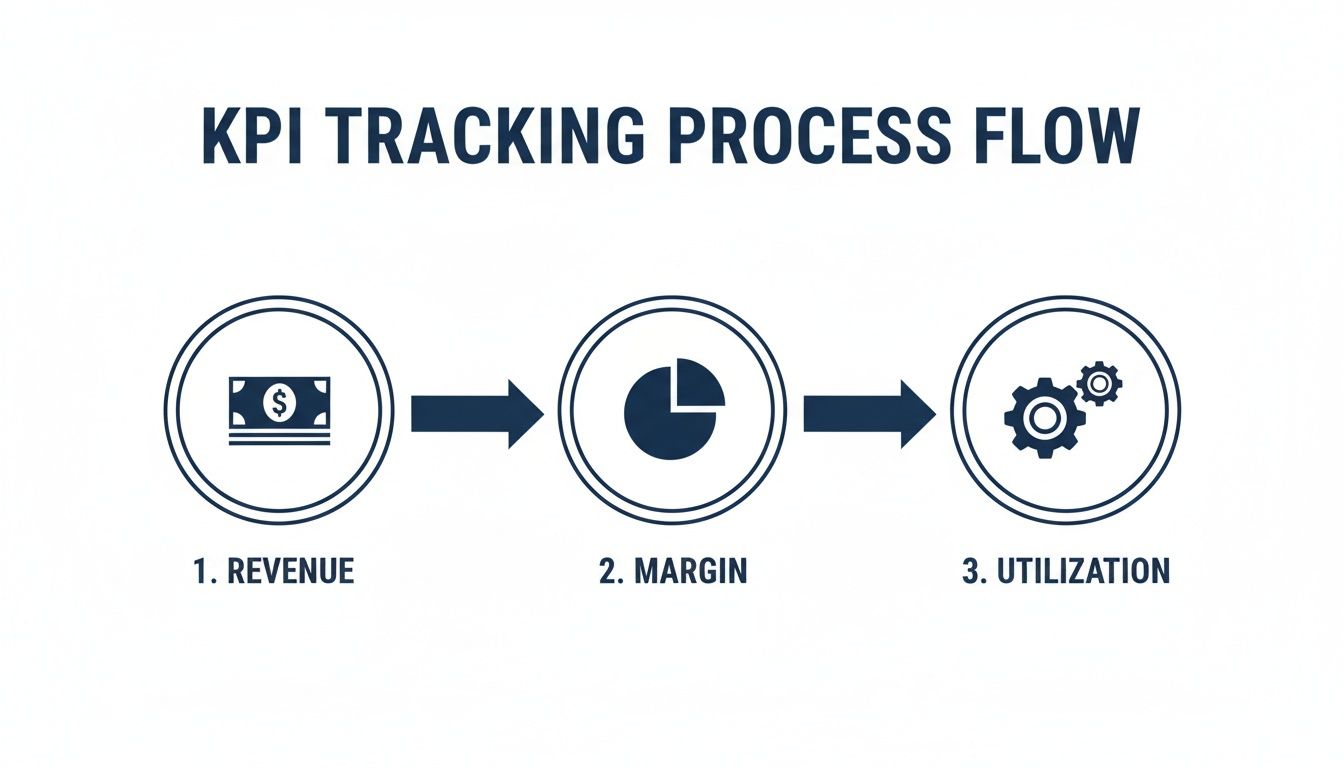
Your team's time is your single biggest cost and your primary source of revenue. It stands to reason that understanding how that time is spent is non-negotiable. This is where the Artist Utilisation Rate comes in.
This KPI measures how much of your team's paid time is actually spent on billable client work, versus internal projects, admin, or downtime.
A low utilisation rate isn't necessarily a sign of a lazy team. More often than not, it points to poor scheduling, a lumpy sales pipeline, or too much time swallowed by non-billable admin. Tracking it monthly helps you spot these operational drags before they become a major problem.
You can calculate this for an individual, a department, or the whole studio:
- Formula: (Total Billable Hours Logged / Total Available Work Hours) x 100
A target rate hovering around 75-85% is a pretty solid benchmark for most creative studios. If you’re pushing much higher than that, you're risking burnout. If it’s dipping too low, you’ve got expensive capacity sitting idle.
Keeping an Eye on Your Cash Burn
Finally, you need a crystal-clear picture of how much cash your studio eats through each month just to exist. This is your Monthly Burn Rate. It’s the sum of all your fixed operational costs—salaries, rent, core software subscriptions, utilities—before you’ve billed a single pound.
Knowing this number is absolutely crucial for planning your cash flow. It tells you the bare minimum you need to bring in each month just to break even. This number is the baseline your sales targets must always exceed for the studio to have any hope of being profitable. Of course, tracking is only half the battle. To really get ahead, you need to implement proven strategies for positive cash flow that help you manage that burn rate effectively.
To keep things simple, here’s a quick-reference guide to these essential metrics. It’s a handy cheat sheet to have during your monthly financial reviews.
Key Financial Metrics for Post-Production Studios
| Metric | Calculation Formula | What It Tells You |
|---|---|---|
| Gross Profit Margin per Project | (Revenue - Direct Costs) / Revenue | Reveals the true profitability of individual jobs and clients. |
| Artist Utilisation Rate | (Billable Hours / Available Hours) x 100 | Measures the efficiency and productivity of your creative team. |
| Monthly Burn Rate | Sum of All Fixed Monthly Costs | Shows your baseline operating cost and informs your break-even point. |
Tracking these three KPIs will give you a far more honest and actionable view of your studio's health than a simple P&L ever could. They turn financial data from a historical record into a forward-looking management tool.
Putting Your Reporting on Autopilot
Let’s be honest: manually wrestling with spreadsheets every month is a guaranteed path to burning out your production controller. It’s a tedious process that’s ripe for costly human errors. If your team is still spending hours copying and pasting data, it’s time to leave that outdated approach behind.
The real goal is to build a smart, automated workflow. One that frees up your people to do what they're best at: analysing the insights, not just crunching the numbers.
This all starts with seeing your software stack as a connected ecosystem. Your accounting, time tracking, and project management tools are designed to talk to each other through integrations and APIs. By connecting them, you can automatically pull data into a central hub, creating a single, reliable source of financial truth for your studio. No more manual drudgery.
Connecting Your Data Streams
First things first, look for the direct connections between your platforms. A native integration between your accounting software, like Xero, and your time tracking tool, say Harvest, can automatically sync project hours and costs. That simple link means your Project P&L is always built on real-time labour data—without anyone ever having to export a CSV file.
For anything more bespoke, middleware platforms like Zapier or Make are your best friends. These tools act as translators, letting you build custom "if this, then that" workflows between almost any cloud-based software you can think of.
- Real-World Example: Imagine setting up a rule where closing a project in ShotGrid automatically triggers a final invoice draft in Xero. It would pull in all the logged hours from Harvest for that specific job, ready for review.
Automating processes like this doesn’t just save a massive amount of time; it drastically cuts down on the little errors that inevitably creep in during manual data entry. It’s all about building a reliable foundation for your reporting.
From Static Spreadsheets to Dynamic Dashboards
Once your data is flowing automatically, the next big shift is in how you view it. Static spreadsheets are just a snapshot in time, often out of date the second you create them. This is where business intelligence (BI) tools like Microsoft's Power BI or Google Data Studio come in. They’re built to turn your data streams into dynamic, interactive dashboards.
These platforms connect directly to your various software systems and can be set to refresh on a schedule—hourly, daily, whatever you need. Your financial dashboard is always live, reflecting the current state of the business. You can build out visualisations for all the key metrics we've covered, from project margins right through to artist utilisation.
Think of it as moving from a printed map to a live GPS. Instead of just seeing where you've been, you get a real-time view of where you are right now and can drill down into any specific data point with a single click.
Building Your Automated Reporting Engine
Getting your automated system up and running involves a few practical moves. You’ll want to start by setting up a central data warehouse. This sounds more intimidating than it is—it could be a well-structured Google Sheet or a proper database, depending on your scale. This is where all your integrations will funnel their raw data.
Next, you connect your BI tool to this central hub. This is the fun part where you design your report templates and dashboards. You build them once, defining which data feeds into which charts and tables. After that initial setup, the reports practically generate themselves.
The result? Your team’s only monthly task becomes opening the dashboard, reviewing the insights, and talking about the strategic decisions that matter. You spend less time on admin and more time on actual financial management. And that’s where the real value is.
Navigating the Nuances of Studio Financial Reporting
Stepping into a structured rhythm of monthly financial reporting can feel like learning a new language. It’s totally normal to have questions as you move from theory to the real world of running a studio. We’ve pulled together some of the most common queries we hear from owners and managers to help you get this right.
How Granular Should My Project Reporting Be?
This is the classic question, and the answer is all about balance. You need enough detail to make smart decisions, but not so much that you drown your team in data entry. A good rule of thumb is to track costs at the task or phase level.
For instance, don't just log hours against "Project X." Break it down into meaningful stages like "Compositing," "Colour Grade," or "Sound Mix." Why? Because this level of detail is gold. It shows you precisely where you’re losing margin on a job and helps you quote far more accurately for similar work down the line.
How Often Should I Reconcile My Accounts?
The report itself is monthly, but your reconciliation absolutely shouldn't wait until the last day of the month. The best studios reconcile their bank accounts and credit cards on a weekly basis.
Tackling it in smaller, regular chunks makes the month-end process so much faster and less painful. It turns what feels like a mammoth task into a simple, manageable habit. This weekly check-in also acts as an early warning system for any weird expenses or cash flow issues, letting you react immediately instead of being blindsided weeks later.
A monthly report is only as good as the data it's built on. Consistent, weekly reconciliation ensures that when you sit down to analyse your performance, you're looking at the true picture, not a work in progress.
What’s the Best Way to Allocate Overheads?
Figuring out how to allocate overheads like rent, software licences, and admin salaries can feel more like an art than a science. But there are some perfectly logical ways to handle it. The aim is to get a fair picture of how much each part of your business actually costs to run.
A common and really effective method is to allocate overheads based on departmental headcount. If your VFX team makes up 40% of your total staff, they get 40% of the studio's overhead costs on their departmental P&L. Simple. Another way is to use square footage if certain departments take up a lot more physical space.
Whatever method you land on, the most important thing is consistency. Apply the same logic every single month. That way, you can accurately compare departmental performance over time without the numbers getting skewed.
Should I Panic About a Single Unprofitable Month?
One bad month absolutely does not spell disaster. The creative industry is famous for its cycles; project-based work naturally creates peaks and troughs in your revenue. This is exactly why monthly financial reporting is so vital—it gives you the context to understand these ups and downs.
The real insight comes from looking at the trends. A single unprofitable month could easily be explained by a client paying late or a big investment in new kit. It’s a pattern of three or four consecutive loss-making months that should set alarm bells ringing. That’s a clear signal that something fundamental is off—maybe your pricing, team efficiency, or an unsustainable burn rate that needs immediate attention.
What If My Team Hates Tracking Their Time?
This is a huge one. We get it. Artists often see time tracking as a tedious chore or, even worse, a sign that you don't trust them. The secret is all in how you frame it. This isn't about micromanaging people; it’s about understanding project profitability so you can quote better and protect everyone's jobs.
You have to show them the "why." When you can point to a project and say, "Because we tracked our time accurately on the last job, I was able to argue for a bigger budget on this one," the buy-in skyrockets. Make the process as painless as possible with tools that slot into their existing workflows. It’s a culture shift, for sure, but one that pays for itself over and over.
Ready to transform your studio's scheduling, budgeting, and reporting from a manual chore into an automated powerhouse? freispace is built to give you the clarity and control you need to drive profitability. Discover how freispace can streamline your studio's operations.