If you want to manage creative projects without pulling your hair out, you need to ditch the old, rigid rulebooks. The game has changed, especially in the fast-paced world of post-production. What you need is a flexible, modern framework that starts with one crucial step: getting the project intake and scoping absolutely right.
Building the Foundation for Creative Success

This is where projects are made or broken. Seriously. Before anyone even thinks about opening a file, you have to establish crystal-clear objectives and define the scope. Get this wrong, and you're signing up for scope creep, mismatched expectations, and a team that’s completely burnt out.
Think of project intake as the first creative act of the entire production. It’s not just admin. This is your chance to dig deep, ask the tough questions, and translate a client’s fuzzy vision into a concrete plan of attack. It’s all about uncovering the why behind the what.
The Power of the Creative Brief
A solid creative brief is your project's North Star. It’s the single source of truth that keeps everyone—from the client to the junior editor—on the same page. This isn't some dusty form you fill out and forget; it should be a living, breathing guide for the entire team.
A great brief doesn't just tick boxes and list deliverables; it tells the project's story. It needs to nail down:
- Project Objectives: What are we actually trying to achieve here? Is this about boosting brand awareness, driving sales, or maybe educating an audience?
- Target Audience: Who are we talking to? Knowing their quirks, motivations, and what makes them tick will shape every single creative decision down the line.
- Key Message: If the viewer remembers only one thing, what should it be? This keeps the core idea sharp.
- Deliverables and Specifications: The nitty-gritty. A detailed list of every final asset, including formats, resolutions, aspect ratios, and lengths.
"Getting the brief right is more than a box-ticking exercise; it's an insurance policy against ambiguity. It ensures that every stakeholder, from the client to the junior editor, is rowing in the same direction."
Navigating the UK Creative Landscape
Working in the UK's creative industry means you're dealing with a unique beast. The sector supports around 2.4 million jobs, and a huge slice of that pie is made up of freelancers and contractors. This reality demands a project management style that can seamlessly blend in-house teams with external talent.
If you’re juggling multiple gigs, knowing how to manage multiple projects simultaneously isn't just a skill, it's a survival tactic. This freelancer-heavy environment adds a layer of complexity right from the scoping phase, as you have to factor in different schedules, day rates, and communication styles from the get-go.
Mastering Project Intake and Scoping
The intake phase should feel like a collaborative workshop, not an interrogation. Your mission is to build a partnership from day one. Asking the right questions upfront saves a world of pain and endless revisions later.
To make sure nothing slips through the cracks, it's incredibly helpful to use a structured checklist during these early conversations.
Essential Project Intake Checklist
This table isn't just about gathering information; it’s about starting a dialogue that sets the project up for success. Running through these key areas helps you anticipate roadblocks and define the project’s boundaries clearly.
| Category | Key Question to Address |
|---|---|
| Goals & Objectives | What does success look like for this project, and how will we measure it? |
| Audience | Who are we trying to reach, and what do we want them to think, feel, or do? |
| Scope & Deliverables | What are the exact assets we need to create (e.g., 1x 90s hero, 2x 15s cutdowns)? |
| Key Messaging | What is the single most important message we need to communicate? |
| Timeline & Milestones | What are the hard deadlines, and what are the key review stages (e.g., first cut, fine cut)? |
| Budget & Resources | What is the total budget, and who are the key people involved (internal and external)? |
| Stakeholders | Who has the final say, and who needs to be kept in the loop during reviews? |
By clarifying these points, you stop scope creep in its tracks and give your team the clear runway they need to produce their best work. This structured approach is fundamental to successfully manage creative projects, no matter how big or small.
Planning Your Resources and Schedule
Once you've got the project scope locked down, the real logistical puzzle begins. This is where you translate that creative brief into a tangible, realistic plan. Getting this right is less about rigid spreadsheets and more about the art of anticipation. It's what separates a project that flows smoothly from one that lurches from crisis to crisis.
Your first move? Estimating timelines. And no, this isn't guesswork. It's a calculated process based on past projects, your team's capacity, and the specific deliverables you’ve already defined. For example, if a 90-second animated explainer video usually takes your team 150 hours from concept to final export, that’s your baseline.
From there, you need to break it all down. Don't just block out six weeks for "video production." Get granular. Assign specific time slots for storyboarding, asset creation, animation, sound design, and those inevitable review cycles. This detailed approach is your best bet for catching potential conflicts before they become real problems.
Assigning the Right Talent to the Right Tasks
Resource planning isn't just about who's free; it's about who's right for the job. A fantastic motion graphics artist might not be your go-to for character animation. Matching skills to tasks is absolutely critical for both quality and efficiency.
This means you need a crystal-clear view of your team's strengths and, just as importantly, their current workload.
- In-House Team: Who on your permanent staff has the skills and the bandwidth? Piling everything onto your best editor is a fast track to burnout and sloppy work.
- Freelance Specialists: Do you need a specialist colourist or a sound mixer for this one? Identifying this need early lets you book top freelance talent before their calendars are full.
- Dependencies: Remember, the colourist can't start until the editor has a picture lock. Mapping out these dependencies is the only way to avoid the bottlenecks that can grind an entire project to a halt.
A well-planned schedule is your best defence against chaos. It doesn't just set deadlines; it protects your team's creative energy by providing clarity and preventing overload.
Visualising the Project Workflow
Let’s be honest, abstract timelines and resource lists can be tough to wrap your head around. This is where visual planning tools really shine, transforming a complex string of tasks into a simple map everyone can follow. If you're looking to really nail down your structure, exploring a complete guide to project planning can provide a solid foundation.
A Gantt chart, for example, gives you a brilliant high-level overview. It’s perfect for showing clients the big picture—task durations, key dates, and all the crucial dependencies.
On the other hand, a Kanban board offers a more fluid, real-time view of what’s happening. With columns like 'To Do', 'In Progress', and 'In Review', the whole team gets instant visibility into who’s doing what. It’s incredibly effective for managing the day-to-day flow and spotting where work is getting stuck.
Ultimately, the goal is to stop putting out fires and start preventing them. By building a master schedule that accounts for every dependency and includes buffers for creative detours or unexpected feedback, you shift from a reactive to a strategic mindset. You're not just managing a project; you're creating an environment where amazing work can actually happen.
Executing the Project with Seamless Collaboration
Right, you’ve got your plan locked in. Now we move from the world of schedules and resource lists into the tangible, messy, wonderful realm of creation. This is where the magic happens, but it’s also where miscommunication can grind a brilliant creative vision to a halt.
To get this right, you need to break down your colossal post-production goals into smaller, more manageable pieces and build a culture where collaboration is second nature.
Deconstructing the Creative Workflow
Staring at a massive post-production project, like a short film or a new commercial, can feel a bit overwhelming. The secret is to deconstruct it using a Work Breakdown Structure (WBS). This isn't just a glorified to-do list; it’s a proper, hierarchical breakdown of everything that needs to get done.
For a video project, this means taking that big, vague "post-production" phase and slicing it into distinct, ownable stages. Think of it like building with LEGOs—you don’t just tip the box onto the floor. You sort the pieces and build section by section.
A solid WBS could be organised into clear phases, each with its own set of specific tasks:
- Offline Edit: This is about ingesting all the footage, pulling out the best takes, and actually assembling the narrative structure of the story.
- Visual Effects (VFX): Here, you’re identifying every shot that needs VFX work, then moving through tracking, compositing, and rendering all the elements.
- Colour Grading: This is where you’ll perform both primary and secondary colour correction to establish that final, polished look and feel.
- Sound Design & Mix: All about cleaning up dialogue, adding in sound effects, scoring the music, and getting that final audio mix just right.
- Final Delivery: The last step involves creating the master files and all the different versions you need for various platforms.
Each of these top-level items gets broken down even further. For instance, ‘Offline Edit’ might become smaller tasks like ‘Sync Audio’, ‘Assemble First Cut’, and ‘Address Client Feedback Round 1’. Getting this granular ensures nothing gets missed and makes it dead simple to assign clear ownership for every single task. Honestly, a well-structured workflow is the backbone of any successful creative project.
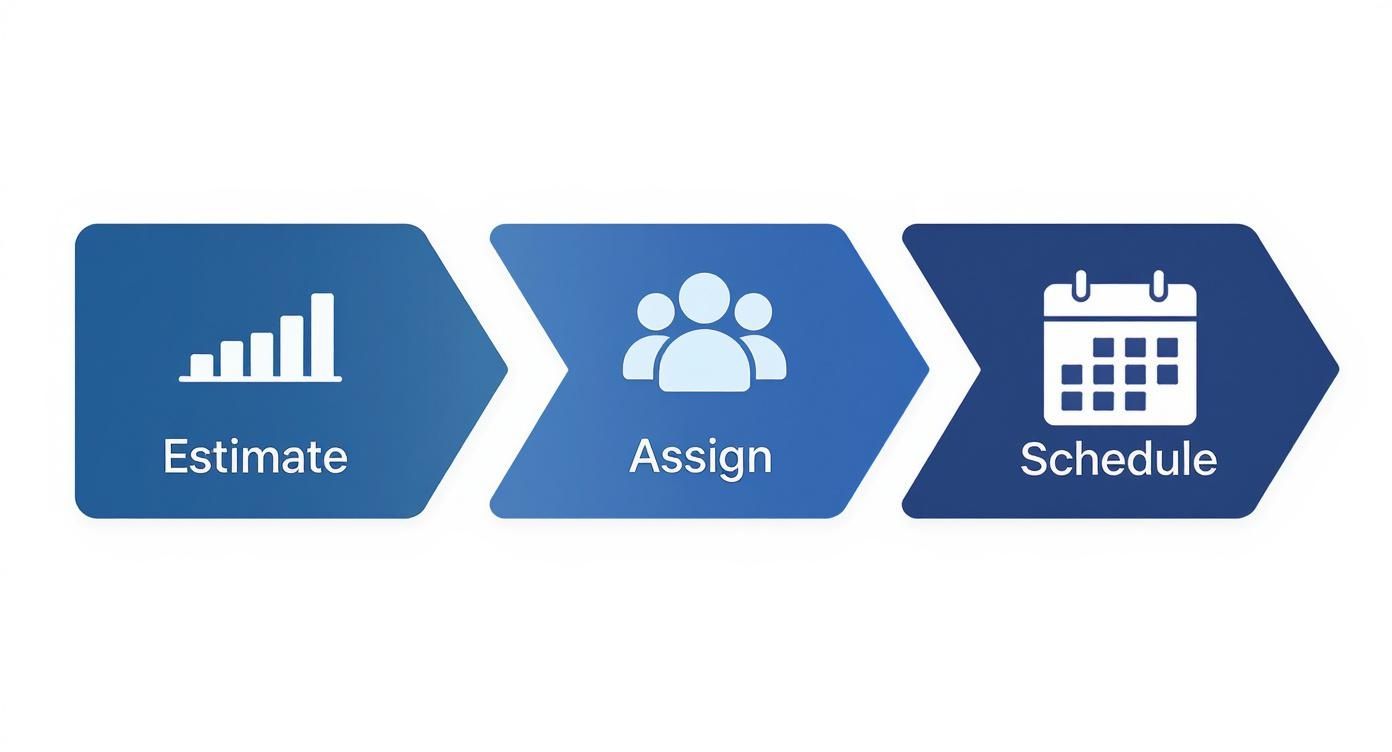
This simple visual nails the core process: you estimate the effort, assign the right people, and then schedule the work. They’re all interconnected steps that build on one another.
Mastering the Art of the Handoff
In my experience, the biggest point of friction in post-production is the handoff between specialists. When the picture editor passes the project to the colourist, or the sound designer gets the final locked cut, that transition has to be absolutely flawless. A single dropped file or one piece of missed feedback can easily cause hours of painful rework.
The way to prevent this is by establishing crystal-clear protocols. Standardise your file naming conventions and folder structures so everyone knows exactly where to find what they need without having to ask. This is where a project management platform with centralised file storage becomes a lifesaver. It acts as the single source of truth, ending the chaos of digging through endless email chains for the "latest" version.
A messy handoff is more than an inconvenience; it’s a project risk. Clear protocols and centralised communication transform these critical moments from potential points of failure into opportunities for alignment.
Fostering a Collaborative Ecosystem
Real collaboration isn't just about passing files back and forth. It’s about creating an environment where information flows freely and feedback is always constructive.
Using a central platform for all project communication is non-negotiable. This simple move pulls conversations out of siloed inboxes and makes them visible to the entire team, which keeps everyone on the same page.
And when it comes to giving feedback, be specific and actionable. Instead of a vague "I don't like this shot," try something like, "Could we try a tighter crop on this shot to focus more on the character's reaction?" That kind of precise communication respects your specialist's expertise while gently guiding the project where it needs to go.
By building these robust systems for task breakdown and communication, you create a resilient, collaborative workflow where everyone is empowered to do their best work.
Integrating AI and Automation in Your Workflow
AI is no longer just a buzzword rattling around the industry; it's a real, practical tool that’s changing how we handle creative projects. The trick is to see it not as a replacement for human talent, but as a powerful co-pilot. It’s here to take on the repetitive, soul-crushing tasks, letting your team get back to what they do best—being creative.
This shift is already well underway, and it's moving fast. The way creative projects are managed in the UK has been fundamentally altered by new technology. Recent data from the Creative Industries Census shows AI adoption has skyrocketed among creative pros, jumping from just 10% using it regularly last year to a staggering 60% today. Despite this, only 13% of businesses feel they’re actually ready for the change, which points to a huge gap between having the tools and having a strategy.
Where AI Delivers Immediate Value
You don’t need to completely rip up your current process to get started with AI. It’s all about finding those specific, high-impact areas where a bit of automation can give your team back precious hours. The best place to start is usually with the most tedious parts of post-production.
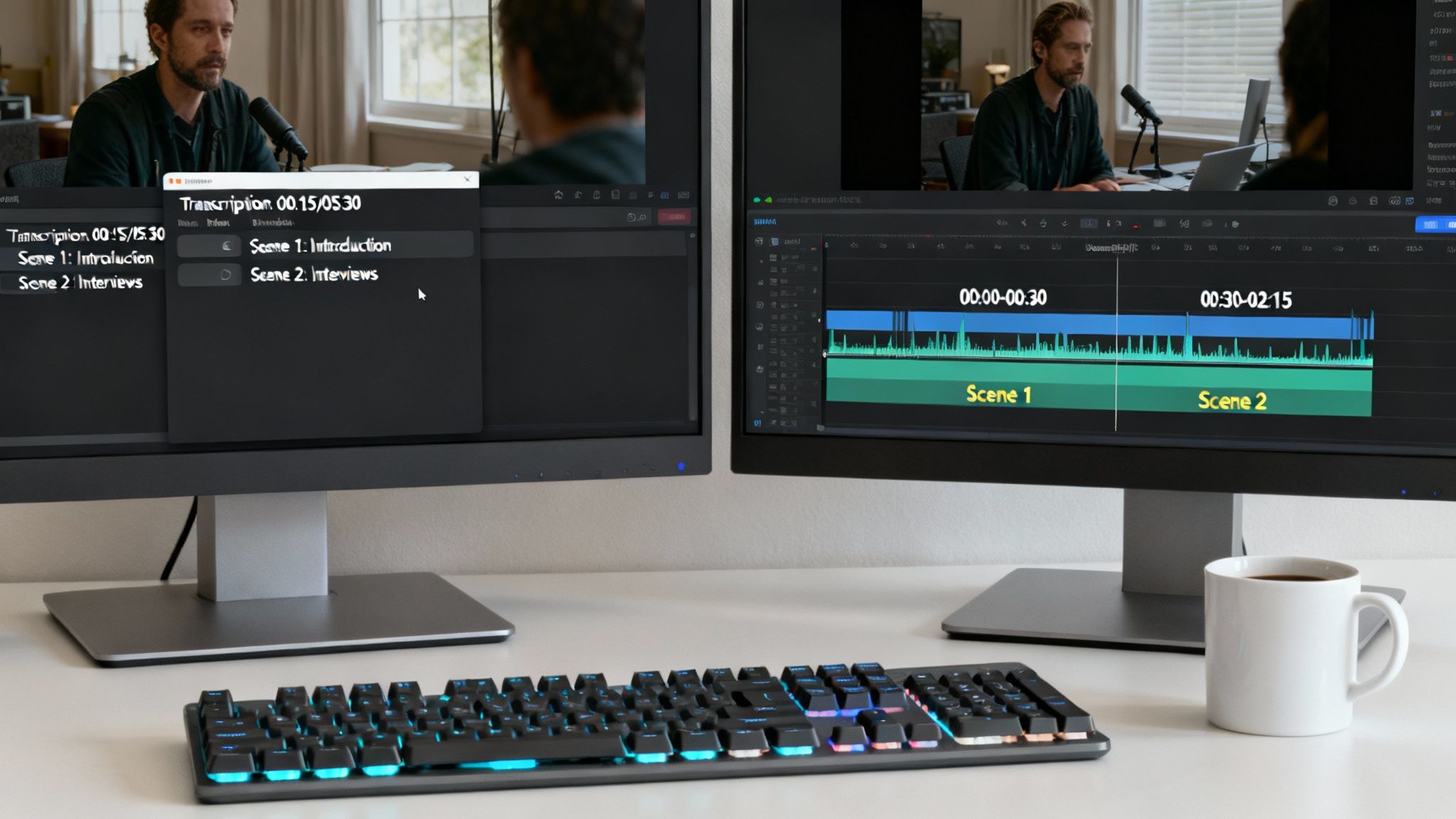
Think about all the time sunk into transcribing interviews or logging footage. AI-powered tools can now knock out these tasks with incredible accuracy in a tiny fraction of the time it would take a person. This isn't just about saving hours; it makes your entire media library instantly searchable, so an editor can pinpoint the perfect clip in seconds.
- Automated Transcription: Generate accurate, time-coded text from your audio or video files. It’s a game-changer for creating subtitles and crafting paper edits.
- Media Logging and Tagging: Let AI analyse your footage to automatically identify objects, faces, and even sentiment. This creates rich metadata that makes the entire editing process faster.
- Rough Cut Generation: Some platforms can even pull together a first-pass assembly of a scene based on a script, giving editors a solid foundation to start from instead of a blank timeline.
By automating the grunt work in post-production, you’re not just making things more efficient. You’re protecting your team’s creative energy for the big-picture decisions that actually shape the final product.
Streamlining Review and Approval Cycles
One of the biggest bottlenecks in any creative project is the review and approval stage. We’ve all been there—endless email chains with vague feedback and confusing time-stamps can grind progress to a halt. This is another spot where automation can make a massive difference.
Modern project management platforms can automate this entire feedback loop. When an editor uploads a new cut, the system can automatically ping all the right people. Instead of firing off emails, reviewers can drop time-stamped comments and draw annotations directly on the video. All the feedback is clear, contextual, and kept in one place. Once those notes are addressed, the system can kick off the next round of approvals, creating a workflow that’s both seamless and transparent.
Navigating the Management Challenges
Of course, getting new tools is only half the battle. To really make AI work for you, you have to manage the human side of the shift. Your team might have some very real concerns about how their roles will change, which is why clear communication and proper training are so important.
For a deeper dive into this evolving space, check out the ultimate guide to AI video editing and repurposing. It's also critical to think about how these new tools slot into your existing workflow. You can learn more about the practical steps for AI integration in post-production to help build a smarter, more efficient process from the ground up.
The goal here is to frame AI as a supportive tool that enhances skills, not one that replaces them. Try starting with a small pilot project to show off the benefits and get some real feedback from the team. Pick software that’s intuitive and plays nicely with the tools they already use and love. If you take a thoughtful, team-first approach, you’ll not only boost efficiency but might just unlock a whole new level of creative potential.
Keeping an Eye on the Bottom Line: Budgets and Financial Health
Brilliant creative work is fantastic, but it has to be financially sustainable. To get a real grip on your creative projects, you have to master the financial side of things. It’s time to move beyond chaotic spreadsheets and into a world where you can see exactly where your money is going in real-time. This isn't just about pinching pennies; it’s about building a solid financial foundation that keeps your team secure and your business profitable for the long haul.
It all starts with a budget, and I mean a really detailed one. You’ve got to account for every possible cost, from the obvious stuff like talent and software licences to the easily forgotten overheads like studio rent and utilities. Think of it as your financial roadmap for the entire project.
Building a Bulletproof Project Budget
Putting together a solid budget is an exercise in foresight. You're trying to predict every cost that will pop up through each stage of post-production, from the first day of data wrangling right through to final delivery. One of the most common pitfalls is underestimating how much time and money revisions or unexpected technical hitches can eat up. That’s a quick way to blow your budget.
To sidestep this, break your budget down into clear categories and line items. Getting granular is the only way to track things accurately.
- Personnel Costs: This covers salaries for your in-house crew and the day rates for freelancers like colourists, sound designers, and VFX artists.
- Software and Hardware: Make sure to include subscription fees for all your essential tools (editing software, plugins, you name it) and any gear you need to rent or buy.
- Third-Party Services: This is where you’ll account for stock footage, music licensing, or specialised services like secure digital delivery platforms.
- Overheads and Contingency: Always allocate a percentage for studio overheads. And, most importantly, build in a contingency fund—usually around 10-15% of the total budget—to handle those curveballs you know are coming.
A detailed budget is more than just a numbers game; it's a strategic tool. It gives you the clarity to make smart decisions, put resources where they’re needed most, and protect your profit margins from day one.
The Power of Real-Time Financial Visibility
Once the budget gets the green light, the real work begins: tracking what you’re actually spending against what you planned. This is where a static spreadsheet just can't keep up, and modern project management platforms become absolutely essential. They give you a live, dynamic look at your project's financial health.
This kind of visibility lets you be proactive. Instead of getting a nasty surprise at the end of the month when you realise you’ve overspent, you can spot potential issues as they arise and adjust your course. Systems that link task management directly with financial tracking are especially powerful. If you want to dive deeper into centralising your operations, check out our in-depth guide to project financial management.
Making Time Tracking a Tool for Empowerment
Let's be honest, time tracking has a bit of a bad rap. It’s often seen as micromanagement. But when you approach it the right way, it becomes an incredibly useful tool for everyone. The point isn't to spy on your team; it's to gather accurate data that shows the true effort that goes into the creative process.
This data is pure gold. It helps you see which parts of a project are the biggest time sinks, which means your future quotes will be far more accurate. It also gives you a realistic view of your team's capacity, helping you prevent burnout by making sure workloads are manageable.
Taking Advantage of UK Financial Incentives
For any creative business based in the UK, smart financial management also means making the most of available tax reliefs. These government schemes are there to support our industry and can make a huge difference to your bottom line. Building them into your budget from the very start is a no-brainer.
Take the 2023 to 2024 financial year, for example. Film Tax Relief (FTR) saw 960 claims, leading to £534 million in relief being paid out. Even though the total amount paid went down a bit, the number of claims actually jumped by 9%, which shows more and more projects are getting this support. Theatre Tax Relief (TTR) did even better, with claims rising by 15% and the total relief paid out soaring by 65% to £261 million. You can dig into these numbers yourself in the government's latest Creative Industries Statistics commentary.
Measuring Success and Driving Improvement
So, how do you actually know if a creative project was a success? Just hitting the deadline and staying on budget is setting the bar pretty low. If you want to manage creative projects well for the long haul, you’ve got to dig a bit deeper. You need to measure what really matters: the quality of the creative, how happy the client is, and your team's well-being.
This means looking beyond the obvious metrics and setting up Key Performance Indicators (KPIs) that give you the full story of your project’s health. These aren't just numbers for a spreadsheet; they're the vital signs that tell you where you’re knocking it out of the park and where things need a tune-up. Without them, you’re flying blind.
Defining Your Project KPIs
Good KPIs give you a balanced view, covering efficiency, happiness, and quality. The trick is to start by tracking a few truly meaningful metrics instead of getting bogged down in a sea of data. A focused approach is what gives you insights you can actually do something with.
Consider tracking a handful of these:
- Revision Rounds: How many feedback cycles did it take to get to the final version? A high number here could signal a weak creative brief or a communication breakdown during the review phase.
- Actual vs. Budgeted Hours: A classic for a reason. This tells you exactly how accurate your initial scope was and shines a light on which project phases consistently gobble up more time than you planned for.
- Client Feedback Scores: Fire off a simple survey once the project is delivered. A Net Promoter Score (NPS) or a straightforward 1-5 satisfaction rating gives you direct, quantifiable feedback on the client’s experience.
- Team Satisfaction: A quick, anonymous poll can be a great way to check team morale and spot potential burnout before it becomes a real problem.
A truly successful project delivers brilliant creative, makes the client happy, and leaves your team feeling proud and respected, not completely drained. Your KPIs should reflect all three of these pillars.
The Power of the Project Post-Mortem
Data tells you what happened, but a post-mortem (or retrospective, if you prefer) helps you understand why. This isn't about pointing fingers or laying blame. It’s a structured, collaborative session designed purely for learning and getting better.
Once a project is wrapped up, get the key players in a room for an honest chat. The whole point is to figure out what went brilliantly and should be baked into your process, and what caused friction and should be ditched next time.
This commitment to constant improvement is what turns good project management into a massive operational advantage. It builds a culture where every single project—whether it was a dream run or a total nightmare—becomes a valuable lesson.
Got Questions? We've Got Answers
Even the most organised project manager runs into a few curveballs. When you're deep in the trenches of creative project management, questions are bound to come up. Here are some quick, real-world answers to the challenges we see creative teams grappling with most often.
How Should We Handle Tricky Client Feedback?
Let's be honest, navigating tough client feedback is more of an art than a science. The knee-jerk reaction is to get defensive, but the first and most important step is just to listen. Really listen. Vague feedback like, "it just doesn't feel right," usually has a specific concern hiding underneath; the client just hasn't found the right words for it yet.
This is where you have to put on your detective hat. Instead of guessing what they mean, start asking clarifying questions. Prompt them with specifics to help narrow it down: "When you say it lacks energy, are you thinking about the pacing of the edit, the music choice, or maybe the colour grade?" Suddenly, a frustrating comment becomes a concrete, actionable starting point for the next round of revisions.
What’s the Best Software for Creative Teams?
There's no magic bullet here—the "best" software is always the one that fits your team's specific workflow. That said, there are a few non-negotiable features that any platform worth its salt should have for a modern creative team.
Look for a tool that offers:
- Visual Timelines: Things like Gantt charts are your best friend for mapping out all the intertwined dependencies you find in post-production.
- Centralised Asset Management: Put an end to the nightmare of digging through emails and folders for the "latest_final_v3.mp4".
- Time-Stamped Feedback: The ability to drop precise, frame-accurate comments directly on a video or audio file is a game-changer.
A great project management tool does more than just organise to-do lists. It becomes the single source of truth for communication and feedback, cutting out the confusion that leads to endless rework.
What's the Best Way to Manage Scope Creep?
Ah, scope creep. That sneaky habit of project requirements expanding far beyond what you originally agreed to. It’s a budget and timeline killer. The most powerful way to manage it is to stop it before it even starts. A crystal-clear creative brief and a signed-off scope of work are your first line of defence.
But what if a client asks for something new mid-project? Document it immediately. Don't just agree to it in a call. Write it up as a formal change order, clearly outlining how it will impact the budget and the schedule. This simple step reframes the conversation. It's no longer just a small "ask"; it's a business decision. This gives the client the clarity they need to either approve the additional work or stick to the original plan.
Ready to manage your creative projects with clarity and control? freispace is the AI-native platform built for modern post-production. Plan, track, and deliver your projects seamlessly.