Post-production Scheduling for your whole facility:
from booking to invoice.
Put every edit suite, grading theatre, freelancer and software licence on one live schedule – then run the timesheets, budgets and invoices from the same booking.
freispace is a cloud-based post-production scheduling and resource management platform for post houses, broadcasters, production companies and in-house post departments.
Browser-based, nothing to install. Published pricing from €349 a month.
Book a 45-minute demoBook the suite. Track the hours.
Send the invoice. One system.
A booking carries its rate, its people and its kit all the way through to the invoice. Nothing is re-keyed into a second system, and nothing is reconciled in a spreadsheet at month end.
Edit suites, grading and dubbing theatres, staff, freelancers, kit and software licences sit on one live schedule, with utilisation and plan-versus-actual reporting drawn from the same bookings your coordinators are already making — not from a separate report someone has to build.
- browser-based
- priced per facility
- pricing published
Everything runs in the browser, so the freelancer you booked this morning is working this afternoon: no client installer, no version to keep in step across sites, no VPN. freispace is priced per facility rather than per seat, and the prices are on the pricing page rather than behind a sales call.
What can a post house run on freispace?
Bookings & Resources
Edit suites, staff, freelancers, kit and licences in one live view, with utilisation reporting
Project Planning
Gantt-style planning with phases and milestones
Task Management
Assign & track to-dos, deadlines, and dependencies
Quoting & Invoicing
Quotes and invoices raised from the booking, EU e-invoice ready
Time & Leave
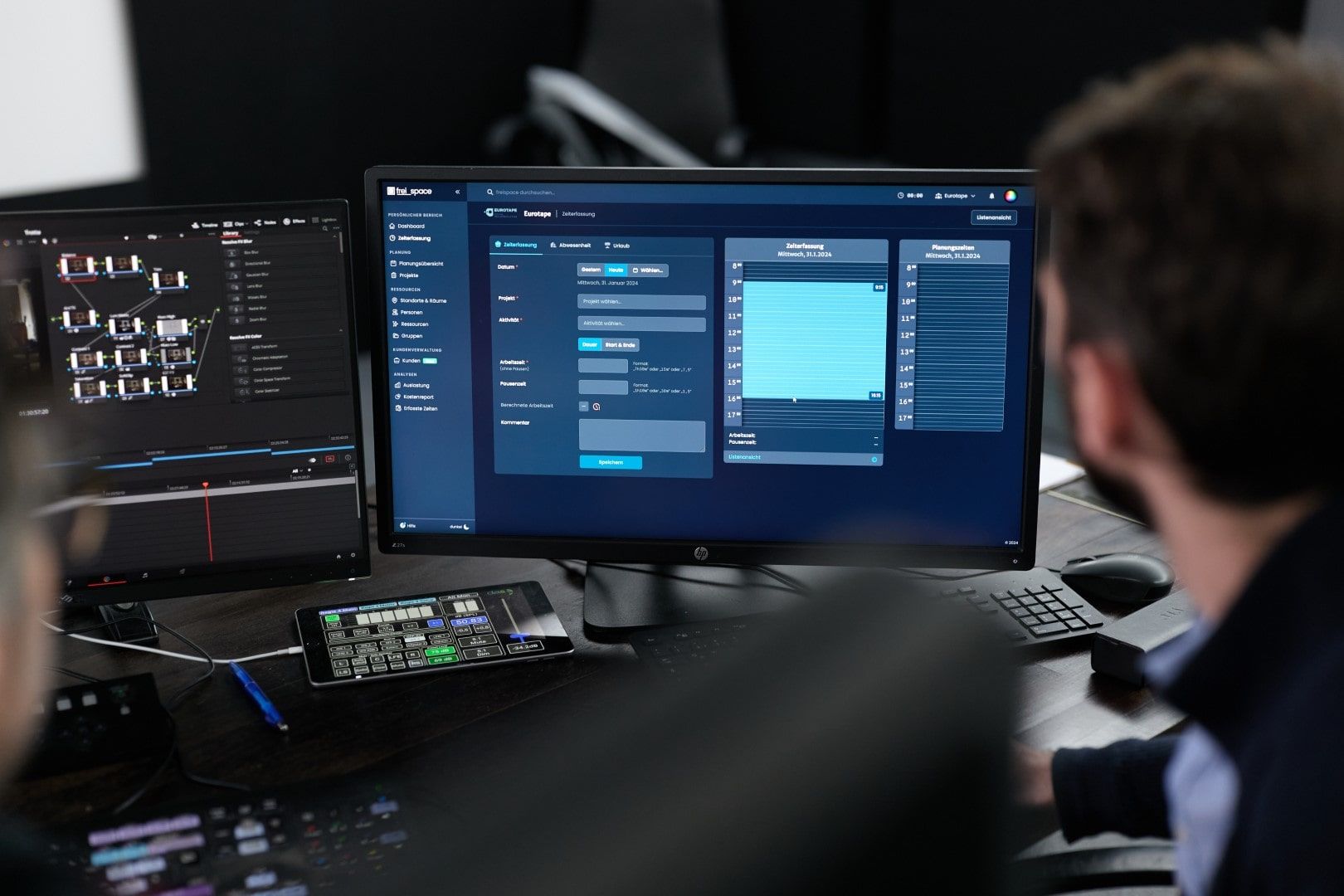
Timesheets recorded against the booking, plus leave and absence
Carbon emissions tracking
Automated, real-time carbon footprint monitoring
Budgets & Controlling
Live plan-versus-actual on every project, not a month-end spreadsheet
AI & Integrations
Ready to integrate into your automations, AI and third-party tools
Physical Media Tracking
Drives, camera cards and LTO tapes tracked from ingest to archive
Still on ScheduALL, farmerswife or a spreadsheet?
Most facilities reach us mid-migration, with years of bookings, rate cards and project history to bring across. These pages set out what transfers, what does not, and what a parallel run actually looks like.
- ScheduALL alternative
ScheduALL’s vendor has discontinued support and is migrating customers to Xytech. What to look at while you are already inside a migration budget cycle. - farmerswife alternative
What changes when the client installers and the per-user licensing go away. - Excel scheduling alternative
What breaks in a spreadsheet once you are past a handful of rooms and one coordinator.

One booking, all the way through
A booking is made once and then does the rest of the work. It holds the suite, the operator and the kit. It collects the hours worked against it. It draws down the project budget as it goes, and it becomes a line on the quote and then on the invoice. The month-end reconciliation that eats a bookings coordinator's week is the part that disappears.
What a single booking carries:
- The suite, theatre or workstation, and the operators and freelancers on it
- The rate that applies to that client, project and time of day
- Timesheets recorded against the job rather than re-entered
- Tasks, documents, physical media and communications related to the booking
- Live budget drawdown and plan-versus-actual, not a month-end exercise
- Quote and invoice lines, EU e-invoice ready
- Per-project CO2e, calculated from the same schedule
Bookings & resource management Quoting & invoicing Budgets & controlling
Nothing to install, nothing to update
freispace runs in the browser. There is no client installer to roll out, no nightly build to chase, no per-seat licence for the freelancer you booked this morning, and no VPN for the editor working from home. A facility running multiple sites reads one live schedule at any one moment.
What that changes day to day
- A freelancer is booked and working the same day, on their own machine
- Upgrades arrive without a maintenance window or an IT ticket
- Producers and clients get a live read-only view instead of a PDF
- Priced per facility, so another coordinator costs nothing to add
- Hosted in the EU, GDPR-compliant, with audit trails

AI that can actually read the schedule
An assistant is only as useful as the data it can reach. Because bookings, timesheets, budgets and invoices all sit in one system, orgAI can answer questions about live utilisation, spare capacity and project spend — under each user's existing permissions, processed on infrastructure we host rather than sent to an external service, and never used to train a model. The same data is available to your own tools through an MCP server and a documented REST API. The Big Broadcast Tech Survey 2025 puts AI and automation among the top priorities for 25% of media companies; this is the groundwork that has to exist first.
What that means in practice:
- orgAI answers on live bookings, utilisation and budgets
- Processing is self-hosted: No data goes to an external AI service
- MCP server, so your own assistants and agents can read the schedule
- Documented REST API, plus Make, qibb, Helmut and Strawberry integrations amongst others
- Answers respect each user's permissions, with full audit trails
- Customer data is never used to train models
Meet orgAI MCP server & AI integration API, integrations & automation
Where AI helps a post house —
and what has to be true first
The Big Broadcast Tech Survey 2025 puts AI and automation among the key technology priorities for 25% of media companies, and McKinsey estimates generative AI could add $2.6–4.4 trillion in annual value across industries. Neither figure tells you anything about your own facility. What decides whether any of it reaches your schedule is much duller: where the data lives, and who is allowed to see it.
What has to be true before AI is useful on a schedule
- One system: bookings, timesheets, budgets and invoices in one place, because nothing can join up three tools and a spreadsheet for you
- Permissions: answers bounded by what each person is already allowed to see, so a freelancer cannot ask about margins
- An interface: an MCP server or a well-documented API, so your own tools can read the schedule rather than screenshot it
- Data boundaries: processing that does not hand client schedules to an external service
- An audit trail: a record of what was asked and answered, for the client and for the auditor
How we approach AI, specifically
Most of the value is not the chat box. It is that scheduling, time, budgets and billing were built as one data model, so an assistant, an agent or a script gets one complete answer instead of four partial ones. Every line below is something you can check in a demo, on your own data.
How it is built:
- Scheduling, time, budgets and billing on one data model
- Self-hosted processing
- Answers bounded by each user's existing permissions
- An open MCP server your own assistants can connect to
- A documented REST API reading the same data
What you can check yourself:
- Published pricing, charged per facility rather than per seat
- EU hosting, GDPR compliance and complete audit trails
- Nothing to install: no client, no on-premise server, no VPN
- Make, Ortana Cubix, qibb and Strawberry integrations for no-code workflow automation
- Customer data is never used to train a model
Frequently Asked Questions
How much does freispace cost?
freispace is priced per facility, not per seat: every plan includes unlimited users, projects and resources, so adding a coordinator or a freelancer costs nothing. Plans start at £299 / €349 / $399 a month on an annual agreement.
The full price list, including the SSO, shifts and physical media modules, is published on the pricing page — you do not need a sales call to find out what it costs. There is also a payback calculator for working out what idle suite time is currently costing you.
Can we migrate from ScheduALL, farmerswife or a spreadsheet?
Yes — most facilities that come to us are already mid-migration. Two routes work well:
- A dated cutover. Home Post Production moved its whole operation off a legacy scheduling system in 30 days, from 1 October to the end of that month, with no disruption to client delivery and no dual-running phase.
- A clean rebuild. Bumblebee Post set a go-live date and rebuilt rooms, resources and kits inside freispace rather than carrying a legacy data model across — a system configured for how the team wants to work now.
What transfers and what does not is set out on the ScheduALL, farmerswife and spreadsheet comparison pages.
What can freispace book?
Anything in the facility that can be double-booked:
- Edit suites, grading and dubbing theatres, studios and workstations
- Staff, freelancers and shifts
- Cameras, kit and physical media
- Software licences and floating seats
- Storage and server space
All of it on one schedule, with utilisation reporting drawn from the same bookings. See resource management. Drives, camera cards and LTO tapes are tracked separately in physical media tracking.
Do we pay per user?
No. Every plan carries unlimited users, projects and resources, and pricing is per facility. That means the freelancer booked for a single day, the producer who only wants to look at the schedule, and the accountant who only touches invoices all cost the same as each other: nothing extra. It also means nobody is left off the system to save a licence.
Does freispace handle quoting and invoicing, or only the schedule?
Both, and deliberately in one place. A booking carries its rate, so the hours worked against it become quote lines and then invoice lines without anyone re-keying them into a second system. Invoicing is multilingual, adaptable to your own templates and EU e-invoice ready.
The same bookings feed live plan-versus-actual budgets and per-project CO2e reporting. See quoting & invoicing.
Where is our data hosted?
In ISO/IEC 27001-certified German data centres. There is no transfer of customer data to countries outside the EU, traffic is encrypted with SSL/TLS, and freispace is GDPR and PECR compliant. Sub-processors and the DPA are published rather than supplied on request. See data security & GDPR.
Can we see utilisation across the whole facility?
Yes. Because every booking sits in one system, utilisation is a live view rather than a report someone has to assemble — by room, by department, by client or by period, alongside plan-versus-actual on each project.
Olly Strous, CTO at Zinc Media Group, put it this way: “We have got much more clarity and visibility than we have ever had. In fact, I have been taking screenshots of the utilisation graphs and putting them in my monthly board report.”
What makes freispace "AI-ready" compared with other scheduling tools?
Mostly that the data is in one place and reachable. Bookings, timesheets, budgets and invoices share one data model, so an assistant gets a complete answer rather than four partial ones. On top of that:
- orgAI answers on your live schedule, respecting each user's existing permissions
- Processing is self-hosted — no data goes to an external AI service
- An open MCP (Model Context Protocol) server for your own assistants and agents
- A documented REST API, plus Make, qibb, Helmut and Strawberry integrations
Can freispace integrate with our existing enterprise AI systems?
Yes. The MCP server lets an enterprise AI read the schedule directly, under the same permission model as a human user:
- Bring your own AI: connect your internal models and agents
- MCP (Model Context Protocol) server for standardised AI integration
- RESTful APIs and webhooks for custom automations
- Make, qibb, Helmut and Strawberry integrations for no-code automation
Does freispace use customer data to train AI models?
No. freispace will never use customer data to train AI models. The AI only accesses the data needed to answer a given request, in line with that user's permissions, and every interaction is recorded in the audit trail. Our model was trained on manually curated datasets.
Your advantages

One live schedule
Suites, staff, freelancers, kit and licences in a single view
Booking to invoice
No re-keying between the schedule and the billing
Nothing to install
Browser-based, so today's freelancer starts today
Where does your facility stand?
Take the AI readiness assessmentStellar feedback by Industry Veterans


We really like the fact that freispace feels different, fresh, new, progressive — it really suits our strategic goals.
freispace has a golden ticket in terms of cleaning up in the UK.
— Paul Austin, Managing Director
Read about Home Post Production's transitionAs an operator, freispace is the first scheduling software that I actually enjoy using. It just works exactly how you would expect it to!
— James Harding, Online Editor and Workflow Specialist





We've got much more clarity and visibility than we've ever had. In fact, I've been taking screenshots of the utilisation graphs and putting them in my monthly board report.
— Olly Strous, Chief Technology Officer
Read about Bumblebee's switch